Hello,
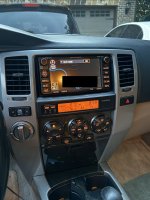
I have recently installed an e7008 into my 2003 4runner non NAV JBL and I am currently trying to find any way to get a carplay interface onto the oem headunit. Yes I know its much easier and more cost effective to invest in an aftermarket HU with carplay however I am very set on keeping the OEM headunit.
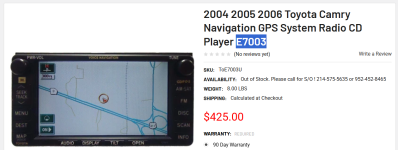
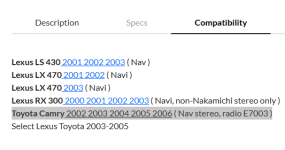
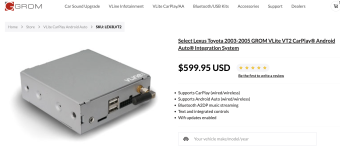
Grom makes a carplay interface for for "select Lexus Toyota 2003-2005" with specifically Toyota Camry e7003 in the compatibility specs, along with couple Lexus vehicles all from 2001-2006. Problem is I haven’t found anything online anywhere about having this system in e70xx nav units, only the lexus models which has a separate display cable and different plugs to the e7003 or e7008 and I do not want to drop 600 dollars on a interface that I don’t know will work in my car.
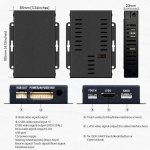
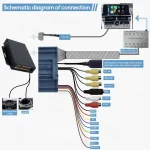
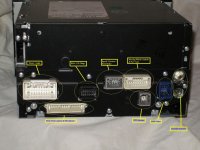
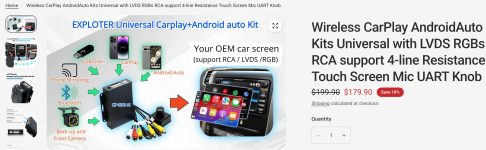
To my knowledge there is no way to get video input in the e7008 except the R27 plug for the RSE DVD player (which im still unsure if i can get my own video source through the R27 besides the DVD player as well as what video format it excepts.) I have found a universal carplay interface box that you install yourself but I need a way to get video and audio into the HU. There is also the problem of if the RSE DVD input locks out screen when you start driving so you are not distracted by any dvd while driving. I currently have no speed sensor or Ebrake signal attached to the HU but I do have a GPS antenna attached which locks out the NAVI controls while driving
This i also why I am wondering if the Grom unit works with the similar Camry E7003, how does that get it to display onto the headunit with no issues.
any help in appreciated because I do not want to waste money buying things to maybe get it to work.
Links:
Grom VLite VT2
Universal Carplay Kit
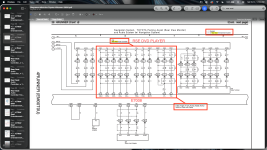
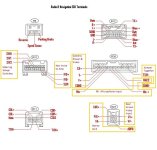
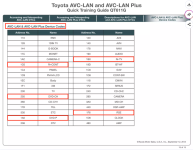
Pictures/Screenshots:
I have recently installed an e7008 into my 2003 4runner non NAV JBL and I am currently trying to find any way to get a carplay interface onto the oem headunit. Yes I know its much easier and more cost effective to invest in an aftermarket HU with carplay however I am very set on keeping the OEM headunit.
Grom makes a carplay interface for for "select Lexus Toyota 2003-2005" with specifically Toyota Camry e7003 in the compatibility specs, along with couple Lexus vehicles all from 2001-2006. Problem is I haven’t found anything online anywhere about having this system in e70xx nav units, only the lexus models which has a separate display cable and different plugs to the e7003 or e7008 and I do not want to drop 600 dollars on a interface that I don’t know will work in my car.
To my knowledge there is no way to get video input in the e7008 except the R27 plug for the RSE DVD player (which im still unsure if i can get my own video source through the R27 besides the DVD player as well as what video format it excepts.) I have found a universal carplay interface box that you install yourself but I need a way to get video and audio into the HU. There is also the problem of if the RSE DVD input locks out screen when you start driving so you are not distracted by any dvd while driving. I currently have no speed sensor or Ebrake signal attached to the HU but I do have a GPS antenna attached which locks out the NAVI controls while driving
This i also why I am wondering if the Grom unit works with the similar Camry E7003, how does that get it to display onto the headunit with no issues.
any help in appreciated because I do not want to waste money buying things to maybe get it to work.
Links:
Grom VLite VT2
Universal Carplay Kit
Pictures/Screenshots:
Attachments
Last edited: