
You are using an out of date browser. It may not display this or other websites correctly.
You should upgrade or use an alternative browser.
You should upgrade or use an alternative browser.
Dash light and dimmer tie in point? Integrate new switches..
- Thread starter Keith_PDX
- Start date
Register to hide this ad

Ducmonsta
New member
I purchased some of the V series OTRATTW switches and would like to tap into the factory dash light on/off/dimmer. Any suggestions on where to do this?
If you're planning on doing this yourself, buy a multi meter. They're pretty inexpensive and worth their weight in gold. If you want lessons on how to use it, pm me and we'll set up some time to meet and I'll walk you through it.

Keith_PDX
New member
Thanks Ducmonsta. I was merely looking for an "easy button" to see if someone has been there and figured it out, like the details of if the ground for the lights needs hooked up to the variable circuit or if any chassis ground is sufficient. The circuit could have been done either way. Just trying to maximize time installing versus troubleshooting and reverse engineering.
I have a couple nice Fluke meters. Thanks.
I have a couple nice Fluke meters. Thanks.
Ducmonsta
New member
Thanks Ducmonsta. I was merely looking for an "easy button" to see if someone has been there and figured it out, like the details of if the ground for the lights needs hooked up to the variable circuit or if any chassis ground is sufficient. The circuit could have been done either way. Just trying to maximize time installing versus troubleshooting and reverse engineering.
I have a couple nice Fluke meters. Thanks.
Gotcha. I'm pretty bad about remembering which wires were what DURING the install that I have to keep double checking myself with a meter or test light. There's NO WAY I'm going to remember wire colors after the fact.
Even if someone happened to document what wires they used for what, I still couldn't trust it. Only because it's my truck and the consequences are going to be all mine as well.
I can tell you it's a green wire. I just did this today with my AOB switches. I bought a multimeter and thank god I did. When you drop down the lower panel you will see a set of wire harnesses to your lower left I can't tell you which one is was but I keep testing wires one at a time while I switched the light switch back and forth.

barryhiram
New member
Green wire (+), Gray wire (-) (which provides illumination dimming function) can be found on any of the switches left of steering wheel. I had an extra white factory plug tucked up in the harness that wasn't being used.
As [MENTION=68685]Ducmonsta[/MENTION] mentioned, always, always, ALWAYS test wires before making any connection!!!!!!!!!!!!!!!!!!!!!!!!!!!!!!!!!!!!!!!!
As [MENTION=68685]Ducmonsta[/MENTION] mentioned, always, always, ALWAYS test wires before making any connection!!!!!!!!!!!!!!!!!!!!!!!!!!!!!!!!!!!!!!!!
Keith_PDX
New member
Green wire (+), Gray wire (-) (which provides illumination dimming function)
Thanks for the head start!

mattyrides07
New member
When I turn down my r-stat the aob become brighter and when I turn it up the go out. This is opposite of factory. I'm thinking I tied int the wrong wire. Any help?
This is my exact problem. What was the solution?

Sleeter
New member
This is my exact problem. What was the solution?
I had the wrong wire tapped. I can’t remember exactly where I went wrong but it was pretty obvious when I rechecked with a volt meter.
I had the wrong wire tapped. I can’t remember exactly where I went wrong but it was pretty obvious when I rechecked with a volt meter.
I Guys - I know this is a little late - I too had that same question. I have a 2017 4R TRD PRO and am in process of installing a few accessories utilizing OTRATTW switches.
Thanks to the previous post I was able to narrow down a solution to the mysterious question ......... How can I hook up my new accessory switches to my factory dash dimmer so that their "switch lights" will work in concert with the dash dimmer.
The dimmer on a 2017 4R is located in the same proximity to past models.
The dimmer, once you open up the dash by removing a panels is easily accessed. I pulled the cluster that clips onto the back of the switch for easier access. There are four wires attached to my dimmer.
1. Black
2. White
3. Grey
4. Green
From earlier posts I new that the dimmer works differently than we might normally think. Normally I would take the dimmed lead from the dash dimmer to my new auxiliary switches dash light input tab and then would take the switches dash tab to ground. No, that will not work as I discovered on my first attempt.
After finding this dash dimmer feed - I realized that the dimmer works by increasing or decreasing the resistance to ground not by lowering the power supplied to the auxiliaries dash light. So I after checking this out, I attached
a line from the Dashes Grey line to the new Auxiliary input tab - Position # 6
I then supplied a lead from the green line off of the stock dash dimmer to the output side of my auxiliaries dash light hook up. Pin #7 in this case. Pin seven would normally go to ground, but in this case it is necessary to complete the dimming process. Vola - It worked :rockon::hail: thank you all for your thoughts and for making this site work.
Last edited:

97BlackAckCL
Elite Member
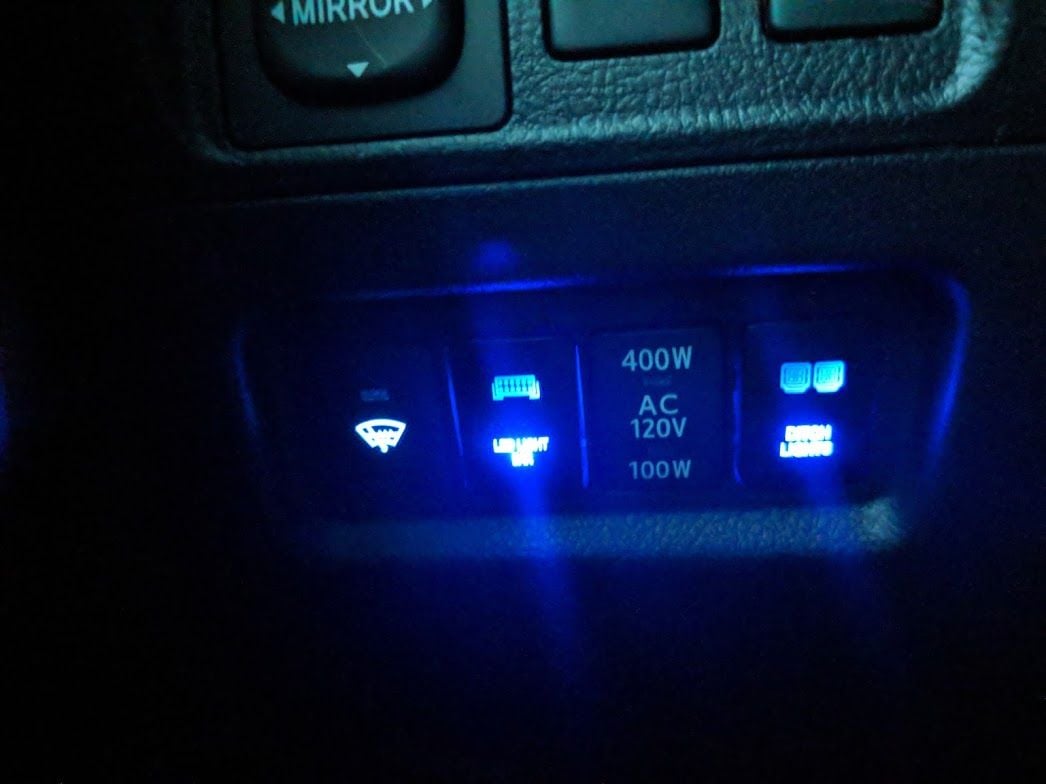
I tapped the illumination light for my wiper heaters, it was a green wire. Got both my switches to light up
Similar threads
- Replies
- 0
- Views
- 4K


- Replies
- 2
- Views
- 2K


- Replies
- 13
- Views
- 3K
