

jrandom
New member
Since people cannot be bothered, or simply do not know how, to rescale and image properly as to not drive other user crazy...
See here for an example why (I have a 30" monitor at work, and this in full screen I still have to horizontal scroll half a screen) forget it on a mobile device:
http://www.toyota-4runner.org/5th-g...w-officially-trd-off-road-10.html#post2423294
I have been on a lot of other forums that when you post a picture, no matter how large it is internal or external linked, it has a fixed ratio, either height or width, whichever is bigger is the max scale value. If the user wants to see the image in its original size, the simply hit the button that says "view original" or right-click+"View Image"
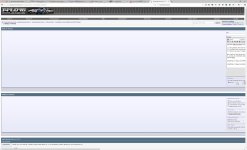
Attached is what my 30" monitor looks like when I reply. Take note of the Horizontal Scrollbar.
See here for an example why (I have a 30" monitor at work, and this in full screen I still have to horizontal scroll half a screen) forget it on a mobile device:
http://www.toyota-4runner.org/5th-g...w-officially-trd-off-road-10.html#post2423294
I have been on a lot of other forums that when you post a picture, no matter how large it is internal or external linked, it has a fixed ratio, either height or width, whichever is bigger is the max scale value. If the user wants to see the image in its original size, the simply hit the button that says "view original" or right-click+"View Image"
Attached is what my 30" monitor looks like when I reply. Take note of the Horizontal Scrollbar.
Attachments
Last edited:


