How can I post a pic

Register to hide this ad
To upload it to this site, it's gotta be under 140,000 bytes - you can use photo editing software to shrink it. Alternatively, you can display bigger pics here if they are hosted on another server by using the IMG tags or img src html.
 
try this

go to your accessories and open MS Paint
open the picutre in Paint
click on image
click on stretch/skew
play with the size, until you bet the right size desired
 
And as a side note if I am taking a picture that I know I want to post I TAKE the picture in a smaller size. My camera has 4 size options.
 
toybox said:
And as a side note if I am taking a picture that I know I want to post I TAKE the picture in a smaller size. My camera has 4 size options.

Just as an FYI, if you take pics using the 1024 x 768 size option (which I think a lot of digicams have as an option) it will fit nicely wiithin the 140000 byte size limitation since the pics usually end up around 130000 (at least with my camera). IMO that is the best size for forum pics, big but not too big.
 
Can't get my pics to post

I can't seem to get my pictures added to my posts. I've tried to use the attach file function, and have reduced my pictures to a small enough size. Can somebody help me?
 
haro said:
How can I get my pic to under 14,000 mb.
My pic show 236,000mb

As others have stated, using a picture editing program will be the best method. My 3MB camera takes nice pictures, but the size is around 1.5 to 2.1 MB eack. Also the resolution is very high. I open my pictures in Photoshop and change each picture to 800X600 resolution, which fits on most monitors without having to scroll. I also save the picture as a medium detail setting. They still look good on screen. They usually end up somewhere between 80KB to 120KB, depending on the detail in the shot.
Most digital cameras come with software that allows you to change the resolution and detail of the picture. I think Windows Picture Viewer also has this capability but I am not willing to learn a new method.:)
 
go to ms window paint than image and click on stretch/skew. you can reduce size there than save to a folder.
 
Pictureless

I still can't get my photos to post. I've shrunk them down in MS Paint until they were almost gone. I then add them to the attach file section from my folder and then preview. Nothing shows up on the preview and the attach file field clears itself.

HELP! :cursin:
 

Attachments

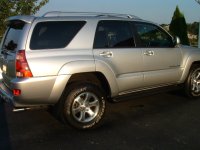
  • 4runner 81.jpg
    4runner 81.jpg
    27.2 KB · Views: 466
OK Now I get it

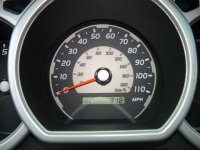
So I added my speedo picture to my last post and hit submit without a preview and now it posts. Now I get it. I better do something fun now to clear my head, like drive my Runner.

:newbie:
 
I have that too. The pictures you post do not show up when you preview your post. You only see them after you submit your post.
 
I have some post where I pointed to webshots where the photo was at, but recently, webshots must have did something, because these photos will no longer display here.

I would like to go back and edit the post to add the pics back in for my own reference down the road, but I don't see a "add attachment" option when you edit your post.

 
MickeyMouse you are right, when you edit you cannot add a picture. It would be a nice option though. What I have had to do is add pictures with a new post. I will mention to GatorGreg to see if we can change that.
 
MickeyMouse said:
I have some post where I pointed to webshots where the photo was at, but recently, webshots must have did something, because these photos will no longer display here.

I would like to go back and edit the post to add the pics back in for my own reference down the road, but I don't see a "add attachment" option when you edit your post.

MM, as Peter just said you can't add a new pic as an attachment when editing a post where there is no current attachment. (When editing a post which DOES have an existing attachment, you do get the choice of keeping the current attachment, deleting the current attachment, or uploading a new attachment.)

Of course you could always put your pics on a new photo host, and then edit the IMG tags or img src html links in your post so they point to the new server in order to display externally hosted pics here.
 
Thanks for the help Peter78 and GatorGreg.

GatorGreg - This is my problem. I've always used my own website (www.sullingers.com), but they had a cow over the outside links coming in, so we are in the middle of dumping the service and moving elsewhere. Until then, I've been using Webshots which has been working fine, but all of a sudden, the pictures no longer show up here. I gotta wonder if Webshots is no longer allowing outside links to their pictures. Anyway, I have no where else to store them at this time.

Thanks
 

Members online

Forum statistics

Threads
278,307
Messages
3,554,056
Members
248,016
Latest member
Advally Service

Trending content

Back
Top