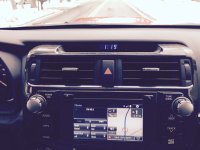
2015 T4R navigation system settings

K9trainer

New member
Is there a way to set my navigation system in my new T4R TP to allow me to search or edit address while I'm driving?
Currently you cant use the address function while driving and a lot of the times my wife will be with me a trying to add a address destination.
 
Last edited:
Register to hide this ad
I'm curious to know this as well. I'm not sure if it's tied to the GPS for detecting movement or the speedometer/park signal line for editing while parked or stopped and in drive.

I don't know of anyone who has tried to figure this out on 2014/2015 entune systems. Hope they chime in.
 
That's an insane amount of work! There has GOT to be an easier way. I had these same thoughts today...This safety measure makes the GPS useless 90% of the time for me - pretty bummed about it.

Get an aftermarket portable GPS, or use your phone, tablet, etc...
 
Does anybody know if it's possible to change the driving Icon , it's the same color as the road and blends in so stupid . I was able to change it on my 2013 Entune but it doesn't seem possible to change on this 2015.
 
Use the voice feature to input the address while you are driving. Say "Navigate to Kohls in Columbia Maryland".
 
Nav issue

I came up with another Nav issue this weekend. Not major, just annoying. IN drives from SE NH to RI and back the nav system is estimating trip duration about 1 hour longer than reality. This doesn't change right up to the destination. For instance: when we were within 1 mile of our home on the return trip the system was still telling us our arrival time would be about an hour away. See attached image. Does anyone know how to fix this??

 

Attachments

  • Nav Syatem.jpg
    Nav Syatem.jpg
    105.5 KB · Views: 2,402
I came up with another Nav issue this weekend. Not major, just annoying. IN drives from SE NH to RI and back the nav system is estimating trip duration about 1 hour longer than reality. This doesn't change right up to the destination. For instance: when we were within 1 mile of our home on the return trip the system was still telling us our arrival time would be about an hour away. See attached image. Does anyone know how to fix this??

There's a separate DST on/off setting for the infotainment system. My guess is that it is still on.
 
I came up with another Nav issue this weekend. Not major, just annoying. IN drives from SE NH to RI and back the nav system is estimating trip duration about 1 hour longer than reality. This doesn't change right up to the destination. For instance: when we were within 1 mile of our home on the return trip the system was still telling us our arrival time would be about an hour away. See attached image. Does anyone know how to fix this??

My 2015 always does this. I'll check the suggestions from others above, but pretty sure it's not one of those things...

Dan
 
I remember seeing yesterday on a forum a plug n play device that will allow you to use the 4runner navigation features while driving for 5 minutes. If 5 minutes isn't enough you reset the device and it gives you another 5 minutes. I wish I could remember what it was called.
 
My 2015 always does this. I'll check the suggestions from others above, but pretty sure it's not one of those things...

Dan

Does anyone know if this has been solved? I have checked the time zone on my nav setup many times and I know it is the correct time zone, yet the arrival time is always 1 hour later than it should be. It also says that the time zone it CT on the arrival time and that's what it should be. TIA....
 
That's an insane amount of work! There has GOT to be an easier way. I had these same thoughts today...This safety measure makes the GPS useless 90% of the time for me - pretty bummed about it.

you can buy a module from prestigious society or beat-sonic

or just put a switch on the VSS/SPD wire, just search for nav wire hack
 
It's an issue with the time in the main settings

The only thing that worked for me was unchecking the box for Daylight Savings Time in the main settings under time. I can only assume you would have to go back in when DST starts up again in March and check the box. If anyone knows of another way, LMK. Thanks!
 

Members online

Forum statistics

Threads
278,307
Messages
3,554,054
Members
248,016
Latest member
Advally Service

Trending content

Back
Top