You are using an out of date browser. It may not display this or other websites correctly.
You should upgrade or use an alternative browser.
You should upgrade or use an alternative browser.
Aftermarket GPS
- Thread starter sbbamafan
- Start date
Register to hide this ad

Big E
New member
Garmin Quest
I have a Garmin Quest. Its a great unit, and it does everything I could need. And it's priced reasonably too (I found it online for about $250...and that was last summer).
The standard Quest mounting option is a suction-cup for the windshield. But I absolutely hated it being up there for several reasons: 1) it obstructed some of my view of the road. 2) it was difficult to reach when I needed to enter/adjust a route or address (I had to lean forward in my seat just to reach it) 3) I didn't like having the power cord running right down the front of the dash to the lighter plug and 4) It was too much of a pain in the rear to un-suction it and hide it from view whenever I left the truck (it really stuck out like a sore thumb up there on the windshield...a thief's dream!!)
So, I looked for various options including in the cupholder and/or in that little cubby behing the cupholders, but those were too far down and I had to glance too far away from road IMO. I also looked into the sunglass holder area, but I found that view to be too high for my liking.
Then, I came up with this spot:

It sticks into my tape player slot. I don't think I have EVER even used my tape player for playing music (I honestly don't think I even OWN any tapes, for that matter), so it wasn't a tough decision to sacrifice the tape playing ability. In this spot, I'm still able to view both the radio and A/C displays. The station pre-set buttons are a bit tough to reach, but I typically use the steering wheel controls, so its never been a problem.
I modified the Quest mounting bracket and attached it to a blank tape like this:

The tape slides right in and actually "clicks" into place just before the auto-load mechanism starts to "grab" the tape. I even unscrewed the 2 halves of the blank tape and filled them with a flexible epoxy that hardened to give the tape extra rigidity to reduce flexing and provide added strength for the 2 screws. It's a surprisingly stable and shake-free mount.
Here's a side view of the setup:

By using the standard Quest mounting bracket, I still have the ability to rotate the unit side-to-side so my passengers can enter info into the GPS too.
Here's another shot. You can see the power cord and external antenna wire routing down into the passenger footwell area:

I added an extra lighter plug in the area above the passenger's feet (there's plenty of room on top of the black panel down there). So everything is plugged in out of the way (I hated having the power plug in the standard lighter near the shifter...it just seemed to always be in the way. Now its not!)
Best of all, when the unit is not in use, I can slide the entire thing out of the tape slot and into the glove box (and out of view of any wandering eyes). I just notched a little groove in the left wall of the glove box where the wires sit when the glove box door is shut.

It's not the prettiest mounting option, but it works extremely well for me.
I have a Garmin Quest. Its a great unit, and it does everything I could need. And it's priced reasonably too (I found it online for about $250...and that was last summer).
The standard Quest mounting option is a suction-cup for the windshield. But I absolutely hated it being up there for several reasons: 1) it obstructed some of my view of the road. 2) it was difficult to reach when I needed to enter/adjust a route or address (I had to lean forward in my seat just to reach it) 3) I didn't like having the power cord running right down the front of the dash to the lighter plug and 4) It was too much of a pain in the rear to un-suction it and hide it from view whenever I left the truck (it really stuck out like a sore thumb up there on the windshield...a thief's dream!!)
So, I looked for various options including in the cupholder and/or in that little cubby behing the cupholders, but those were too far down and I had to glance too far away from road IMO. I also looked into the sunglass holder area, but I found that view to be too high for my liking.
Then, I came up with this spot:
It sticks into my tape player slot. I don't think I have EVER even used my tape player for playing music (I honestly don't think I even OWN any tapes, for that matter), so it wasn't a tough decision to sacrifice the tape playing ability. In this spot, I'm still able to view both the radio and A/C displays. The station pre-set buttons are a bit tough to reach, but I typically use the steering wheel controls, so its never been a problem.
I modified the Quest mounting bracket and attached it to a blank tape like this:
The tape slides right in and actually "clicks" into place just before the auto-load mechanism starts to "grab" the tape. I even unscrewed the 2 halves of the blank tape and filled them with a flexible epoxy that hardened to give the tape extra rigidity to reduce flexing and provide added strength for the 2 screws. It's a surprisingly stable and shake-free mount.
Here's a side view of the setup:
By using the standard Quest mounting bracket, I still have the ability to rotate the unit side-to-side so my passengers can enter info into the GPS too.
Here's another shot. You can see the power cord and external antenna wire routing down into the passenger footwell area:
I added an extra lighter plug in the area above the passenger's feet (there's plenty of room on top of the black panel down there). So everything is plugged in out of the way (I hated having the power plug in the standard lighter near the shifter...it just seemed to always be in the way. Now its not!)
Best of all, when the unit is not in use, I can slide the entire thing out of the tape slot and into the glove box (and out of view of any wandering eyes). I just notched a little groove in the left wall of the glove box where the wires sit when the glove box door is shut.
It's not the prettiest mounting option, but it works extremely well for me.

sharp4runr
New member
Big E - That has to win the award for the most inventive GPS Mount system ever!!!
Here is my review of my Garmin Nuvi: http://toyota-4runner.org/showthread.php?s=&threadid=15455&highlight=Garmin+Nuvi
Here is my review of my Garmin Nuvi: http://toyota-4runner.org/showthread.php?s=&threadid=15455&highlight=Garmin+Nuvi
Big E
New member
Thanks Sharp.
I saw in your Nuvi thread that you suctioned to the area below the hazzard light switch. I tried that position too, but for some reason, I coudn't get it to stick well there....kept falling off. I think it was a combination of the suction cup for the Quest being kinda small, and the fact that the silver-colored trim there is a bit convex shaped.
That Nuvi is a great unit...but a little pricey for me.
I saw in your Nuvi thread that you suctioned to the area below the hazzard light switch. I tried that position too, but for some reason, I coudn't get it to stick well there....kept falling off. I think it was a combination of the suction cup for the Quest being kinda small, and the fact that the silver-colored trim there is a bit convex shaped.
That Nuvi is a great unit...but a little pricey for me.
sharp4runr
New member
Use spit on the suction cup (not sure if you've tried this already). I've had that suctioned on for at least a month and a half (probably more)
Yeah it is a bit pricey but it has a lot of kewl features that have come in handy. Just his past Monday I used it in Boston. My hotel was relatively close to the office I was visiting and it routed me correctly to my hotel using "pedestrian" mode. All while listening to my MP3 musics to boot
Yeah it is a bit pricey but it has a lot of kewl features that have come in handy. Just his past Monday I used it in Boston. My hotel was relatively close to the office I was visiting and it routed me correctly to my hotel using "pedestrian" mode. All while listening to my MP3 musics to boot

ovrrdrive
New member
Re: Garmin Quest
Bro, that is pure genious! I would have never thought of that. Guess where my portable Sirius tuner is going to go...
Big E said:I have a Garmin Quest. Its a great unit, and it does everything I could need. And it's priced reasonably too (I found it online for about $250...and that was last summer).
The standard Quest mounting option is a suction-cup for the windshield. But I absolutely hated it being up there for several reasons: 1) it obstructed some of my view of the road. 2) it was difficult to reach when I needed to enter/adjust a route or address (I had to lean forward in my seat just to reach it) 3) I didn't like having the power cord running right down the front of the dash to the lighter plug and 4) It was too much of a pain in the rear to un-suction it and hide it from view whenever I left the truck (it really stuck out like a sore thumb up there on the windshield...a thief's dream!!)
So, I looked for various options including in the cupholder and/or in that little cubby behing the cupholders, but those were too far down and I had to glance too far away from road IMO. I also looked into the sunglass holder area, but I found that view to be too high for my liking.
Then, I came up with this spot:
http://i47.photobucket.com/albums/f154/ewinter1/4Runner/IMG_1962resize.jpg
It sticks into my tape player slot. I don't think I have EVER even used my tape player for playing music (I honestly don't think I even OWN any tapes, for that matter), so it wasn't a tough decision to sacrifice the tape playing ability. In this spot, I'm still able to view both the radio and A/C displays. The station pre-set buttons are a bit tough to reach, but I typically use the steering wheel controls, so its never been a problem.
I modified the Quest mounting bracket and attached it to a blank tape like this:
http://i47.photobucket.com/albums/f154/ewinter1/4Runner/IMG_1966resize.jpg
The tape slides right in and actually "clicks" into place just before the auto-load mechanism starts to "grab" the tape. I even unscrewed the 2 halves of the blank tape and filled them with a flexible epoxy that hardened to give the tape extra rigidity to reduce flexing and provide added strength for the 2 screws. It's a surprisingly stable and shake-free mount.
Here's a side view of the setup:
http://i47.photobucket.com/albums/f154/ewinter1/4Runner/IMG_1963resize.jpg
By using the standard Quest mounting bracket, I still have the ability to rotate the unit side-to-side so my passengers can enter info into the GPS too.
Here's another shot. You can see the power cord and external antenna wire routing down into the passenger footwell area:
http://i47.photobucket.com/albums/f154/ewinter1/4Runner/IMG_1964resize.jpg
I added an extra lighter plug in the area above the passenger's feet (there's plenty of room on top of the black panel down there). So everything is plugged in out of the way (I hated having the power plug in the standard lighter near the shifter...it just seemed to always be in the way. Now its not!)
Best of all, when the unit is not in use, I can slide the entire thing out of the tape slot and into the glove box (and out of view of any wandering eyes). I just notched a little groove in the left wall of the glove box where the wires sit when the glove box door is shut.
http://i47.photobucket.com/albums/f154/ewinter1/4Runner/IMG_1967resize.jpg
It's not the prettiest mounting option, but it works extremely well for me.
Bro, that is pure genious! I would have never thought of that. Guess where my portable Sirius tuner is going to go...

Great idea Big E
I really like what you did except I have an '06 without the tape deck. How did you route your power wire(s) to the receptacle you put above the passengers feet? I need to have the ability to plug in a few things and really hate the ONE receptale in that little bin next to the shifter. Having to have that little been open ALL THE TIME looks really crappy. I've only had my T4R for 6 days and that is my biggest complaint. I've already got 1000 miles on it. I put about 600 miles on it Monday night going from Atlanta to North Carolina for a last minute, end of the season ski trip. I did hit some pretty heavy snow and snow covered roads aobut the last 40 miles going up. The 4Runner went through with no slipping, even though it is only 2WD. Much better than my Dodge Dakota Quad Cab V8 I am trying to sell...
On another note - I pulled the little bin out behind the shifter and am using that for my Sirius location (at least temporarily). I will probably keep it there...but I am going to fabricate a better mount design. I'll post pics when complete.
I really like what you did except I have an '06 without the tape deck. How did you route your power wire(s) to the receptacle you put above the passengers feet? I need to have the ability to plug in a few things and really hate the ONE receptale in that little bin next to the shifter. Having to have that little been open ALL THE TIME looks really crappy. I've only had my T4R for 6 days and that is my biggest complaint. I've already got 1000 miles on it. I put about 600 miles on it Monday night going from Atlanta to North Carolina for a last minute, end of the season ski trip. I did hit some pretty heavy snow and snow covered roads aobut the last 40 miles going up. The 4Runner went through with no slipping, even though it is only 2WD. Much better than my Dodge Dakota Quad Cab V8 I am trying to sell...
On another note - I pulled the little bin out behind the shifter and am using that for my Sirius location (at least temporarily). I will probably keep it there...but I am going to fabricate a better mount design. I'll post pics when complete.
Big E
New member
Sbbamafan-
On the black panel above the passenger's feet, there's a hole for a heating duct...that's where my power and antenna wires enter into the area behind the panel. I then used velcro to hold the new cig lighter and Garmin power plug/speaker in place. Unfortunately, it's not a set-up that allows for easy plugging/un-plugging of various devices. You'd have to remove some screws and clips and lower the entire panel each time. PITA.
It sounds like you're looking for something more like this (see pic). Somebody on yotatech added 3 accessory outlets on the panel on the side of the passenger footwell. He did a pretty detailed write-up which can be found here:
How to Add Accessory Outlets (12v) to Your 3rd Gen Toyota 4Runner
Granted, he did it in a 3rd Gen, but I assume you could do it in a 4th Gen as well.
Good Luck.
On the black panel above the passenger's feet, there's a hole for a heating duct...that's where my power and antenna wires enter into the area behind the panel. I then used velcro to hold the new cig lighter and Garmin power plug/speaker in place. Unfortunately, it's not a set-up that allows for easy plugging/un-plugging of various devices. You'd have to remove some screws and clips and lower the entire panel each time. PITA.
It sounds like you're looking for something more like this (see pic). Somebody on yotatech added 3 accessory outlets on the panel on the side of the passenger footwell. He did a pretty detailed write-up which can be found here:
How to Add Accessory Outlets (12v) to Your 3rd Gen Toyota 4Runner
Granted, he did it in a 3rd Gen, but I assume you could do it in a 4th Gen as well.
Good Luck.
Attachments
![hookup4[1].jpg](/data/attachments/18/18193-34534a51d86c6be0f5cfb45587940ce0.jpg?hash=Xsjf8ive8G)
Big E,
I may use the idea you posted for location of the outlets, but the location is less of a concern than the wire routing and source. I have thought about wiring a common fuse block under the hood to serve 3 outlets (similar to what you showed). The biggest problem I see is getting from the engine compartment to the inside of the passenger compartment. The other choice is to pull power from the fuse box under the dash. I prefer the cleaner, though maybe more difficult, method of totally seperate wiring from anything Toyota did. This would make it much easeier to troubleshoot and not cause confusion or confilict with any other electronics (and it would always be hot).
I may use the idea you posted for location of the outlets, but the location is less of a concern than the wire routing and source. I have thought about wiring a common fuse block under the hood to serve 3 outlets (similar to what you showed). The biggest problem I see is getting from the engine compartment to the inside of the passenger compartment. The other choice is to pull power from the fuse box under the dash. I prefer the cleaner, though maybe more difficult, method of totally seperate wiring from anything Toyota did. This would make it much easeier to troubleshoot and not cause confusion or confilict with any other electronics (and it would always be hot).
Big E
New member
sbbama-
Boy, you're definitely more confident in your wiring skills than me. I took the simple route and used one of those "add-a-circuits" that plugs into an ACC slot in the fuse box under the dash (got it at AutoZone for like 8 bucks). I actually prefer for my GPS to only be powered when the car is on. My Quest has an option that if it loses external power, all you have to do is hit any button within 30 seconds and it'll revert to its own internal battery power, otherwise it'll power down. I'd rather do that than have a continual drain (albeit minimal) on my truck's battery.
I don't know enough about wiring/electical to know whether one of of those add-a-circuits will work for you since you are looking to add multiple outlets.
Boy, you're definitely more confident in your wiring skills than me. I took the simple route and used one of those "add-a-circuits" that plugs into an ACC slot in the fuse box under the dash (got it at AutoZone for like 8 bucks). I actually prefer for my GPS to only be powered when the car is on. My Quest has an option that if it loses external power, all you have to do is hit any button within 30 seconds and it'll revert to its own internal battery power, otherwise it'll power down. I'd rather do that than have a continual drain (albeit minimal) on my truck's battery.
I don't know enough about wiring/electical to know whether one of of those add-a-circuits will work for you since you are looking to add multiple outlets.

AlexJet
New member
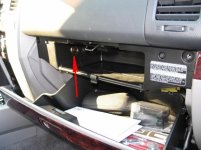
sbbamafan, You can do what I did when I was looking for an extra power outlet. I wired it from fuse box and placed in glove campartment. It also works only when you have a key in the ignition, so no worryies of uncharging your battery.
You can find more pictures in My 4Runner Project thread.
You can find more pictures in My 4Runner Project thread.