Hello all,
I just purchased a 2010 4runner and love it. However, I can't seem to get the Bluetooth option to work.
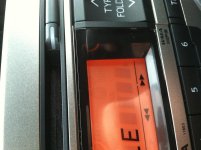
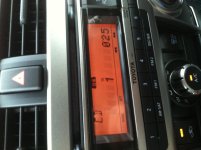
Consulting the owners manual I see that there are several options of audio systems. Mine is closest to type "a." However, unlike type A, mine has an icon in the top right corner that is a box with the letters BT in it and the antenna symbol that shows Bluetooth strength. Neither of these options are lit up however. I have tried holding down the "disk/aux" button but they still won't light up.
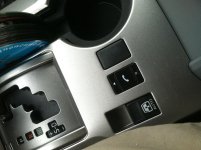
There are no audio/phone controls on the steering wheel. There is a phone button on the center console with up and down arrows. Pressing this button gives an auditory beep. Holding the phone button gives multiple beeps. No auditory commands or voice is ever heard.
There is what appears to be a microphone on the dash in front of the fuel gauge.
I have an iPhone and it does recognize the Bluetooth network availability but I can never get the display on the audio system to recognize or display the Bluetooth controls that are obviously there. Therefore no password is displayed to link the phone and the system is useless to me right now.
I just purchased a 2010 4runner and love it. However, I can't seem to get the Bluetooth option to work.
Consulting the owners manual I see that there are several options of audio systems. Mine is closest to type "a." However, unlike type A, mine has an icon in the top right corner that is a box with the letters BT in it and the antenna symbol that shows Bluetooth strength. Neither of these options are lit up however. I have tried holding down the "disk/aux" button but they still won't light up.
There are no audio/phone controls on the steering wheel. There is a phone button on the center console with up and down arrows. Pressing this button gives an auditory beep. Holding the phone button gives multiple beeps. No auditory commands or voice is ever heard.
There is what appears to be a microphone on the dash in front of the fuel gauge.
I have an iPhone and it does recognize the Bluetooth network availability but I can never get the display on the audio system to recognize or display the Bluetooth controls that are obviously there. Therefore no password is displayed to link the phone and the system is useless to me right now.