BrianSD_42
New member
Hi,
This is a small cross-post but I think it needs its own thread.
Question: Why is it that when searching for 'ABS' in T4R I get 0 results?
:bash:
Explanation:
The reason searching for 'ABS' came up with no results is that the website Toyota-4Runner.org does not allow searches for strings of 3 or less characters. This is fairly common on forums.
The website is probably setup this way in order to keep the search function from using up too much of the server's performance capability. If you attempted a similar 3 character search on TehParadox (eg: Mad Men) you would also run into this issue.
SOLUTIONs:
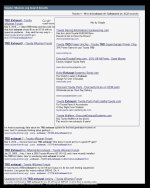
A) Enter your search into T4R's Google search bar instead of T4R's forum search
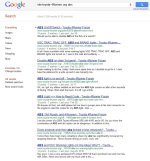
B) Go to Google and search the forum directly via Google.com. Google indexes every page on the forum daily (i assume daily).
This trick works for most forums on the internet by the way.
:welcome:
This is a small cross-post but I think it needs its own thread.
Question: Why is it that when searching for 'ABS' in T4R I get 0 results?
:bash:
Explanation:
The reason searching for 'ABS' came up with no results is that the website Toyota-4Runner.org does not allow searches for strings of 3 or less characters. This is fairly common on forums.
The website is probably setup this way in order to keep the search function from using up too much of the server's performance capability. If you attempted a similar 3 character search on TehParadox (eg: Mad Men) you would also run into this issue.
SOLUTIONs:
A) Enter your search into T4R's Google search bar instead of T4R's forum search
B) Go to Google and search the forum directly via Google.com. Google indexes every page on the forum daily (i assume daily).
1) open google
2) enter the text below exactly but searchword1 will of course be ABS; searchwordX is optional
3)
2) enter the text below exactly but searchword1 will of course be ABS; searchwordX is optional
3)
Code:
site:toyota-4Runner.org [I]searchword1 [/I]searchwordXThis trick works for most forums on the internet by the way.
:welcome:
Attachments
Last edited: