If you're a nerd like me you'll go your own way and build a Linux desktop box. I did a couple months ago. Ubuntu 16.04 LTS, AMD Ryzen 1800X processor, 32GB, NVMe boot drive, etc. Since I'm not a gamer I re-used an existing video board. It appears there's even a smattering of video editing software available. The only real challenge is connectivity with the iPhone since iTunes isn't available, but you can keep your Macbook around for that.

You are using an out of date browser. It may not display this or other websites correctly.
You should upgrade or use an alternative browser.
You should upgrade or use an alternative browser.
iMac PRO...anyone have it? Opinions?
- Thread starter Thai
- Start date


LandCruiser
New member
I have a Macbook Pro for my work and travel.
Never thought about investing money into an Apple desktop since all I ever do with those is gaming and I can build and upgrade PCs cheaper for that duty.
Never thought about investing money into an Apple desktop since all I ever do with those is gaming and I can build and upgrade PCs cheaper for that duty.

Thai
Elite Member
If you're a nerd like me you'll go your own way and build a Linux desktop box. I did a couple months ago. Ubuntu 16.04 LTS, AMD Ryzen 1800X processor, 32GB, NVMe boot drive, etc. Since I'm not a gamer I re-used an existing video board. It appears there's even a smattering of video editing software available. The only real challenge is connectivity with the iPhone since iTunes isn't available, but you can keep your Macbook around for that.
Dude, besides trolling on this forum, i am far from being a builder of desktop systems.

That's actually a pretty temping deal... now you have me looking lol.
If the base iMad Pro is $5k, then forget about it...this thread would not exist. But at $4k, it is tempting.
I have a Macbook Pro for my work and travel.
Never thought about investing money into an Apple desktop since all I ever do with those is gaming and I can build and upgrade PCs cheaper for that duty.
After 3 days of researching this (from neophyte point of view), this is what i know. A comparable PC system would run around $4500-5000 (excluding assembly cost)...iMac Pro does not have the usual "Apple tax." So, at $4k for the iMac Pro, it is actually a semi-bargain for what you get spec-wise.
The major weakness to iMac Pro is the GPU. Everything else is workstation quality. The GPU in the base system above is equivalent to Nvidia 1070, which is a decent GPU for basic gaming.
But from what i read, for software that is optimized to the iMac PRO's CPU/GPU, it should run superbly despite GPU's shortcoming. The problem is that most high end gaming/software in PC world is written with Nvidia in mind. So, running a high-end/demanding PC game on the iMac Pro may cause some frame drop that you would not see on an equivalent PC/Windows platform with good Nvidia GPU.
If any of you guys with more computer knowledge, then please correct me if i am wrong (which is likely).
What i do like about iMac Pro from reading is that it is VERY SECURE, which is great for someone like me, but bad for the computer tinker. It has the T2 chip: https://www.macworld.com/article/32...e-imac-pro-the-start-of-a-mac-revolution.html
Damn, i like it a lot...if only i was smart enough to actually use 1/10th of its power! :dammit:
Dude, besides trolling on this forum, i am far from being a builder of desktop systems.
If the base iMad Pro is $5k, then forget about it...this thread would not exist. But at $4k, it is tempting.
After 3 days of researching this (from neophyte point of view), this is what i know. A comparable PC system would run around $4500-5000 (excluding assembly cost)...iMac Pro does not have the usual "Apple tax." So, at $4k for the iMac Pro, it is actually a semi-bargain for what you get spec-wise.
The major weakness to iMac Pro is the GPU. Everything else is workstation quality. The GPU in the base system above is equivalent to Nvidia 1070, which is a decent GPU for basic gaming.
But from what i read, for software that is optimized to the iMac PRO's CPU/GPU, it should run superbly despite GPU's shortcoming. The problem is that most high end gaming/software in PC world is written with Nvidia in mind. So, running a high-end/demanding PC game on the iMac Pro may cause some frame drop that you would not see on an equivalent PC/Windows platform with good Nvidia GPU.
If any of you guys with more computer knowledge, then please correct me if i am wrong (which is likely).
What i do like about iMac Pro from reading is that it is VERY SECURE, which is great for someone like me, but bad for the computer tinker. It has the T2 chip: https://www.macworld.com/article/32...e-imac-pro-the-start-of-a-mac-revolution.html
Damn, i like it a lot...if only i was smart enough to actually use 1/10th of its power! :dammit:
Your analysis is correct regarding the GPU:
https://www.techpowerup.com/gpudb/2967/radeon-pro-vega-56
Apple doesn't really push this as a gaming rig but as a "workstation" that runs their optimized applications.
It's no different on the phone side: pick your ecosystem, pick your gear.
I probably don't fully tax my iPhone X, let alone a powerhouse like an iMac Pro....
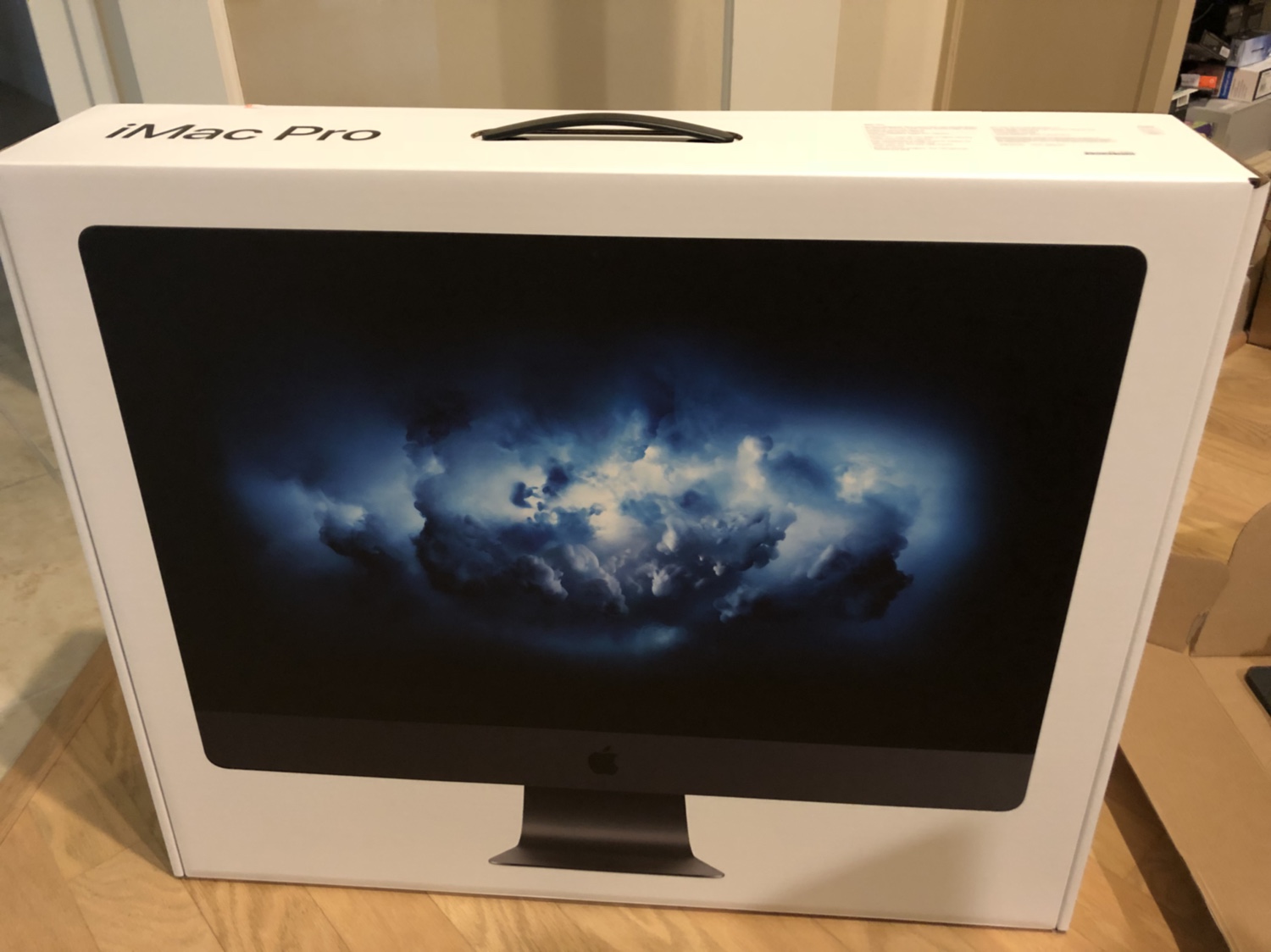
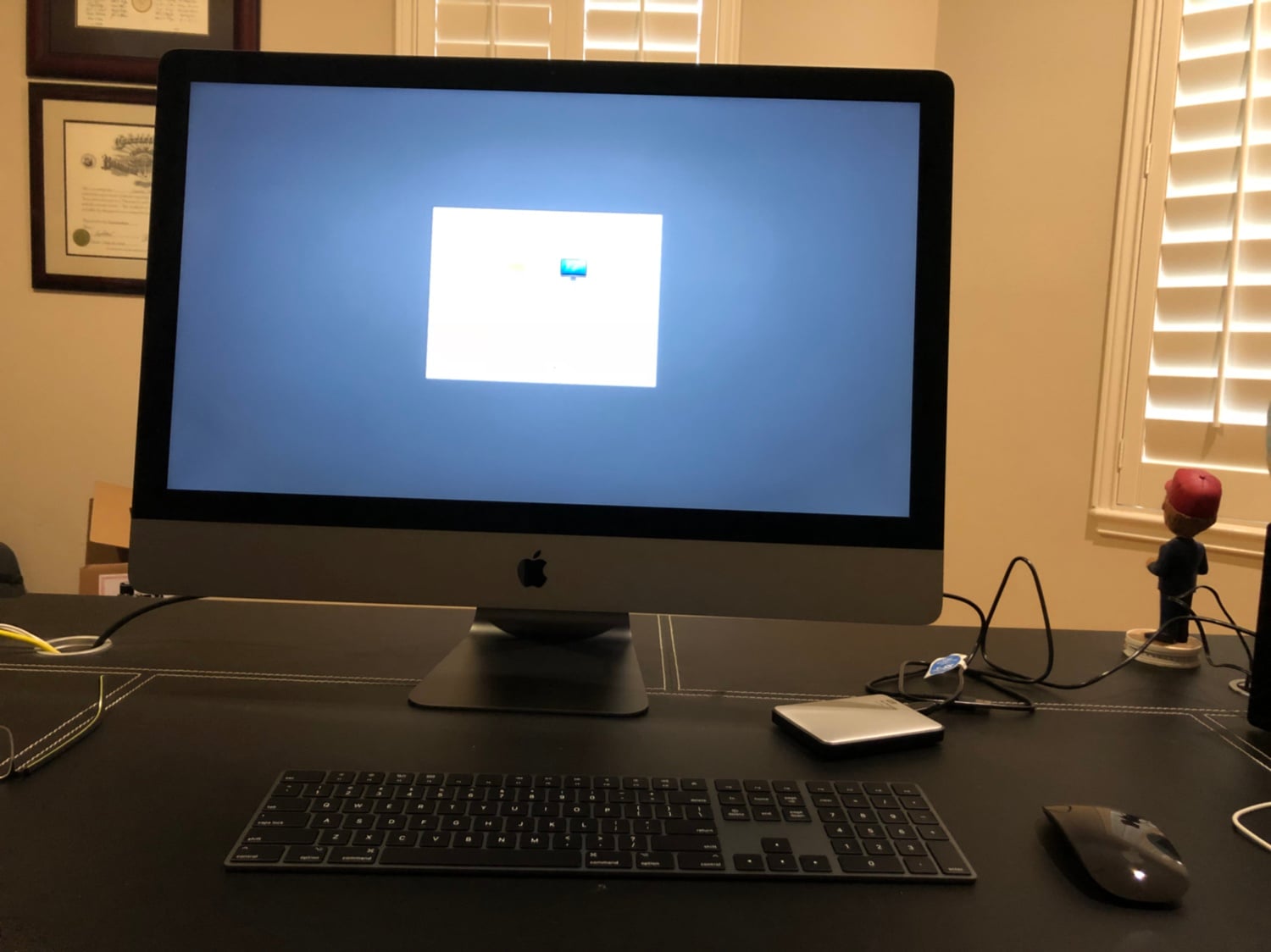

Thai
Elite Member
In addition to above, i also bought AppleCare for the iMac ($170) based on recommendations from several sites i read because the hardware cost of the server-level components are quite pricey! For example, the iMac PRO’s Intel Xeon W-2140B chip (under-clocked version of Intel W-2145) is around $1000 itself!
Intel chip info: https://ark.intel.com/products/126707/Intel-Xeon-W-2145-Processor-11M-Cache-3_70-GHz
Vega GPU:
https://products.amd.com/en-us/sear.../Radeon™-RX-Vega-Series/Radeon™-RX-Vega-56/92
https://www.pcgamer.com/the-amd-radeon-rx-vega-56-and-vega-64-review/
https://www.pcgamesn.com/amd-rx-vega-56-review-benchmarks
Interesting that the GPU is actually not that bad. It is bad relatively due to power draw at max speed and if you use a lot of legacy games, both of which favors Nvidia.
But for future PC gaming (based on DirectX12 or Vulkan APIs), the Vega architecture may be the superior choice. More than anything, the Vega 56 is more for professional graphics implementation rather than pure gaming...and AMD is betting hugely on the future (DX12 and Vulkan APIs) with some short-term sacrifice on legacy gaming.
Of course, if DX12 or Vulkan never catches on in PC world, then Vega GPU will forever be (slightly) behind equivalent Nvidia chips. So far, support for DX12/Vulkan have been relatively lacking unfortunately on PC side.
On Apple side, Apple is pushing Metal 2 API (which is similar to Vulkan API) and iMac PRO is all about pro workload benchmarking (vs gaming); and both of these requirements favor the Vega GPU (vs. Nvidia).
BTW, i am going to use this thread to post information about iMac PRO...for my information/reference.
Intel chip info: https://ark.intel.com/products/126707/Intel-Xeon-W-2145-Processor-11M-Cache-3_70-GHz
Vega GPU:
https://products.amd.com/en-us/sear.../Radeon™-RX-Vega-Series/Radeon™-RX-Vega-56/92
https://www.pcgamer.com/the-amd-radeon-rx-vega-56-and-vega-64-review/
https://www.pcgamesn.com/amd-rx-vega-56-review-benchmarks
Interesting that the GPU is actually not that bad. It is bad relatively due to power draw at max speed and if you use a lot of legacy games, both of which favors Nvidia.
But for future PC gaming (based on DirectX12 or Vulkan APIs), the Vega architecture may be the superior choice. More than anything, the Vega 56 is more for professional graphics implementation rather than pure gaming...and AMD is betting hugely on the future (DX12 and Vulkan APIs) with some short-term sacrifice on legacy gaming.
Of course, if DX12 or Vulkan never catches on in PC world, then Vega GPU will forever be (slightly) behind equivalent Nvidia chips. So far, support for DX12/Vulkan have been relatively lacking unfortunately on PC side.
On Apple side, Apple is pushing Metal 2 API (which is similar to Vulkan API) and iMac PRO is all about pro workload benchmarking (vs gaming); and both of these requirements favor the Vega GPU (vs. Nvidia).
BTW, i am going to use this thread to post information about iMac PRO...for my information/reference.
Last edited:
Thai
Elite Member
iMac Pro Reviews:
https://www.tomsguide.com/us/apple-imac-pro,review-5304.html
https://www.forbes.com/sites/davidp...-an-apple-imac-pro-review-price/#9e2968e1345d
http://austinmann.com/trek/imac-pro-hasselblad-h6d-antarctica-lmm56
https://www.pcmag.com/review/358585/apple-imac-pro
https://arstechnica.com/gadgets/201...achine-but-not-quite-perfect-for-pros-either/
https://www.redsharknews.com/produc...rful-imac-there-s-ever-been-here-s-our-review
http://www.expertreviews.co.uk/pcs/1406917/apple-imac-pro-review
https://mashable.com/2017/12/14/apple-imac-pro-who-is-this-for/#myd74pXow5qm
https://www.techradar.com/reviews/imac-pro
https://www.techadvisor.co.uk/review/macs/imac-pro-review-3670501/
http://www.alphr.com/pcs/1008835/apple-imac-pro-review
https://www.cinema5d.com/imac-pro-review-is-it-worth-the-money/
https://gadgets.ndtv.com/laptops/reviews/imac-pro-review-price-in-india-1831212
https://www.theverge.com/2017/12/14/16775156/apple-imac-pro-photos-xeon-radeon-power-vr-final-cut-8k
https://techcrunch.com/2017/12/14/apples-imac-pro-is-a-love-letter-to-developers/
https://www.zdnet.com/product/apple-imac-pro/
https://techcrunch.com/video/video-editing-on-the-imac-pro/
https://www.digitalartsonline.co.uk/reviews/creative-hardware/apple-imac-pro-review-updated/
https://www.t3.com/reviews/apple-imac-pro-review
https://www.digitalphotopro.com/reviews/power-to-burn-hands-on-with-the-apple-imac-pro/
http://hrtapps.com/blogs/20171212/
http://hrtapps.com/blogs/20180202/
https://www.tomsguide.com/us/apple-imac-pro,review-5304.html
https://www.forbes.com/sites/davidp...-an-apple-imac-pro-review-price/#9e2968e1345d
http://austinmann.com/trek/imac-pro-hasselblad-h6d-antarctica-lmm56
https://www.pcmag.com/review/358585/apple-imac-pro
https://arstechnica.com/gadgets/201...achine-but-not-quite-perfect-for-pros-either/
https://www.redsharknews.com/produc...rful-imac-there-s-ever-been-here-s-our-review
http://www.expertreviews.co.uk/pcs/1406917/apple-imac-pro-review
https://mashable.com/2017/12/14/apple-imac-pro-who-is-this-for/#myd74pXow5qm
https://www.techradar.com/reviews/imac-pro
https://www.techadvisor.co.uk/review/macs/imac-pro-review-3670501/
http://www.alphr.com/pcs/1008835/apple-imac-pro-review
https://www.cinema5d.com/imac-pro-review-is-it-worth-the-money/
https://gadgets.ndtv.com/laptops/reviews/imac-pro-review-price-in-india-1831212
https://www.theverge.com/2017/12/14/16775156/apple-imac-pro-photos-xeon-radeon-power-vr-final-cut-8k
https://techcrunch.com/2017/12/14/apples-imac-pro-is-a-love-letter-to-developers/
https://www.zdnet.com/product/apple-imac-pro/
https://techcrunch.com/video/video-editing-on-the-imac-pro/
https://www.digitalartsonline.co.uk/reviews/creative-hardware/apple-imac-pro-review-updated/
https://www.t3.com/reviews/apple-imac-pro-review
https://www.digitalphotopro.com/reviews/power-to-burn-hands-on-with-the-apple-imac-pro/
http://hrtapps.com/blogs/20171212/
http://hrtapps.com/blogs/20180202/
Last edited:
Thai
Elite Member
Best all-in-one for 2018: https://www.tomsguide.com/us/best-all-in-one-pc,review-2159.html
IFixit teardown: https://www.ifixit.com/Teardown/iMac+Pro+Teardown/101807
Comparing PC vs iMac PRO in specs and price: https://www.digitaltrends.com/computing/maxed-imac-pro-costs-over-13k-but-what-can-you-get-on-pc/
IFixit teardown: https://www.ifixit.com/Teardown/iMac+Pro+Teardown/101807
Comparing PC vs iMac PRO in specs and price: https://www.digitaltrends.com/computing/maxed-imac-pro-costs-over-13k-but-what-can-you-get-on-pc/
Last edited:
Thai
Elite Member
Real world stress test of iMac Pro vs. the old Mac Pro: https://ask.audio/articles/apple-mac-pro-vs-imac-pro-realworld-test-using-logic-pro-x
Real world application/testing: https://www.digitalartsonline.co.uk...mac-pro-limit-using-powerful-rendering-tools/
https://www.pro-tools-expert.com/ho...th-out-benchmark-pro-tools-power-test-session
Photographer using/testing it: https://www.martinbaileyphotography.com/2017/12/28/mid-spec-imac-pro-review-wow-podcast-601/
Real world application/testing: https://www.digitalartsonline.co.uk...mac-pro-limit-using-powerful-rendering-tools/
https://www.pro-tools-expert.com/ho...th-out-benchmark-pro-tools-power-test-session
Photographer using/testing it: https://www.martinbaileyphotography.com/2017/12/28/mid-spec-imac-pro-review-wow-podcast-601/
Last edited:

Hepar
New member
@Thai, we've butted heads a lot in regards to other topics, but I honestly thought this was one we could get along in. However, you need to stop posting all of these reviews on the new Mac Pro. I was thinking I would get a new MacBook, but my brother just got one and I'm not impressed by it. You're seriously making me consider the desktop. Stop it!
LandCruiser
New member
@Thai, we've butted heads a lot in regards to other topics, but I honestly thought this was one we could get along in. However, you need to stop posting all of these reviews on the new Mac Pro. I was thinking I would get a new MacBook, but my brother just got one and I'm not impressed by it. You're seriously making me consider the desktop. Stop it!
MacBook or MacBook Pro?
Both are kind of meh, but the MacBook especially.
Hepar
New member
MacBook or MacBook Pro?
Both are kind of meh, but the MacBook especially.
Definitely the Pro.
LandCruiser
New member
Definitely the Pro.
You'd have to get the 15" model to get the Quad core.
Don't even think about dropping cash on the 13".
Problem with the 15" is that it's pretty damn massive.
Hepar
New member
You'd have to get the 15" model to get the Quad core.
Don't even think about dropping cash on the 13".
Problem with the 15" is that it's pretty damn massive.
I've currently got a 15" quad-core i7.
Thai
Elite Member
@Thai, we've butted heads a lot in regards to other topics, but I honestly thought this was one we could get along in. However, you need to stop posting all of these reviews on the new Mac Pro. I was thinking I would get a new MacBook, but my brother just got one and I'm not impressed by it. You're seriously making me consider the desktop. Stop it!
Just know that I am now able to troll this forum 0.01 sec faster.
Thai
Elite Member
@Thai, we've butted heads a lot in regards to other topics, but I honestly thought this was one we could get along in. However, you need to stop posting all of these reviews on the new Mac Pro. I was thinking I would get a new MacBook, but my brother just got one and I'm not impressed by it. You're seriously making me consider the desktop. Stop it!
For me, i have a 2013 MB Pro 15” with top specs at the time (i7, 16GB RAM, Nvidia 750?? I think)...costing around $3000 at the time. 4.5 yrs later, i am seeing it slowing down a bit. One of the reasons for upgrading my computer is that i need something that can allow me to see 4K video smoothly (filmed from iPhone X), in full resolution, and also edit it. In addition, it sucks that i have to wait for a long time for my iPhone 4K 60p video to be converted from HEVC format to H.264 format so that my MB Pro can save it. And when i am downloading several 4K videos on iPhone to my MB Pro, it can take 10-15 MINUTES or longer it seems at times!!
In addition, on internet games (Roblox), my kids would see my MB Pro fan running like crazy and after a while, you see frame dropping. I understand that MacBooks have never had great GPUs but i find that this is frustrating for a $3000 laptop less than 5 years old...maybe i am asking too much from an “old”
machine?
My wife has MB Pro 13” and that is shared with the kids also. It is used for homework for kids. It’s OK; again, fan running loudly and frame dropping even when pushed by simple internet games.
So, this is why i went all out this time. Yeah, it is $4000...but with inflation kicking in, it is not much more than what I paid for in 2013! My iPad PRO from 2015 still works really great for work and basic surfing...so, no plan on upgrading that anytime soon.
What i like about the iMac Pro is that it is very future-proof (at least in theory and concept). For sure, the powerful Intel Xeon CPU will last a long time for my needs. The GPU, which initially i thought was a weak point, but after reading more into it, it is really design for the future (made to excel for Direct X12, Vulcan API, and Metal 2 API). And IF the future arrives, my Vega GPU should perform better than pretty much every other GPU out there including the current top Nvidia GPU. (Of course, that future is still not clear cut as noted above.)
And then add to that ECC RAM memory that is very stable and should be long lasting.
And then icing on the cake...iMac Pro has the T2 chip that basically brings server-level security and encryption (down to the kernel) to a consumer product for the first time (i believe) in any consumer PC. Therefore, i feel very peaceful storing financial information on my iMac Pro. It is locked down from top to bottom...and even deep into its kernel.
Sorry about long post...but i did my research on this as much as i can from a non-professional, non-computer viewpoint.
Last edited:
Thai
Elite Member
T2 chip: (from Apple site)
“Introducing the Apple T2 chip, our second-generation custom Mac silicon. By
redesigning and integrating several controllers found in other Mac systems — like the system management controller, image signal processor, audio controller, and SSD controller — T2 delivers new capabilities to the Mac. For instance, the T2 image signal processor works with the FaceTime HD camera to enable enhanced tone mapping, improved exposure control, and face detection–based auto exposure and auto white balance. T2 also makes iMac Pro even more secure, thanks to a Secure Enclave coprocessor that provides the foundation for new encrypted storage and secure boot capabilities. The data on your SSD is encrypted using dedicated AES hardware with no effect on the SSD’s performance, while keeping the Intel Xeon processor free for your compute tasks. And secure boot ensures that the lowest levels of software aren’t tampered with and that only operating system software trusted by Apple loads at startup.”
More info:
https://www.macworld.com/article/32...e-imac-pro-the-start-of-a-mac-revolution.html
https://9to5mac.com/2018/01/04/t2-chip-imac-pro/
https://appleinsider.com/articles/1...me-camera-functions-previously-managed-by-cpu
“The T2 encrypts "every bit" of data sent to the flash storage array in the iMac Pro, and is responsible for decrypting it for the user. As a result, should the flash array be pulled from the iMac Pro, the data is irretrievable outside of the unit.
Another feature of the T2 is the boot process. Again on the fly, the T2 validates the boot process from start to finish, including verification of a legitimate and properly cryptographically signed bootloader, before the rest of the process is handed off to the rest of the iMac Pro's hardware for completion.”
https://www.portableone.com/Tech-Ne...y-the-first-of-its-kind-thanks-to-its-T2-chip
“The T2 runs all the subsystems of the iMac Pro, including the cooling system, audio, system management, disk drives, internal microphones, and the FaceTime camera, among other things, all by itself.
Another nice thing about the T2, is that as it handles the hard drives, it automatically encrypts every piece of data that comes in, which would make it impossible for anyone to read the data off the solid-state NAND chips, without authorization from the owner of the iMac. All of this happens also at full speed, which is approximately 3GB per second.
Over the past few years, attempt at infecting Apple Macs with ransomware similar to that which has plagued Windows PCs, have yielded foresight in Apple engineers, to fit the new iMac Pro with what Apple calls “root of trust”. When the iMac starts up, the T2 performs a full range of security checks, to verify the bootloader’s signature, as it moves on with the next stages of the booting process.
Different levels of security can be defined in the Startup Security app, available in recovery mode, which puts the T2 in charge of handling different security settings when using the iMac Pro.
The default setting is set to Full, which allows to run only the current version of Mac OS. Those who want to install older versions of Mac OS, or even Windows 10, can do so by lowering the security settings, in a similar way as they would through the BIOS application of a Windows PC.”
A detail look at T2 and what the future may hold:
https://derflounder.wordpress.com/2...dware-encryption-and-the-future-of-filevault/
Overall picture of where Apple is heading and why it is doing co-processors in their Macs: https://mashable.com/2018/01/29/apple-3-new-macs-co-processor-launching-2018/#HRUD86S5NkqR
“Introducing the Apple T2 chip, our second-generation custom Mac silicon. By
redesigning and integrating several controllers found in other Mac systems — like the system management controller, image signal processor, audio controller, and SSD controller — T2 delivers new capabilities to the Mac. For instance, the T2 image signal processor works with the FaceTime HD camera to enable enhanced tone mapping, improved exposure control, and face detection–based auto exposure and auto white balance. T2 also makes iMac Pro even more secure, thanks to a Secure Enclave coprocessor that provides the foundation for new encrypted storage and secure boot capabilities. The data on your SSD is encrypted using dedicated AES hardware with no effect on the SSD’s performance, while keeping the Intel Xeon processor free for your compute tasks. And secure boot ensures that the lowest levels of software aren’t tampered with and that only operating system software trusted by Apple loads at startup.”
More info:
https://www.macworld.com/article/32...e-imac-pro-the-start-of-a-mac-revolution.html
https://9to5mac.com/2018/01/04/t2-chip-imac-pro/
https://appleinsider.com/articles/1...me-camera-functions-previously-managed-by-cpu
“The T2 encrypts "every bit" of data sent to the flash storage array in the iMac Pro, and is responsible for decrypting it for the user. As a result, should the flash array be pulled from the iMac Pro, the data is irretrievable outside of the unit.
Another feature of the T2 is the boot process. Again on the fly, the T2 validates the boot process from start to finish, including verification of a legitimate and properly cryptographically signed bootloader, before the rest of the process is handed off to the rest of the iMac Pro's hardware for completion.”
https://www.portableone.com/Tech-Ne...y-the-first-of-its-kind-thanks-to-its-T2-chip
“The T2 runs all the subsystems of the iMac Pro, including the cooling system, audio, system management, disk drives, internal microphones, and the FaceTime camera, among other things, all by itself.
Another nice thing about the T2, is that as it handles the hard drives, it automatically encrypts every piece of data that comes in, which would make it impossible for anyone to read the data off the solid-state NAND chips, without authorization from the owner of the iMac. All of this happens also at full speed, which is approximately 3GB per second.
Over the past few years, attempt at infecting Apple Macs with ransomware similar to that which has plagued Windows PCs, have yielded foresight in Apple engineers, to fit the new iMac Pro with what Apple calls “root of trust”. When the iMac starts up, the T2 performs a full range of security checks, to verify the bootloader’s signature, as it moves on with the next stages of the booting process.
Different levels of security can be defined in the Startup Security app, available in recovery mode, which puts the T2 in charge of handling different security settings when using the iMac Pro.
The default setting is set to Full, which allows to run only the current version of Mac OS. Those who want to install older versions of Mac OS, or even Windows 10, can do so by lowering the security settings, in a similar way as they would through the BIOS application of a Windows PC.”
A detail look at T2 and what the future may hold:
https://derflounder.wordpress.com/2...dware-encryption-and-the-future-of-filevault/
Overall picture of where Apple is heading and why it is doing co-processors in their Macs: https://mashable.com/2018/01/29/apple-3-new-macs-co-processor-launching-2018/#HRUD86S5NkqR
Last edited:
Similar threads
- Replies
- 3
- Views
- 4K


- Replies
- 0
- Views
- 2K

- Replies
- 0
- Views
- 6K


