**Photography Talk**

Nevada's got a lot of dark sky areas. I was hoping to get some good Milky Way shots when I go on my annual ghost town trip in early August, but it looks like the timing is going to bad. The waning half-moon will be rising about midnight, and I don't think the MW will be far enough in the sky prior to that.
 
Looks like everyone has been busy this summer. I too, have been very busy! A lot of time spent in the backcountry of CO, as it is Wildflower season (and night sky season too).

Here are a few samples of my work over the last ~6 weeks:
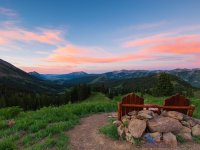
"A Crested Butte Sunrise"
A Crested Butte Sunrise.jpg

"Macro Cutleaf Anemone"
Macro Cutleaf Anemone (Anemone multifida).jpg

"Scarlet Gilia (Skyrocket)"
Scarlet Gilia (Skyrocket).jpg

"Quiet on the Set!"
Quiet on the set!.jpg

"Rocky Mountain Penstemon (Penstemon Strictus)"
Rocky Mountain Penstemon (Penstemon strictus).jpg
 

Attachments

  • A Crested Butte Sunrise.jpg
    A Crested Butte Sunrise.jpg
    137.4 KB · Views: 143
  • Macro Cutleaf Anemone (Anemone multifida).jpg
    Macro Cutleaf Anemone (Anemone multifida).jpg
    128.6 KB · Views: 145
  • Scarlet Gilia (Skyrocket).jpg
    Scarlet Gilia (Skyrocket).jpg
    79.1 KB · Views: 143
  • Quiet on the set!.jpg
    Quiet on the set!.jpg
    136.7 KB · Views: 151
  • Rocky Mountain Penstemon (Penstemon strictus).jpg
    Rocky Mountain Penstemon (Penstemon strictus).jpg
    76.6 KB · Views: 151
question on memory cards. what memory cards are y'all using? i have a 64gb Lexar 90mbs card and this apparently is too slow for my 5D Mark IV. I havent noticed during my still images but it wont write fast enough for video and bursts. I really like Lexar cards, what does everyone else use? I am going to upgrade the SD and add a compact flash since my body supports dual memory cards

here is a couple recent shots.

it is that time of the year for us in Colorado. the giant sunflower fields pop up on the eastern plains. this was originally intended to be 5 shots and focus stack. unfortunately my tripod ball head was loose causing it to sag between shots. i was able to save/line up 2 of them for focus points. Denver International Airport is in the background.

29227450997_f0b8d2d06e_b.jpg


I bought a 2x extender for my 70-200 lens. this was a test shot at 400mm

43930952752_53ef9aed5f_b.jpg
 
question on memory cards. what memory cards are y'all using? i have a 64gb Lexar 90mbs card and this apparently is too slow for my 5D Mark IV. I havent noticed during my still images but it wont write fast enough for video and bursts. I really like Lexar cards, what does everyone else use? I am going to upgrade the SD and add a compact flash since my body supports dual memory cards

here is a couple recent shots.

it is that time of the year for us in Colorado. the giant sunflower fields pop up on the eastern plains. this was originally intended to be 5 shots and focus stack. unfortunately my tripod ball head was loose causing it to sag between shots. i was able to save/line up 2 of them for focus points. Denver International Airport is in the background.

29227450997_f0b8d2d06e_b.jpg


I bought a 2x extender for my 70-200 lens. this was a test shot at 400mm

43930952752_53ef9aed5f_b.jpg

I use a 32GB Lexar CF card for my raw files and a 32GB Toshiba SDHC wifi card for full size JPG's (that I can sync to my iPhone to review after I shoot).
 
This popped up on my recent threads sidebar, so I figured for my second post ever on this board I'd say hello to my fellow photographers.

I mainly shoot landscape and wildlife. I picked up a new 5th gen back in March that I'm planning on building out into an overlander to get me to more remote places worth seeing.

Here are some of my greatest hits from the last couple years: https://imgur.com/a/c8N48
 
Inserting Images

Ignorant Here...

Love the photography here! Question: am I able to simply insert/post a photo from my PC? Whenever I try to insert an image, I'm asked for a URL.

Thanks.
 
[MENTION=112332]USKTog[/MENTION] only 32gb, do you not run out of room? do you find the speed to be quick enough for 4k video?

[MENTION=266619]thennen[/MENTION] you can insert attachments by selecting the little paper clip in top of the reply box. it will allow you to search your PC and upload. i think though there is a limit to how many images you can upload so most use a link from an external site. i use flickr (along with others) to host my photos. its free and allows for full res images and ability to link back
 
I use the SanDisk Extreme cards, 90mb speed. I mostly use the 32GB, even for 4k video. Of course, I'm not shooting two hours of video at a time -- but I don't have any trouble fitting several shorter clips on it.
 
Thanks, leftyguns21. The paper clip is in Advanced reply, and I hadn't looked there. Trying it now - attachment window says about 137k max size, but this pic is much larger. We'll see...

Preview looks like it worked.
 

Attachments

  • DSCF3812.jpg
    DSCF3812.jpg
    135.3 KB · Views: 158
Thanks, leftyguns21. The paper clip is in Advanced reply, and I hadn't looked there. Trying it now - attachment window says about 137k max size, but this pic is much larger. We'll see...

Preview looks like it worked.

Trying one more.
 

Attachments

  • DSCF1122.jpg
    DSCF1122.jpg
    125.7 KB · Views: 157
[MENTION=112332]USKTog[/MENTION] only 32gb, do you not run out of room? do you find the speed to be quick enough for 4k video?


[MENTION=266619]thennen[/MENTION] you can insert attachments by selecting the little paper clip in top of the reply box. it will allow you to search your PC and upload. i think though there is a limit to how many images you can upload so most use a link from an external site. i use flickr (along with others) to host my photos. its free and allows for full res images and ability to link back

Hey [MENTION=16474]leftyguns21[/MENTION], I don't shoot much video, but it's write speed is 160 mbps vs. the 90 mbps you currently use. I have 4 of them, but have rarely even come close to filling up ONE card.

I have a 5D Mk III, so the file sizes are a smidge smaller than the 5D Mk IV, but not enough to be a concern, IMO.

Shooting at ISO100, I can shoot 1073 images before I'd have to swap cards.

I shot 300 images and 25 min worth of video during my last night-sky outing (video wasn't for shit, but that was a crap-shoot to start with given my lack of "give-a-damn" but wanted to try [LOL]) and still had over 400 images available on the shot counter. :)
 
thank you, everyone. that helps a lot. I still like to stick with 64gb so I will look at the 64gb version for both the compact flash and a SD. then I can write only video to compact flash and stills to the SD.

do you guys reformat cards after every shoot? I still have images on the card from last year that I'm afraid to delete. maybe 200 or so images. I do backup my drive to an external but I still like to see these images on my card.
my bugaboo with lightroom import. not giving an option to delete the images after being imported and auto ejecting the card after import. yes I know there is an option to turn that off, but still. it would be nice for LR to give this option to copy/delete.
 
I just erase the images using the menu on the 5D Mk III.

For video, a 64GB card or even a 128GB card might be a good plan…IF you can actually tell the camera VIDEO ONLY to the CF card.

I backup my images to two (2) external HDD's (encrypted) and Quarterly, I archive my Master files to BluRay disc (50 year lifetime media).

thank you, everyone. that helps a lot. I still like to stick with 64gb so I will look at the 64gb version for both the compact flash and a SD. then I can write only video to compact flash and stills to the SD.

:)

#######

do you guys reformat cards after every shoot? I still have images on the card from last year that I'm afraid to delete. maybe 200 or so images. I do backup my drive to an external but I still like to see these images on my card.
my bugaboo with lightroom import. not giving an option to delete the images after being imported and auto ejecting the card after import. yes I know there is an option to turn that off, but still. it would be nice for LR to give this option to copy/delete.
 
These days I usually just keep the photos on the cards, after copying them to my iMac, and save them as a "last resort" backup. I.E., if all other backups fail, I might be able to restore the original images from the cards. I don't know how long these cards can hold the data but figure it's better than nothing.
 
I'm still sorting and editing the hundreds of photos and videos from my 2018 Nevada & Mojave trip. Here's the first video I've completed…”Nevada Nights 2018” featuring time-lapse photography of the stars and Milky Way:

<iframe width="560" height="315" src="https://www.youtube.com/embed/WVDKf3ubWFQ" frameborder="0" allow="autoplay; encrypted-media" allowfullscreen></iframe>

https://youtu.be/WVDKf3ubWFQ


Music:
"Some Dreamy Place"
by Eric Matyas
Sound Image
 

Members online

Forum statistics

Threads
278,309
Messages
3,554,075
Members
248,016
Latest member
Advally Service

Trending content

Back
Top