Pioneer AVIC-X920BT Installation - Specific Question

GG Beast

New member
We're hopefully going to install my AVIC-X920BT into my 4th Gen SR5 which currently has the factory CD and Cassette stereo in it (not JBL/RDS). Question is:

Does anyone know if the Vehicle Speed Sensor is currently connected to the current head unit or will we have to connect it? If you've done this install - Did you have any trouble with this? Any suggestions?
 
Register to hide this ad
I'm 99.9% sure yours isn't already connected. Do a search for speed sensor and they will tell you where you can tap in. I tapped into my just behind the AC controls. I took Rando's advice:

The best place to tap the sensor is at the junction block just behind the A/C controls. There is a bundle of wires there. Tap any of the violet wires with a red stripe.


On this thread...

http://www.toyota-4runner.org/audio-electronics/5143-navigation-speed-sensor-help.html

there are other threads that confirm this and it certainly worked for me.
 
Thanks for the info, not sure it's exactly what I was looking for, but I've never done this before and maybe once I get in there it will be obvious - Hoping we don't run into any unforseen problems with the install! Spent the morning getting all the wires sorted out and now it's off to the garage to see how the rest of the install goes!
 
Good luck with that. It should be pretty similar to my install. There will be a large truck of wires right behind the AC controls. It won't be apparent. You will just have to look over the wires and find the purple and red (look at Rando's description). You might have to cut away some insulation (I don't think I did). Once you find one, you can tap the wire with the VSS Head Unit wire.

Let us know if you have problems.
 
I'm finally getting around to installing my 920BT ('08 4R), and am wiring up all the harnesses on the workbench.

I did the DVD bypass mod -- moved over the yellow mute wire 1 pin, and grounded it and the green parking brake wire to the black ground wire.

I've been reading up on the installation of this unit at avic411.com -- it seems like I do not need to connect the reverse gear signal input (I am not installing a backup camera), and that the car speed signal input also isn't really necessary.

Curious -- GG Beast -- do you know if the car speed signal input really does anything? I read it supposedly makes the GPS a bit more accurate with respect to vehicle speed. I don't really care about the GPS displaying my current speed; I just want it as a navigation unit.
 
I can't say for sure but from our understanding the benefit to tapping in to the VSS wire is that when you're out of range for a GPS signal your system can continue to be fairly accurate based on your speed (for example: going through a tunnel, etc.) We tapped in to it in the cluster and from what we can tell it worked fine. The unit doesn't actually display your speed, but it does display your estimated time of arrival, which could also work from this...?
 
We tapped in to it in the cluster

Where did you tap in to the VSS wire? I found some discussion of it here on the forum, but I'm not 100% certain.

Did you do the installation as per Pioneer's instruction (parking brake wire, reverse wire), or did you do the mute wire mod too? Just curious.

Thanks!
 
There is a big cluster of wires just behind the A/C console (easy to see once you pull the dash apart). In that cluster look for one that is purple with a red stripe on it (there are a bunch of them). We just chose the one easiest to get to and used one of the small plastic things to tap into the wire.

Yep, we also did the mute modification. We do a bunch of road trips and it just makes sense to have the passenger able to find a location while the driver is driving.
 
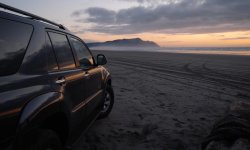
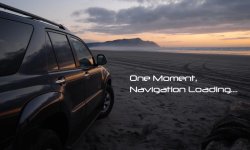
For what it's worth, I just finished the same install of the x920bt and I thought I'd share the splash screen I created in case anyone wanted it. It's nothing fancy, but I like it. And I know that Avic411.com has a whole thread of these splash screens, but finding anything T4R is difficult.
 

Attachments

  • Avic background 800x480.jpg
    Avic background 800x480.jpg
    85.9 KB · Views: 1,581
  • Avic x920bt (800x480).jpg
    Avic x920bt (800x480).jpg
    93.2 KB · Views: 1,480
thanks for sharing...

I'll throw mine up. Nothing special, but if someone wanted to use it, they're more than welcome.

toyotawp.jpg~original
 

Members online

No members online now.

Forum statistics

Threads
278,312
Messages
3,554,083
Members
248,016
Latest member
Advally Service

Trending content

Back
Top