Placement for LCD screen?

swooopeno

New member
Just bought a DVD/MP3/TV PLAYER. I'm working on the placement of the LCD screen. Don't know what size yet. Obviously, the bigger the better. But if there is a certain place I can put it that requires it to be only 5 in, so be it.

Oh yeah, this is for front seat use. (passenger only of course).

It seems like the only way to do it (keeping the factory stereo) would be to make it detachable w/ velcro or something. So I would shove it in the glove box when not in use.

Any brilliant ideas from the gallery?????

If you could also add your opinion on how to get sound through the factory spkrs. Via FM modulator ($50) or that Blitz safe Aux. in ($100).

THANKS!
 
Last edited:
Register to hide this ad
I don't know about AZ, in CA it's illegal to have motion video (except control systems and navigation) up front.

As far as location goes, your pretty limited other than the velcro idea. Since it's only for the passenger, you might mount it to the passenger door handle and have it swing out or something similar. You might also mount it inside the glove box so that it can only be seen with the box open.

I mounted a 7" screen in place of the OEM head unit. I use a PC in the back to supply mp3/wma, radio, video, navigation, games and control. I put an amp under the passenger seat and used the OEM speakers from the 6-speaker system. Everything works well. It's a bit of a project if you only want/need a DVD player.

The best way to get sound through the factory speakers / head-unit is with the Blitzsafe. IIRC, it only works with certain radios ... I don't recall which ones. You can also use a tape adapter or a wired/wireless FM modulator.
 
Last edited:
Rando,

Trust me, if I had adequate knowledge of electrical systems, I would be all over the CarPC. I just graduated and earned a D- in electrical engineering.

I've read and studied your CarPC post and thought long and hard if I could accomplish it. I will soon desperately need Nav, and I wish I could figure the PC thing out. You might appreciate my lack of ability in this case, as you might have been receiving a few emails per day if I actually attempted it.

just out of curiosity,

does CarPC (assuming it is software) integrate the touchscreen so that a mouse in not necessary. Would would estimate the total cost of the 3 main systems of your carPC (screen, computer, software)?

Maybe I can build the confidence!!!
 
swooopeno said:
does CarPC (assuming it is software) integrate the touchscreen so that a mouse in not necessary. Would would estimate the total cost of the 3 main systems of your carPC (screen, computer, software)?

Maybe I can build the confidence!!!

Yes, my system uses the touch screen in place of the mouse. You can also pop-up a software keyboard if you have an app that insists on keyboard input. The ideal situation, of course, is to get software that can be completely controlled by only a few button presses. There are several good (but not great) FREE software solutions that pretty much handle the audio/video playback part of things. I'm using a package called FrodoPlayer. As for Navigation, I'm using Street Atlas 2004. It works OK, but has some smallish buttons and a user interface that really wasn't designed for in car use on a 7" panel. Eventually this will get replaced with something more suitable (and safe) for in car use.

There is a cost estimate at the top of my CarPC post. I'm in for about $1200 at this point. Other than Windows XP (you can use any OS you want) and Street Atlass (inlcluded with the USB GPS hardware), all the software is FREE and readily available for download.

To tack the CarPC thing, it's probably more important that you're, at least, proficient in hooking up a PC and configuring software and dealing with software issues. There really isn't much EE work involved. It's really no more complicated than wiring up a car stereo.

All the help you'll ever need with a CarPC can be had at www.mp3car.com. I'm happy to answer a few questions by PM or in the appropriate thread.
 
my04runner said:
Have you looked into a visor monitor? I was going to get one until I ran out of funds.

This is another good option, albeit somewhat limited in size. There are also rear-view mirror monitors that actually display the video in a small area of the mirror ... very cool but perhaps not the solution for entertaining DVD playback.
 
perfect!

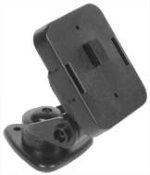
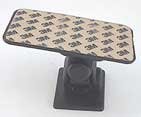
Not on this website, but found the PERFECT solution for what I am looking for. I will place the screen right above the cup holders in place of that small, almost useless "mini glove box". I will use one of these holders as soon as they send me some larger pics of them.

Thanks for all your help.
 

Attachments

  • thumb_cm48.jpg
    thumb_cm48.jpg
    3.2 KB · Views: 579
I would just watch out for how much of an angle you need to set for your "passenger" to see it. I would be afraid that it would hang over the cupholders and make them useless. As a matter of fact, even if it doesn't hang out too much, would a can of soda or a dunkin coffee cup block the screen too much?

I am always driving with my coffee so this would not be an option for me.

May I suggest using the same holder/adaptor but installing it on the passenger side pillar. You can run the wires down behind the glove box. The passenger would have a great view of the screen. If the driver wanted to see it at "stop lights", a slight glance to the right might be easier than a screen mounted 2 feet below the line of sight for the road.
 
i have a couple issues w/ that.

I want it low enough so I don't get pulled over and cops don't see it. Also, I am deathly afraid of touching the side pillar due to the side airbags being housed inside. I REALLY don't want to mess with that. I think I will modify this adapter to be retractable, so the LCD would be able to slide in front of the cup holders. I have drinks in the 4R very seldem.

Thanks for the info though.. lemme know what else you got!
 
From the specs:
Wide Screen 6" TFT LCD COLOR Monitor
Aspect Ratio 4:3

HUH??!! "Wide Screen" by definition is an apect ratio of 16:9, yet the specs listed state aspect ratio of 4:3 Obviously a contradiction! The monitor housing may be 16:9 per the photo logo, but that's definitely a 4:3 screen.
 
Last edited:

Members online

Forum statistics

Threads
278,306
Messages
3,554,045
Members
248,016
Latest member
Advally Service

Trending content

Back
Top