

nashman69g
Member
Yes, I went through the PITA process of gathering "things" from the TIS website for the 2010 4Runner. I have 92% of the repair manual, 95% of the EWD section (all the diagrams but left a few sections out that I thought is easily gained by looking at the wiring diagrams), all service bulletins as of now, owners manual, nav manual, and some other misc stuff. My eyes hurt from hours of DLing. This took me hours---days to do. :redbrick:
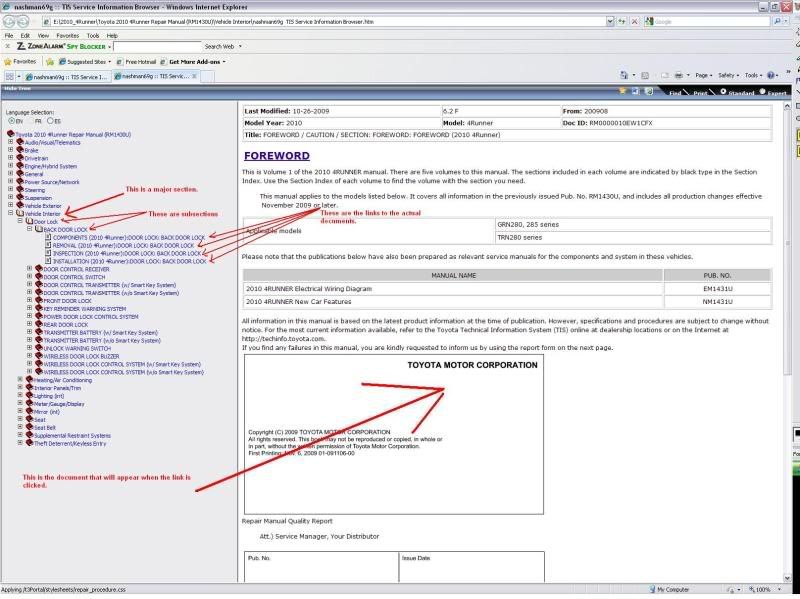
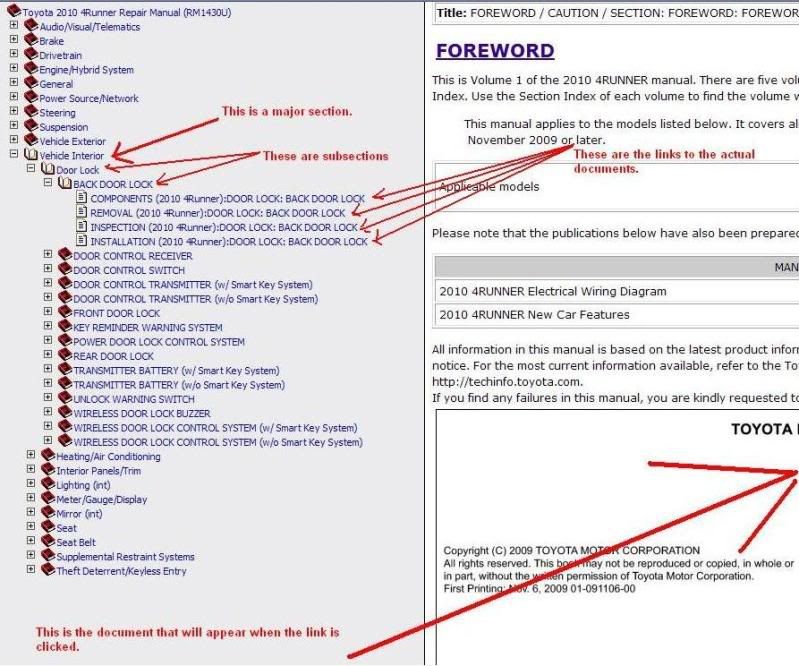
Now the details.....The repair manual is in this new format on the TIS website. As some of ya'll may know, it is difficult to save this new format. Yes you can "print" it to a PDF file, but this is actually more difficult and you lose the functionality. I discovered that through a long a painful process that I could save a page as a .mht file in Internet Explorer. This allows me to capture the complete HTML as seen on the browser.
Now the difficult part….. I had to save EACH page of every section of every subsection of the manual. I have all of the HTML code and links for the menus. I am in no way an expert at HTML or the lingo for that matter. I must then go and edit a few thousand files and HTML code within each to fix the linking of the files to allow the ease of navigation. Each file has the name of the section and subsections as well as the title of the specific repair document they are pulled from. Currently, the links are linking to the original file names. When I was saving the pages, the default save name was the title. I'm going to hopefully find/make some kind of script that can hopefully do a lot of this for me. I need to pay for access again to finish the DL of the last few sections. If someone has access now and/or would like to help me in my effort, please PM me or post and I'll explain the process and the format of saving the sections. Also if any of you are experts at HTML code and can assist, please step in. Also if anyone as figured out another way of doing this successfully, please chime in.
I’m a soon to be owner of a 2010 4Runner Limited. I’m here to help out this forum. Glad to be a new member of this forum and hope to be of use and learn for years to come….:cheers:
Marshall
Now the details.....The repair manual is in this new format on the TIS website. As some of ya'll may know, it is difficult to save this new format. Yes you can "print" it to a PDF file, but this is actually more difficult and you lose the functionality. I discovered that through a long a painful process that I could save a page as a .mht file in Internet Explorer. This allows me to capture the complete HTML as seen on the browser.
Now the difficult part….. I had to save EACH page of every section of every subsection of the manual. I have all of the HTML code and links for the menus. I am in no way an expert at HTML or the lingo for that matter. I must then go and edit a few thousand files and HTML code within each to fix the linking of the files to allow the ease of navigation. Each file has the name of the section and subsections as well as the title of the specific repair document they are pulled from. Currently, the links are linking to the original file names. When I was saving the pages, the default save name was the title. I'm going to hopefully find/make some kind of script that can hopefully do a lot of this for me. I need to pay for access again to finish the DL of the last few sections. If someone has access now and/or would like to help me in my effort, please PM me or post and I'll explain the process and the format of saving the sections. Also if any of you are experts at HTML code and can assist, please step in. Also if anyone as figured out another way of doing this successfully, please chime in.
I’m a soon to be owner of a 2010 4Runner Limited. I’m here to help out this forum. Glad to be a new member of this forum and hope to be of use and learn for years to come….:cheers:
Marshall
Last edited:



 olice:


