Android Head Unit?

There is no way that you'll get 300 people to put down money for this. I'd be shocked if you got 30 people.

I read through most of a thread on the Tundra forum, and while they look cool at first, most people had some sort of issue. Some people sold their radios or got rid of them. It was a mess.

I love the idea, but it's cheap and you get what you pay for.
 
Hey everyone,

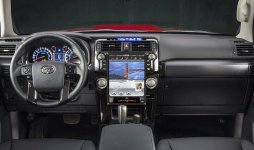
Heard back from Phoenix. They have mocked up some possible variants of how it would look.

For this one, the stock AC controls would be retained. It would be about a 7" screen.

30875086_395771937500891_685896217_n.jpg

For this one, they'd ship with all new knobs, which would replace the stock AC module. This one would be either a 10" or 12".

30831285_395769947501090_319106036_n.jpg

They also said they are thinking of posting this on their website as a pre-order listing, and that way it would be the best to gauge the interest. In addition, they dropped down the number to 200, versus the original 300.

Which one (the vertical or horizontal) would folks prefer?
 

Attachments

  • 30831285_395769947501090_319106036_n.jpg
    30831285_395769947501090_319106036_n.jpg
    90.6 KB · Views: 9,676
  • 30875086_395771937500891_685896217_n.jpg
    30875086_395771937500891_685896217_n.jpg
    59.6 KB · Views: 3,965
God - I would love the vertical one, but feel like with the limited models I'd be scared of losing my dual temp controls and such. In that case, I'd be fine with the horizontal unless the vertical ones keep functionality.
 
I was going from memory so 10" was a bit ambitious (hold the jokes...)

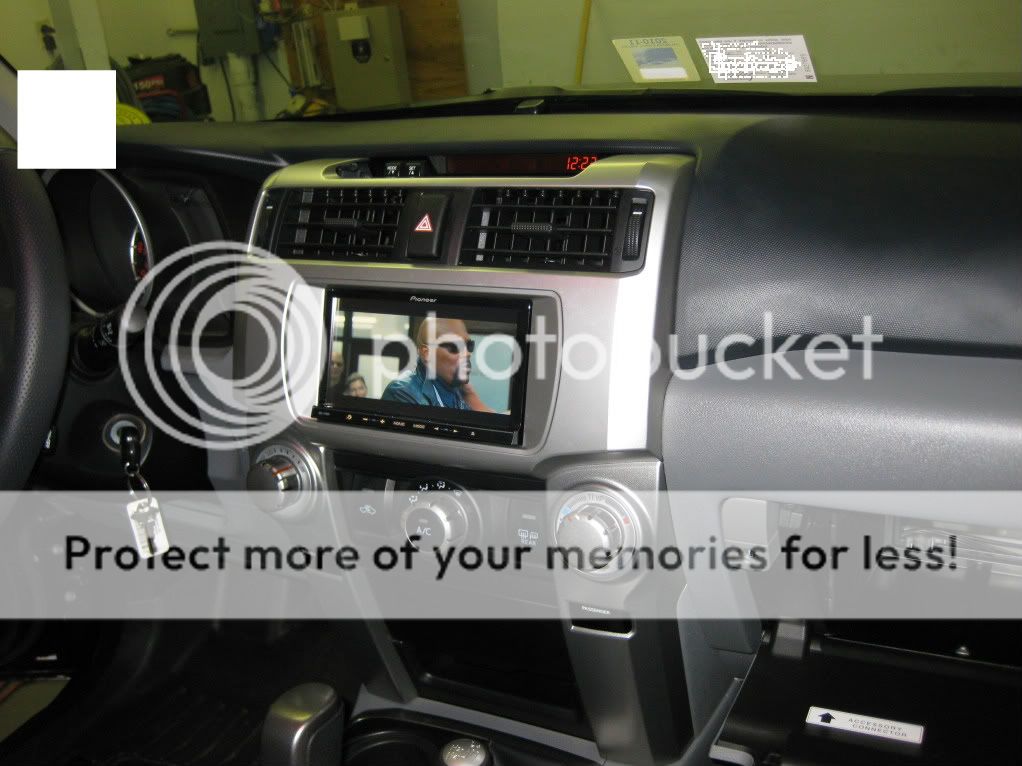
But looking at this picture I stole, that's a standard 7" double din screen. I think it would be possible to finesse an 8 or 9" screen in the standard aspect ratios, or possibly make the screen ultra-wide to cover the empty sides there. I'd much prefer that over a vertical screen that cuts out the HVAC knobs.

It would be cool to make it split screen, have the left side show Nav and the right side show sensor readouts. My current head unit plugs into the OBDII port and I can switch between Nav and sensors using the steering wheel controls, I would love to have them both up at the same time. Or you can have Nav on the left, music on the right, etc.

IMG_2464.jpg~original

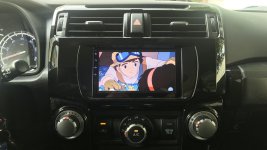
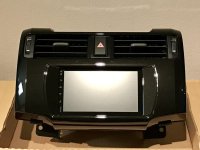
I’ve been talking with joying and a friend of mine that does custom dashes about getting one of the units below installed. They both said is possible and based on measurements actually would fit with a little modification, and without overlapping the knobs. I’m hoping the unit shows up sometime in the next week.

https://www.joyingauto.com/joying-n...cta-core-car-multimedia-player-head-unit.html
 
I’ve been talking with joying and a friend of mine that does custom dashes about getting one of the units below installed. They both said is possible and based on measurements actually would fit with a little modification, and without overlapping the knobs. I’m hoping the unit shows up sometime in the next week.

https://www.joyingauto.com/joying-n...cta-core-car-multimedia-player-head-unit.html

Yea that's what I had in mind. I hope that works out for you, I had bad experiences with several of those Chinese-type receivers. It would be great if that one worked!
 
hey everyone,

heard back from phoenix. They have mocked up some possible variants of how it would look.

For this one, the stock ac controls would be retained. It would be about a 7" screen.

View attachment 295408

for this one, they'd ship with all new knobs, which would replace the stock ac module. This one would be either a 10" or 12".

View attachment 295407

they also said they are thinking of posting this on their website as a pre-order listing, and that way it would be the best to gauge the interest. In addition, they dropped down the number to 200, versus the original 300.

which one (the vertical or horizontal) would folks prefer?

the vertical one for sure looks super awesome
 
Hey everyone,


Heard back from Phoenix. They have mocked up some possible variants of how it would look.


For this one, the stock AC controls would be retained. It would be about a 7" screen.


View attachment 295408


For this one, they'd ship with all new knobs, which would replace the stock AC module. This one would be either a 10" or 12".


View attachment 295407


They also said they are thinking of posting this on their website as a pre-order listing, and that way it would be the best to gauge the interest. In addition, they dropped down the number to 200, versus the original 300.


Which one (the vertical or horizontal) would folks prefer?


Vertical. Would the dual zone climate controls still work on the limited models?


Sent from my iPhone using Tapatalk
 
Hey everyone,

Heard back from Phoenix. They have mocked up some possible variants of how it would look.

For this one, the stock AC controls would be retained. It would be about a 7" screen.

View attachment 295408

For this one, they'd ship with all new knobs, which would replace the stock AC module. This one would be either a 10" or 12".

View attachment 295407

They also said they are thinking of posting this on their website as a pre-order listing, and that way it would be the best to gauge the interest. In addition, they dropped down the number to 200, versus the original 300.

Which one (the vertical or horizontal) would folks prefer?

What's wrong with you guys! The vertical one looks hideous! The 7" horizontal is much better aesthetically and functionally.
 
What's wrong with you guys! The vertical one looks hideous! The 7" horizontal is much better aesthetically and functionally.

every aftermarket receiver is 6.95". only reason to go-to one of these android units.. is for the big screen.
 
What's wrong with you guys! The vertical one looks hideous! The 7" horizontal is much better aesthetically and functionally.

I'm with you. I prefer the look of the horizontal unit. It just fits better with the aesthetics of the dash. Plus the less complicated it is the better in my opinion. Once you start messing with HVAC stuff things only get more tedious to diagnose and repair if things go wrong.

I wonder if we'd be able to retain the use of the home/app/audio buttons on the left and the tuning ones on the right?

Either way, I'm definitely following this.
 
What's wrong with you guys! The vertical one looks hideous! The 7" horizontal is much better aesthetically and functionally.
You know -- Initially I was liking the vertical one -- but you're right -- aesthetically and functionally, the horizontal does look nicer!

I switch to horizontal! :)
 
I think there are different 7" alternatives already on the market... The new development will be for the vertical screen.

Working with Phoenix to see what they need for development and potential timelines.

Sent from my ONEPLUS A3000 using Tapatalk
 
Xtrons 7" TE706PL 5th Gen T4R Install/Review

Hello friends,
After doing tons of research and finally deciding on a head unit I went with the 7” Xtrons TE706PL. It features an 8-core CPU, 4GB memory, and 32GB onboard storage (no optical disk drive). I wanted something with bang-for-buck quality and strong community support without paying $500+ for a head unit that will eventually lose support. Here are the parts I used for this build:

1. Xtrons TE706PL Android 8.0 head unit.
http://a.co/f9YgedD
2. Panlong OBD2 bluetooth diagnostic scanner
http://a.co/eAcaB9Q
3. CRUX SWRTY-61N stereo harness
404 Not Found – Caraudio Closeout
4. Scosche TA2106B dash kit
http://a.co/bInxTDl
5. 2.4Ghz SMA connector WiFi antenna
https://www.amazon.com/dp/B078N9J5YP/ref=cm_sw_r_sms_awdb_t1_ASpJCbC470S8Z
6. BATIGE 2 port dual USB 3.0 flush mount extension
http://a.co/cTs4ckz
7. Buffalo iBuffalo Classic USB gamepad
http://a.co/d/iLpYRlj

Xtrons Head Unit:

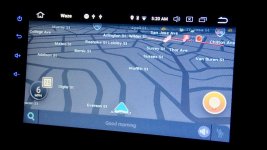
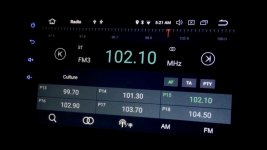
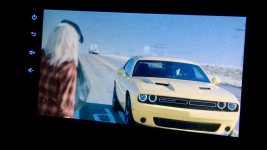
This head unit is very fast as the initial cold boot is ~30 seconds but every time after, it loads ~2 seconds when you turn on the vehicle. It features built-in WiFi (2.4Ghz), Bluetooth, 3 USB 2.0 ports, 1 MicroSD slot, and GPS which made it pretty versatile. I prewired everything prior to fully mounting to test in the 4Runner and was blown away by the performance. I installed the apps I typically run for media, GPS, etc. and they run without issues. I use my hotspot from my mobile phone and it's like a computer in the dash. There are too many features to list but in short, it is pretty much an Android tablet mated to a sound processor. With full Google Play Store support, you can install whatever apps work best for you. VLC, Waze, Spotify, Pandora, Chrome, Google Assistant, YouTube, Torque, Prime Video, Netflix, Arlo are among the apps I use most. Lastly, I wanted to comment on the resolution of this screen. It is 1024x600 and looks really good compared to other 7” units by Pioneer or Kenwood as these usually are 800x480.

Note: This head unit is just slightly bigger than most double dins and does not slide through the dash kit. It is sitting flush up against the rear of the bezel. I used 1000 grit to lightly sand the rear mating surface of the bezel smooth prior to install.

Panlong OBD2 Scanner:

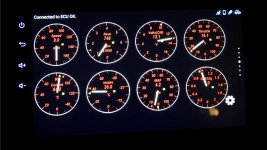
This scanner is installed under the steering wheel of the car in the diagnostic port and pairs to your head unit. I installed the Torque app and it detected it quickly and works well. I have read somewhere that the transmission temp can be added as well which would make it great to monitor when hauling. There is a separate kit for TPMS which includes the control unit and sensors but I did not order it.

Note: You need to go to the bluetooth settings in "Settings" to pair this device.

CRUX Stereo Harness:

This was an easy install with the CRUX harness. Inside of the kit you should have an adapter for the steering wheel controls. It uses a 3 cable harness for key1, key2, and ground. On the steering wheel control module I used the pin settings for a “BOSS” head unit for compatibility.

Note: You are only able to retain 6 buttons for the steering wheel control; however, you get to program each button with dual use for short press and long press giving you more options and flexibility.

With the CRUX head unit harness kit I was able to retain the USB and aux input ports, and reverse backup camera. I didn’t need the mic as the head unit has a built in mic that works well. I didn’t use the GPS retention as the head unit came with a GPS antenna.

GPS and WiFi Antenna:

I ordered a separate WiFi antenna so that it can be mounted under the dash. I wanted to get as much range as possible. The WiFi antenna that came with the head unit is small and mounted to the rear. The SMA connector made it easy to swap this out. Both the GPS and WiFi antenna (upgraded one) have double sided tape which are mounted in the following places: For GPS, I taped this under the dash on the left side of the center AC vents. For the WiFi, I taped this under the dash on the right side of the center AC vents.

BATIGE USB Extension:

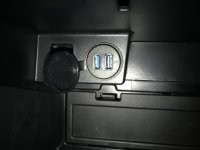
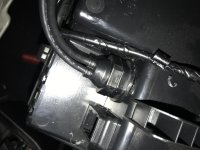
I wanted a clean install of the USB ports so I bought this flush mount kit and installed it inside of the glovebox at the factory “round” slot. The slot pops out and I had to use a tree bit to bore the hole slightly to fit the USB extension.

Overall, I am very happy with the head unit and please do the research before going this route. It is not for everyone and can take some time to tweak and set up but I enjoy geeking on this stuff. I haven’t even entered the realm of USB controllers and emulators yet. There are options for a front camera and DVR which I will do sometime in the future.

UPDATE: Picked up 2 Buffalo Classic USB controllers that pair great with Snes9x EX+ (Play Store Download). Setting key input for each controller was a breeze and now able to play 2-player games. The setup as it stands I have 1 USB port for 256gb USB flash drive, 1 USB Port - USB controller, 1 USB Port - USB controller.

UPDATE: Some people experienced sound quality problems with Bluetooth which the firmware and os updates resolve.
https://drive.google.com/drive/mobile/folders/1FU9kI2MQvrlsk2T_GYQ1AcNPPJO63rIL?usp=sharing

Sites that helped me tremendously:
https://www.xda-developers.com
http://www.toyota-4runner.org
www.youtube.com

 

Attachments

  • install.jpg
    install.jpg
    130 KB · Views: 5,031
  • view.jpg
    view.jpg
    124 KB · Views: 4,439
  • gloveusb.jpg
    gloveusb.jpg
    120.5 KB · Views: 3,930
  • gloveusbrear.jpg
    gloveusbrear.jpg
    131 KB · Views: 3,949
  • gps.jpg
    gps.jpg
    118.4 KB · Views: 3,939
  • radio.jpg
    radio.jpg
    76.5 KB · Views: 4,440
  • video.jpg
    video.jpg
    112.4 KB · Views: 3,891
  • torque.jpg
    torque.jpg
    129.2 KB · Views: 3,952
Last edited:
After spending a couple days roadtripping with the 4Runner I have to say that the Toyota ETune thing has to be the most poorly thought out, balky, undependable POS head unit I have seen.
The navigation is horrible, sound anemic, phone interface is a joke.
Even with the app on my phone, ETune won't connect.

Phone connects fine, usually.
Calls work ok, texts come through about 80% of the time, when using the phone for nav (Waze) it will only let the phone audio through probably 25% of the time.
On the way home I gave up on the in car nav and was just using Waze.
I can play Pandora just fine, about half the time it will display correctly, the rest of the time it just says Bluetooth player.

In my Titan Pandora mirrored to the head unit, controls and all were functional on the touch screen. You never needed to access the phone for anything.

I don't think I'm doing anything wrong, I have the app on my phone, an account made and the BT connects fine.
The app just doesn't work correctly.

Not impressive for a 2018 model vehicle.
 
i came to the same conclusion as you, especially after replacing the factory with a kenwood excelon 893s..... its 1 model year behind kenwoods current but lightyears beyond the entune!!
just my opinion, but a 7" option is not much larger then the current double din setups out there, and you save alot of cash and much cleaner install without customizing. Unless you really have to have all the Android features.
you guys looking for a larger screen may want to check out soundmanca.
https://soundmanca.com/

he makes some trick sliders for ipads and some andriods as well. Plus pretty hilarious content on youtube. they are not plug an play things though. you need to be able to do some customizing. but plenty of room in the 4runner for the installation!

ive tossed around trying to install one of his sliders in the 4runner but honestly im happy with the kenwood. but the big screens do look pretty trick!
 
Last edited:
Hello friends,
After doing tons of research and finally deciding on a head unit I went with the 7” Xtrons TE706PL. It features an 8-core CPU, 4GB memory, and 32GB onboard storage (no optical disk drive). I wanted something with bang-for-buck quality and strong community support without paying $500+ for a head unit that will eventually lose support. Here are the parts I used for this build:

1. Xtrons TE706PL Android 8.0 head unit.
http://a.co/f9YgedD
2. Panlong OBD2 bluetooth diagnostic scanner
http://a.co/eAcaB9Q
3. CRUX SWRTY-61N stereo harness
https://www.caraudioco.com/crux-swrty-61n.html…
4. Scosche TA2106B dash kit
http://a.co/bInxTDl
5. 2.4Ghz SMA connector WiFi antenna
https://www.aliexpress.com/item/3G-...h-3m-cable-for-WIFI-modem-4G/32839219928.html
6. BATIGE 2 port dual USB 3.0 flush mount extension
http://a.co/cTs4ckz

Xtrons Head Unit:

This head unit is very fast as the initial cold boot is ~30 seconds but every time after, it loads ~2 seconds when you turn on the vehicle. It features built-in WiFi (2.4Ghz), Bluetooth, 3 USB 2.0 ports, 1 MicroSD slot, and GPS which made it pretty versatile. I prewired everything prior to fully mounting to test in the 4Runner and was blown away by the performance. I installed the apps I typically run for media, GPS, etc. and they run without issues. I use my hotspot from my mobile phone and it's like a computer in the dash. There are too many features to list but in short, it is pretty much an Android tablet mated to a sound processor. With full Google Play Store support, you can install whatever apps work best for you. VLC, Waze, Spotify, Pandora, Chrome, Google Assistant, YouTube, Torque, Prime Video, Netflix, Arlo are among the apps I use most. Lastly, I wanted to comment on the resolution of this screen. It is 1024x600 and looks really good compared to other 7” units by Pioneer or Kenwood as these usually are 800x480.

Note: This head unit is just slightly bigger than most double dins and does not slide through the dash kit. It is sitting flush up against the rear of the bezel. I used 1000 grit to lightly sand the rear mating surface of the bezel smooth prior to install.

Panlong OBD2 Scanner:

This scanner is installed under the steering wheel of the car in the diagnostic port and pairs to your head unit. I installed the Torque app and it detected it quickly and works well. I have read somewhere that the transmission temp can be added as well which would make it great to monitor when hauling. There is a separate kit for TPMS which includes the control unit and sensors but I did not order it.

Note: You need to go to the bluetooth settings in "Settings" to pair this device.

CRUX Stereo Harness:

This was an easy install with the CRUX harness. Inside of the kit you should have an adapter for the steering wheel controls. It uses a 3 cable harness for key1, key2, and ground. On the steering wheel control module I used the pin settings for a “BOSS” head unit for compatibility.

Note: You are only able to retain 6 buttons for the steering wheel control; however, you get to program each button with dual use for short press and long press giving you more options and flexibility.

With the CRUX head unit harness kit I was able to retain the USB and aux input ports, and reverse backup camera. I didn’t need the mic as the head unit has a built in mic that works well. I didn’t use the GPS retention as the head unit came with a GPS antenna.

GPS and WiFi Antenna:

I ordered a separate WiFi antenna so that it can be mounted under the dash. I wanted to get as much range as possible. The WiFi antenna that came with the head unit is small and mounted to the rear. The SMA connector made it easy to swap this out. Both the GPS and WiFi antenna (upgraded one) have double sided tape which are mounted in the following places: For GPS, I taped this under the dash on the left side of the center AC vents. For the WiFi, I taped this under the dash on the right side of the center AC vents.

BATIGE USB Extension:

I wanted a clean install of the USB ports so I bought this flush mount kit and installed it inside of the glovebox at the factory “round” slot. The slot pops out and I had to use a tree bit to bore the hole slightly to fit the USB extension.

Overall, I am very happy with the head unit and please do the research before going this route. It is not for everyone and can take some time to tweak and set up but I enjoy geeking on this stuff. I haven’t even entered the realm of USB controllers and emulators yet. There are options for a front camera and DVR which I will do sometime in the future.

Sites that helped me tremendously:
https://www.xda-developers.com
http://www.toyota-4runner.org
www.youtube.com


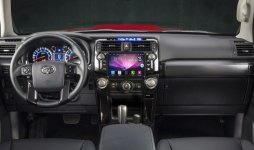
I like your setup, I think I'll try the same thing. I like the DVR function. I already have a dash cam, but I also have a front camera (separate), and am working on side view cameras (low priority, been pushed to the back burner).

Where did you get the black dash kit? It seems Scosche only sells the gray version (my trim is all black and it would look weird. Plus I would prefer not to have to manually paint something.

Edit: I found the same exact wifi antenna on Amazon Prime (for those that would prefer not to buy from Ali Express and wait forever)
https://www.amazon.com/dp/B078N9J5YP/
 
Last edited:

Members online

Forum statistics

Threads
278,305
Messages
3,554,041
Members
248,016
Latest member
Advally Service

Trending content

Back
Top