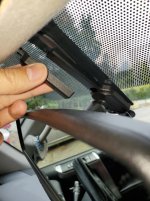
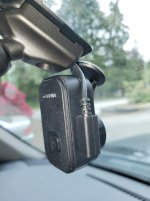
Dongar hidden apapter front dash cam install - Garmin Mini 2

emmantik

New member
NOTE: This install will work if you are wiling to lose the auto dim funtion of the rearview mirror.

Not too sure about other trim levels but I have a 2015 SR5P.

You will first have to remove the overhead console.

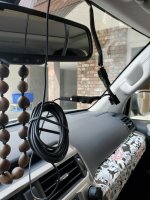
First step is to unplug the connector from the back of the rearview and push it back up into the headliner. Then connect to Dongar adapter and plug in power cable. I used one of the cables supplied with the camera.
 

Attachments
  • 5-20220528_112130_resized.jpg
    5-20220528_112130_resized.jpg
    130.8 KB · Views: 3,058
  • 1-20220528_104703_resized.jpg
    1-20220528_104703_resized.jpg
    128.3 KB · Views: 2,294
Last edited:
Register to hide this ad
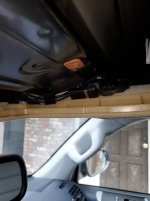
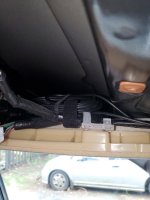
Step 2: Tuck in the adapter and power cable up into the headliner. I have a sunroof so there is a lot of space up there. I tucked the adapter on the right side and the charging cable on the left side of the overhead console.
 

Attachments

  • 2-20220528_105101_resized.jpg
    2-20220528_105101_resized.jpg
    115.7 KB · Views: 1,938
  • 3-20220528_105130_resized.jpg
    3-20220528_105130_resized.jpg
    123.2 KB · Views: 1,929
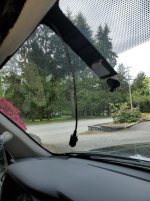
Step 3. Put the end that plugs into the camera back through hole used for the auto dimming function. It will be the only wire coming down.
 

Attachments

  • 4-20220528_105750_resized.jpg
    4-20220528_105750_resized.jpg
    137.6 KB · Views: 1,937
Last edited:
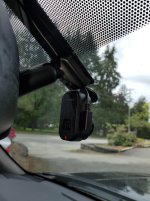
There is room for the cable to be tucked in behing the mirror bracket. Then tuck the wires into the plastic channel.
 

Attachments

  • 6-20220528_112247_resized.jpg
    6-20220528_112247_resized.jpg
    133.5 KB · Views: 1,960
Last edited:
End result is a nice clean install with very minimal wires showing which was my goal.
 

Attachments

  • 7-20220528_112522_resized.jpg
    7-20220528_112522_resized.jpg
    128.4 KB · Views: 2,015
Seems like a mirror-tap with a lot more steps.

That's what I was thinking. I've got a Garmin 56 running off a Dongar Mirror-to-dashcam adapter and there was nothing to hide. I just unhooked the power from the mirror, connected the adapter and then connected the power supply and usb for the garmin and was done with it.
 
That's what I was thinking. I've got a Garmin 56 running off a Dongar Mirror-to-dashcam adapter and there was nothing to hide. I just unhooked the power from the mirror, connected the adapter and then connected the power supply and usb for the garmin and was done with it.

So where did you mount the Dongar adapter?
 
I didnt' want the adapter showing so this is what I did for a clean look.

So yes there is something to hide as per your previous reply.


Different strokes I guess. The adapter isn't noticeable since it tucks right up under the rear view mirror mount arm and is blocked by the dash cam. And I still have use of my auto dimming mirror. Good on ya for personalizing yours though.
 
i almost bought one of these but i figured it would allow the auto dim mirror to stay functioning.

The auto dim mirror functions normally with the adapter if installed per their instructions. If you want to hide the adapter in the headlner like the TS did you would have to create a longer power supply cord to run back to the mirror similar to the USB he ran for the cam itself.
 

Members online

Forum statistics

Threads
278,312
Messages
3,554,089
Members
248,016
Latest member
Advally Service

Trending content

Back
Top