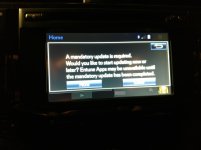
Entune Update, Software Fail, No App Access

Hybryd40

New member
Good morning,
On my way to work this morning and I get in my 4Runner and I get a mandatory app update. So I hit install and during the boot up process it comes back up and says software upload has failed. Tried a couple more times same thing. Stop and get breakfast start vehicle back up and same issue. Now all apps are unavailable. Anyone else get this update today or ever had a similar issue? And yes, I can just take to my buddy at the dealership. Still a couple months of warranty left. Or I can just post on here . So we have something else to talk about today, lol Going to be a slow day here at my work anyway :p
 
Last edited:
Register to hide this ad
I just updated mine two days ago, using the online/usb stick method.
Same failed download. I'm not sure if the apps work or not.
And my phone isn't plugged in, it's connected over bluetooth.
 
I would try the manual update method, with a USB drive. It sounds like you did the above with your phone plugged in to your USB slot.

Nope, my phone wasn't plugged into the USB, just tried again and same thing, "Update Failed".
I guess if it doesn't work this afternoon, I'll go the manual method.:noidea:
 
I just updated mine two days ago, using the online/usb stick method.
Same failed download. I'm not sure if the apps work or not.
And my phone isn't plugged in, it's connected over bluetooth.

Are you saying the USB stick method was successful a few days ago, but this remote download today didn't work? I did the upgrade to 010192 a few days ago via USB, and it went just fine on my '18. That being said, I know Toyota pushes updates through phone data too, but I'm not exactly sure which ones.

Maybe for those of you with issues right now, try to pull the 20A "RAD" fuse under the hood and let it sit for a bit?

What is everyone seeing for their version on this screen?:
v27lLEF.jpg
 
Mine worked great, no issues this morning.

Were you hooked up directly, or just bluetooth'd with your phone?

Are you saying the USB stick method was successful a few days ago, but this remote download today didn't work? I did the upgrade to 010192 a few days ago via USB, and it went just fine on my '18. That being said, I know Toyota pushes updates through phone data too, but I'm not exactly sure which ones.

The update I did the other day was that one, 010192. My screen is showing the same as yours.
 
Were you hooked up directly, or just bluetooth'd with your phone?


The update I did the other day was that one, 010192. My screen is showing the same as yours.

I had bluetooth connected as well as the entune app going when I got the message. I told it to update, and it prompted me again after it downloaded the new patch, and installed without any problems.
 
I also received the same "Mandatory Software Update" message this morning. No issues to report on mine.

After trying to update using the website, I went for a 5K service and asked the dealer to update it.

When they failed to find a newer update file, I plugged in my phone into the USB port , started the Entune app in the phone and received the mandatory update screen.

068.jpg

The install was uneventful...
 

Attachments

  • 068.jpg
    068.jpg
    114.3 KB · Views: 2,821
Only thing that stopped working for me was pandora. Worked perfectly fine until I updated. maybe it'll start working again later on..

Sent from my SM-G930T using Tapatalk
 
After trying to update using the website, I went for a 5K service and asked the dealer to update it.

When they failed to find a newer update file, I plugged in my phone into the USB port , started the Entune app in the phone and received the mandatory update screen.

View attachment 298521

The install was uneventful...

There are three types of updates that these headunits can receive.
1) Over-The-Air update of the entune software
2) USB update of the firmware
3) SD-card or DVD map update (headunit year dependent)
 
Just updated mine successfully. Plugged the USB cable into my phone before turning the key on, and then it downloaded and updated without issue. iHeartradio and Pandora apps seem to be fully functional as well.
 
Just updated mine successfully. Plugged the USB cable into my phone before turning the key on, and then it downloaded and updated without issue. iHeartradio and Pandora apps seem to be fully functional as well.

Thank you, I just did the same and it downloaded flawlessly.
 
Just went to lunch, and it downloaded and updated successfully with my phone on bluetooth. No idea why it wouldn't work earlier. Unfortunately, I don't use many of the apps, so I'm not sure if it affected any of them yet.
 
I had the same message come up, and altho I tried several times, it wouldnt download via bluetooth. Out of options, I tried the download by plugging my phone in to the USB port, having Entune running and connected on the phone. The update then downloaded fine and after that, I got a message prompting me if I wanted to install. I said yes, and it installed fine.

Good luck!
 

Members online

Forum statistics

Threads
278,309
Messages
3,554,065
Members
248,016
Latest member
Advally Service

Trending content

Back
Top