
Forward facing camera and VIM support.

zonzin

Member
Does anyone have any experience with this device?

https://www.cruxinterfacing.com/products/VIMTY-05/index.html

1.jpg


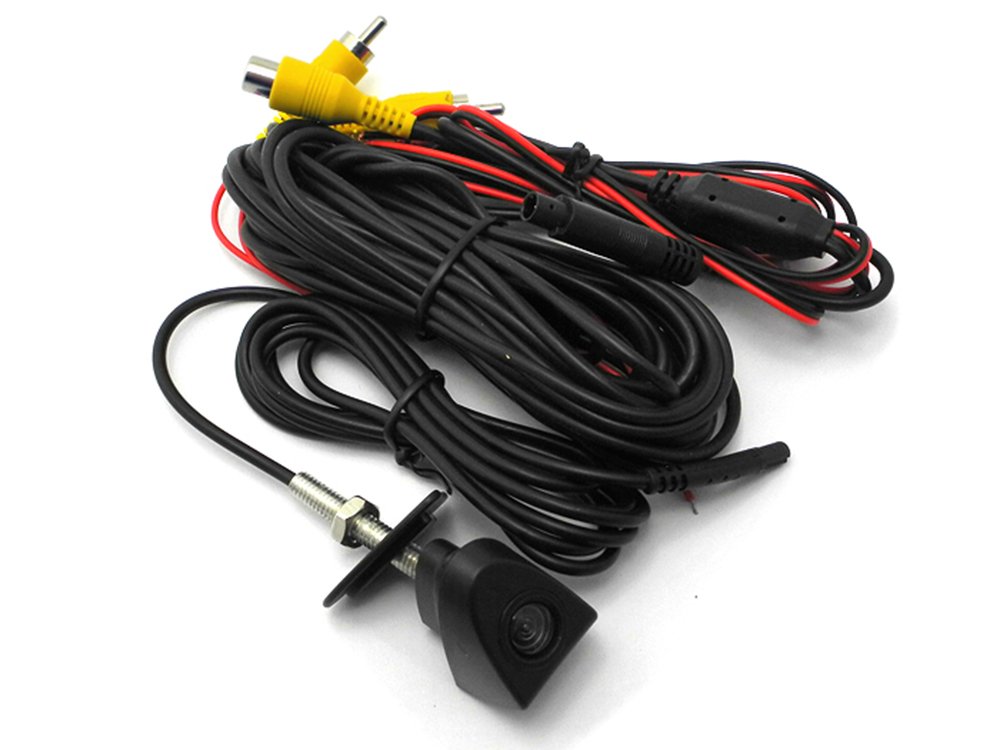
When paired with this,

https://www.amazon.com/dp/B00P2EN5J2/ref=wl_it_dp_o_pC_S_img?_encoding=UTF8&colid=3GEZL9J7LD1HP&coliid=I38OUBLLGWJ5RP&psc=1
61NNpPCATrL._SL1000_.jpg


Seems like it would be perfect to get Vehicle in Motion Control for the NAV and add a front facing camera.


.
 
Register to hide this ad
I have that exact setup but I went with the wvity 01 which is wireless. Works great. There are a few different cameras on Amazon... Not sure which I bought but I think it was listed for tundra. . Regardless you will have to Dremel or drill out the bottom part of the emblem to get the camera through. Took less than 10 minutes. Camera is very clear. .
 
Well this device claims it is full PnP with no drilling, and that it uses the down volume on steering wheel to enable / disable the VIM override. It also adds an Icon to the Apps screen to let you select the forward facing camera to be viewed on the head unit screen. Additionally, the VIM override is pretty cool because you can run the NAV with all functions enabled when in motion.

I'm very tempted to get these but I would like real world feedback before doing it.

1.jpg
 
Could I use this device to mirror my cell phone screen to entune, or to display my dash cam video to entune? If not, is there any device like that where I can run a video input into the entune to get something on the display?

yes it will mirror your phone but you wont be able to touch the screen and activate the phone... you can only use the phone touch screen to perform actions. it has a video input so any video soucre will plug in, I plugged in a front facing camera.
 
Well this device claims it is full PnP with no drilling, and that it uses the down volume on steering wheel to enable / disable the VIM override. It also adds an Icon to the Apps screen to let you select the forward facing camera to be viewed on the head unit screen. Additionally, the VIM override is pretty cool because you can run the NAV with all functions enabled when in motion.

I'm very tempted to get these but I would like real world feedback before doing it.

1.jpg


Yes it will do everything you described. only downside is, when you select the A/v to use whatever you plug into the video input you wont get to listen to the radio at the same time, unless whatever you plug into has audio out. the center button is the override button on mine
 
Last edited:
May be better to use the camera over ride dongle and the video input switcher.

Check thevast page of my build thread.
 

Members online

Forum statistics

Threads
278,307
Messages
3,554,049
Members
248,016
Latest member
Advally Service

Trending content

Back
Top