fatherohenry
Member
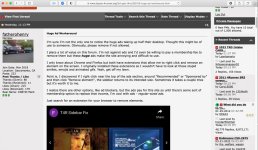
I'm sure I'm not the only one to notice the huge ads taking up half their desktop. Thought this might be of use to someone. Obviously, please remove if not allowed.
I place a lot of value on this forum. I'm not against ads and I'd even be willing to pay a membership fee to remove them but these huge ads make the site annoying and difficult to use.
I only know about Chrome and Firefox but both have extensions that allow me to right click and remove an element on the screen. I originally installed these extensions so I wouldn't have to look at those stupid smilies, emojis and animated gifs. Yeah, get off my lawn.
Point is, I discovered if I right click near the top of the ads section, around "Recommended" or "Sponsored by" and then click "Remove element", the sidebar returns to its intended size. Sometimes it takes a couple tries but it's worth it to me.
I realize there are other options, like ad blockers, but the ads pay for this site so until there's some sort of membership option to replace that income, I'm cool with ads - regular-sized ads.
Just search for an extension for your browser to remove elements.
I place a lot of value on this forum. I'm not against ads and I'd even be willing to pay a membership fee to remove them but these huge ads make the site annoying and difficult to use.
I only know about Chrome and Firefox but both have extensions that allow me to right click and remove an element on the screen. I originally installed these extensions so I wouldn't have to look at those stupid smilies, emojis and animated gifs. Yeah, get off my lawn.
Point is, I discovered if I right click near the top of the ads section, around "Recommended" or "Sponsored by" and then click "Remove element", the sidebar returns to its intended size. Sometimes it takes a couple tries but it's worth it to me.
I realize there are other options, like ad blockers, but the ads pay for this site so until there's some sort of membership option to replace that income, I'm cool with ads - regular-sized ads.
Just search for an extension for your browser to remove elements.