
You are using an out of date browser. It may not display this or other websites correctly.
You should upgrade or use an alternative browser.
You should upgrade or use an alternative browser.
Messing with the '14 EnTune audio system, new splash screen, etc.
- Thread starter VolksDragon
- Start date

Saker
Senior Member
I got the start up picture no problem. I've done 10000s of attempts to get a screen off to no avail
10000s of attempts?
you've got lots of time on your hands!
You should be able to do this in one attempt!
Name it to what your manual states!
EDIT: I see [MENTION=125749]kravist12[/MENTION] figured it out.
Last edited:

Dirty Brigade
New member
Just tried this out for the first time. It worked and it looks pretty cool.
10000s of attempts?
you've got lots of time on your hands!
You should be able to do this in one attempt!
Name it to what your manual states!
EDIT: I see [MENTION=125749]kravist12[/MENTION] figured it out.
Had my 4runner for a while now and I try it every few days. I can get my loading screen, but no matter what I can't get a departure screen. I haven't tried it since I disconnected my battery for about 2 weeks during my ARB front bumper install...
Even followed the manual step by step. Got it memorized

Saker
Senior Member
Anyone tried something like this on start up:

I don't see why it wouldn't work !
Interesting!

kboxvegas
New member
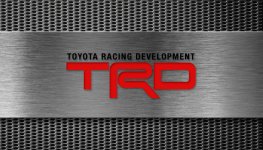
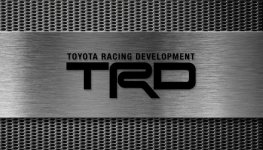
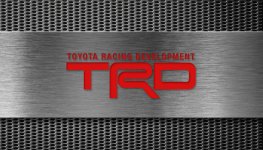
I just made a few of these at 840x480, I have no idea what I am doing when it comes to graphic design, but here is what I made. The Files need to be renamed as per the instructions in the first post.
Attachments





NutZac
New member




ToyotaDoodz
New member
Some of these look awesome.
Would love some 4Runner specific.
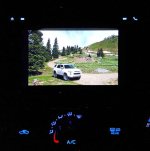
My start-up screen is pretty 4Runner specific.
 Just off road, take a pic, resize, and upload. Shot just above Ouray, Co. The look on the service writer and sales manager faces were priceless and they wanted to know all about it, where, when, etc. I tried different logos, and they all sort of just sat there.
Attachments
High_Country
New member
Love it ^. What resolution did you end up resizing it to? 840x480?
ToyotaDoodz
New member
Love it ^. What resolution did you end up resizing it to? 840x480?
Thanks! Yes, it's 800x480. I had to play with the image in Photoshop a little first. It's low density version. Not a lot of resolution on that screen anyway. In the post #55 above, compare it to my avatar and you can see the editing changes side by side.

borfoo3
New member
Hey guys,
I've realized on my 2015 Entune Plus system, the mentioned resolutions (840x480, 800x480...etc.) would still result in black bars on the side of the screen.. After a bit of research, I found that using 900x480 resolution ends up using the whole screen real estate without any of the dreaded black bars.. Of course, any pics with black backgrounds wouldn't be affected as much as colored pics.
Re-uploading some pics from before (including a tweaked version) cropped to the right size:


I've realized on my 2015 Entune Plus system, the mentioned resolutions (840x480, 800x480...etc.) would still result in black bars on the side of the screen.. After a bit of research, I found that using 900x480 resolution ends up using the whole screen real estate without any of the dreaded black bars.. Of course, any pics with black backgrounds wouldn't be affected as much as colored pics.
Re-uploading some pics from before (including a tweaked version) cropped to the right size:



Similar threads


- Replies
- 9
- Views
- 11K

