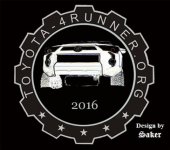
Messing with the '14 EnTune audio system, new splash screen, etc.

I've tried formatting a usb stick multiple times, using the right disk type, and I can not get this to work. I'm trying it on a Mac and tried on a pc but still nothing.

Im using a mac to do it.. Heres what I did.

1- Insert the drive into the computer,

2- Once it comes up on the desktop (if it doesn't Finder -> Preferences -> Check External Drives) Open "Disk Utility"

3- Erase and format as MS-DOS (FAT)

4- Create a SINGLE folder on the drive called either "startupimage" or "screenoffimage" depending on which screen you want to modify.

5- Put up to 3 images in that folder (the entune only sees 3 images for each action, screen off or startup. Your 3 images and the default toyota logo)

If that doesn't work.... I dont know what to tell ya!!

EDIT: One more thing... If you're plugging it into a PC, look for hidden folders and make sure they're all deleted..
 
Last edited:
Here is a screen image I am going to try.....
 

Attachments

  • 2016 T4R Screen Image.jpg
    2016 T4R Screen Image.jpg
    26.3 KB · Views: 717
Last edited:
Im using a mac to do it.. Heres what I did.

1- Insert the drive into the computer,

2- Once it comes up on the desktop (if it doesn't Finder -> Preferences -> Check External Drives) Open "Disk Utility"

3- Erase and format as MS-DOS (FAT)

4- Create a SINGLE folder on the drive called either "startupimage" or "screenoffimage" depending on which screen you want to modify.

5- Put up to 3 images in that folder (the entune only sees 3 images for each action, screen off or startup. Your 3 images and the default toyota logo)

If that doesn't work.... I dont know what to tell ya!!

EDIT: One more thing... If you're plugging it into a PC, look for hidden folders and make sure they're all deleted..

This worked for me on a Mac to get the files uploaded. Only comment is the folder names are supposedly case specific, and it's actually display off instead of screen off for the folder name, so there should be 2 folders that look like:

StartupImage
DisplayOffImage

My startup image also doesn't seem to be acting right. The default image still shows for a couple seconds, and my custom startup image just flashes for a split-second before going to the caution paragraph nonsense. Anybody know a fix? Also, is there any way to get it to stop showing the caution disclaimer? Thanks!
 
Last edited:
My startup image also doesn't seem to be acting right. The default image still shows for a couple seconds, and my custom startup image just flashes for a split-second before going to the caution paragraph nonsense. Anybody know a fix? Also, is there any way to get it to stop showing the caution disclaimer? Thanks!

I'm in the same boat with my 2016 TEP. Made the whole thing a lot less awesome.
 
This worked for me on a Mac to get the files uploaded. Only comment is the folder names are supposedly case specific, and it's actually display off instead of screen off for the folder name, so there should be 2 folders that look like:

StartupImage
DisplayOffImage

My startup image also doesn't seem to be acting right. The default image still shows for a couple seconds, and my custom startup image just flashes for a split-second before going to the caution paragraph nonsense. Anybody know a fix? Also, is there any way to get it to stop showing the caution disclaimer? Thanks!

I'm in the same boat with my 2016 TEP. Made the whole thing a lot less awesome.

Bump for this answer! Anyone figured it out!? or is it just a limitation of the system?
 
Bump for this answer! Anyone figured it out!? or is it just a limitation of the system?

It's actually working as designed.

I agree, somewhat unfortunate that that is how it works, but...little things. Although, it does mean that entune is starting up pretty quickly. Sometimes it will display for a reasonable amount of time, sometimes it's real quick. Just seems to depend on how quick entune wants to get moving.
 

Members online

Forum statistics

Threads
278,316
Messages
3,554,120
Members
248,016
Latest member
Advally Service

Trending content

Back
Top