TOYOTA 2016-2019 4Runner Repair Manual RM27F0U

After clicking the "download" on the post, which file are we supposed to download from 7zip? Do we unzip the file using 7zip? And where does the password go? Sorry, I am unfamiliar with 7zip.

You use 7zip to extract the .pdf file from the .zip file. If you don't already have 7zip installed you will need to do that first.

Download the .zip file from the provided drive.google.com link. After it has been saved to your hardrive and 7zip has been installed, do a right click on the .zip file and click on 7-Zip then Extract files... A 7-zip window will popup asking where you want to extract the file to as well as a spot to enter the password. Once you have done that you will have the .pdf file free and clear.
 
I risk sounding like a complete moron, but here goes. I do not have a PC or tablet. I don't even have internet options for my home address. Everything I do online is through my Samsung Galaxy S8 over mobile data. Is there any way for me to download this on my phone? I would love to have this for future reference, but after reading through the original post, I couldn't figure out what I need to do.

I think at very worst, you could just download the file and save the password separately. Then when you have access to a computer, copy the zip file to the computer, unzip it with the password and then transfer the extracted PDF back to your phone.
 
Thanks DougE!

8593 pages in this 2016-2019 version vs. 4765 pages in the original 2010 version posted years ago.
Thanks.

Vs 1025 pages in the 1985 manual, including a full automatic transmission rebuild and a whole 9 page wiring diagram. No auto trans rebuild or wiring diagram in this one is there? I skimmed through
 
I think at very worst, you could just download the file and save the password separately. Then when you have access to a computer, copy the zip file to the computer, unzip it with the password and then transfer the extracted PDF back to your phone.

I can't imagine trying to navigate a 9000 page document with the janky phone based pdf viewers.
 
Seems to be stuck in "checking password"... is this normal?
Have you been able to download and open it at all?

The only time I experienced that was when I was trying to open the zip file with the password through the google link. So I just downloaded the zip file without trying to open it then used 7zip with the password to open it which worked. The extracted pdf file opens without a password.
 
Have you been able to download and open it at all?

The only time I experienced that was when I was trying to open the zip file with the password through the google link. So I just downloaded the zip file without trying to open it then used 7zip with the password to open it which worked. The extracted pdf file opens without a password.

Must be my internet connection... its decrypting the files now.
 
[MENTION=451645]Captain Planet[/MENTION] seriously? :twitch: Spend five minutes on youtube and someone can show you how to rip the pdf pages you need into a "phone" friendly version.

Yep...but free is free

Right, someone always has to complain about something, give them $1400 (because that, incidentally, is how much the printed version costs, if you can even find one) and they'll whine it isn't enough.
 
[MENTION=451645]Captain Planet[/MENTION] seriously? :twitch: Spend five minutes on youtube and someone can show you how to rip the pdf pages you need into a "phone" friendly version.


Right, someone always has to complain about something, give them $1400 (because that, incidentally, is how much the printed version costs, if you can even find one) and they'll whine it isn't enough.

I'm not complaining at all.

He wanted to strictly do this on his phone. Doable, but it's going to be a real ***** without a PC at all, like you said, to extract pages.
 
Last edited:
Unzip with 7zip keeps telling me bad password is this the correct password x*x*x*_Do_NOT_Post_This_Link!!!_7ha6S1I6Cs83 or am I missing something thanks
 
Use the hash to make sure the file is not corrupted, that's why he posted it.

x*x*x*_Do_NOT_Post_This_Link!!!_7ha6S1I6Cs83

Worked fine for me.
 
I'm not complaining at all.

He wanted to strictly do this on his phone. Doable, but it's going to be a real ***** without a PC at all, like you said, to extract pages.

Right, apologies, I traced back to the post of the post and honestly, who doesn't have at least an iPad or other tablet, let alone a laptop in this day an age they literally give them away, heck you can rip pdfs on a $50 pi+rasbian, not to mention do a bazillion other things.
 
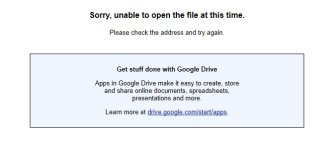
I'm getting the following message...
 

Attachments

  • msg.jpg
    msg.jpg
    36.5 KB · Views: 2,163
I'm getting the following message...

I'm not sure what you did prior to getting this error. I just tried downloading this file and didn't have any issues. After the download is finished, right click on it (the .zip file) and unzip it using 7Zip.
You cannot open this file using Google drive, you can only DOWNLOAD it from Google Drive.
Open it using 7Zip.
 
I'm not sure what you did prior to getting this error. I just tried downloading this file and didn't have any issues. After the download is finished, right click on it (the .zip file) and unzip it using 7Zip.
You cannot open this file using Google drive, you can only DOWNLOAD it from Google Drive.
Open it using 7Zip.

Correct. This is password protected with 7zip, native windows compression application or others will not be able to open it.

You need to literally follow his instructions. 7zip and use the password. If it's not working right, use the hash to verify the file is intact.
 

Members online

Forum statistics

Threads
278,315
Messages
3,554,123
Members
248,016
Latest member
Advally Service

Trending content

Back
Top