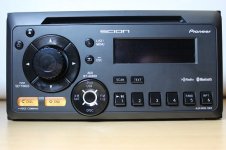
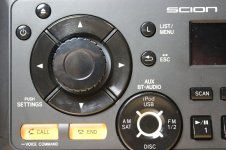
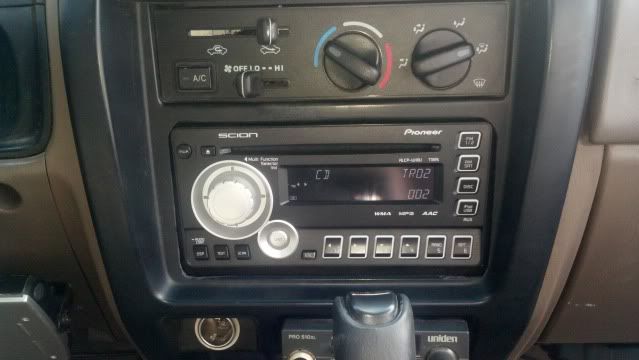
Ultimate Scion Headunit (stereo) thread

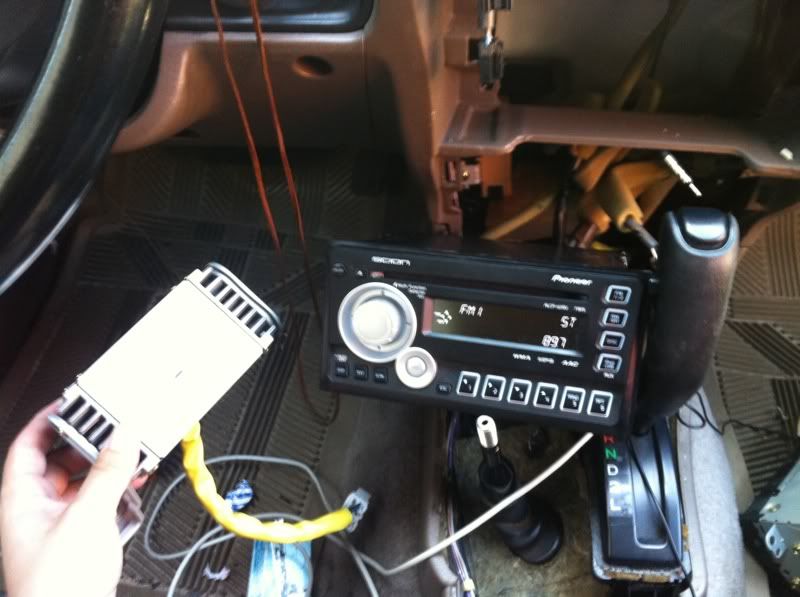
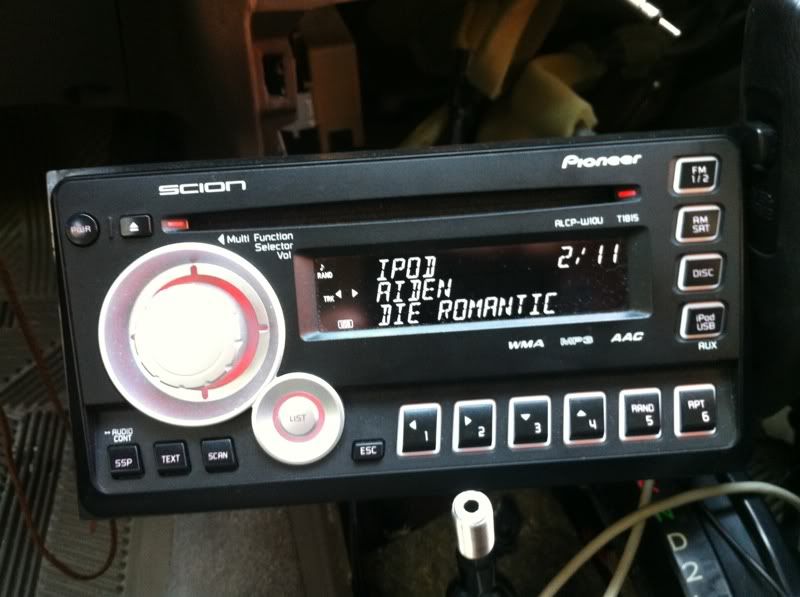
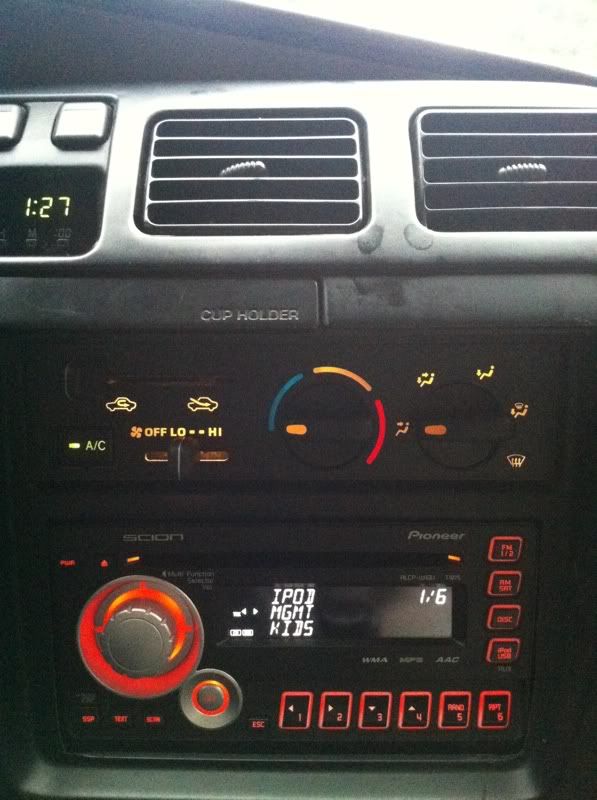
Successful USB and iPod connectivity to T1814

Sharing a link to my post on another thread that gives step by step instructions how to solder an inexpensive USB extension cable to the internal circuit board on the T1814 that will give you full functionality for USB flash drives, USB MP3 players and iPods.

Link to thread - click here: http://www.toyota-4runner.org/audio-electronics/84630-t1814-installed.html#post772397


Couple of pics:
http://i211.photobucket.com/albums/bb21/falcon115/4Runner-Scion/Scion-USB.jpg
http://i211.photobucket.com/albums/bb21/falcon115/4Runner-Scion/Scion-iPod.jpg
 
Last edited:
Has anyone installed this Scion headunit yet? I'm curious if it's also compatible, and how much people are paying for it.

jonasgti

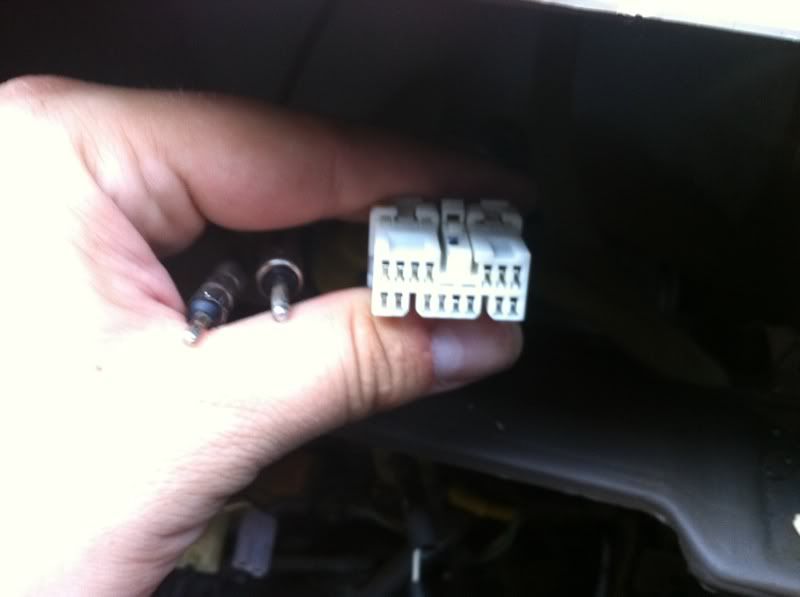
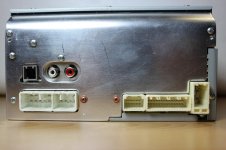
I did get this unit installed. Has the same standard connectors. Downside... The aux does not work right, I read on a scion form you need to swap a pin to get the AUX to ground, I have had no luck yet. Also You need a harness for ipod/usb and I have no clue what to get or where to get it.

Any ideas?
 
Scion T1809 HU Install

For anyone still interested in upgrading their 4th gen non-JBL 4runner, the install is absolutely as easy as the earlier posts describe.
Here's a link to the owners manual if you can't decide if it's the right upgrade for you or if you can't figure out how to use the radio you just installed.
The best price I could find was $140, shipping included.

www.scion.com/assets/pdf/audio/200708_up_owners_manual.pdf
 
First post ever on the 4Runner Forums! Yippee!!!

Any who... 2007 SR5 4Runner no-JBL.
Just picked up a T1808 off craigs list for $35!

He also had the pioneer speakers that were in the Scion and tossed them in for FREE (I'll have to see if they are better than stock). As soon as I get the iPod cable (I see a bunch on eBay for $9) I'll be putting this in.

I’ll be very interested to see what 160w will do. I didn’t find any posts that mentioned the “stock” watts.


Now... time to update that profile thingy. :-)
 
Here are my notes! The upgrade was SUPER simple and worth it! The AUX doesn't work UNLESS you do the resister mod below (after the mod the AUX works perfectly!). I'll post all the pics to my profile page after I get them off the camera.

It looks good in the truck (updates the display), sounds better (not going to blow your socks off but it IS better) and the iPod functionality is really nice to have.

How to reprogram the display (this is fun to change from Scion to "4Runner"...
http://www.toyota-4runner.org/audio-electronics/42327-scion-pioneer-t1808-install-06-4runner.html

Ipod sc12235 cable
http://www.toyota-4runner.org/audio-electronics/31609-scion-t1808-radio-install-07-a.html
sc12235 | eBay

Removing the old stereo....
How to Remove the Navigation Head Unit from a 2003 Toyota 4Runner
How to Replace a Radio in a 4Runner | eHow.com

How to get the AUX working....
http://www.toyota-4runner.org/audio...on-hu-retains-oem-aux-input-jack-console.html

Good luck everyone out there! :thumb3:
 
Here are my notes! The upgrade was SUPER simple and worth it! The AUX doesn't work UNLESS you do the resister mod below (after the mod the AUX works perfectly!). I'll post all the pics to my profile page after I get them off the camera.

It looks good in the truck (updates the display), sounds better (not going to blow your socks off but it IS better) and the iPod functionality is really nice to have.

How to reprogram the display (this is fun to change from Scion to "4Runner"...
http://www.toyota-4runner.org/audio-electronics/42327-scion-pioneer-t1808-install-06-4runner.html

Ipod sc12235 cable
http://www.toyota-4runner.org/audio-electronics/31609-scion-t1808-radio-install-07-a.html
sc12235 | eBay

Removing the old stereo....
How to Remove the Navigation Head Unit from a 2003 Toyota 4Runner
How to Replace a Radio in a 4Runner | eHow.com

How to get the AUX working....
http://www.toyota-4runner.org/audio...on-hu-retains-oem-aux-input-jack-console.html

Good luck everyone out there! :thumb3:

Nice. Excellent info.

Sent from my LS670 using Tapatalk
 
Too late, bought a T1808 and mostly installed it in about 20 minutes this afternoon. Just need to trim the edges of the dash trim tomorrow.

The sound is astounding compared to the old HU, and the dimmer switch even works just like before. Amazing. Glad I did it.
 
Too late, bought a T1808 and mostly installed it in about 20 minutes this afternoon. Just need to trim the edges of the dash trim tomorrow.

The sound is astounding compared to the old HU, and the dimmer switch even works just like before. Amazing. Glad I did it.

Pics please. This sounds like a great mod.
 
OK. Pics.

Installed new head unit yesterday without the camera, but on either side there is a plastic receiver for the dash trim mounting clips. The ridge/lip (covered by the dash trim once it is in place) on both sides of the Head Unit has to be ground down about 1/8 of an inch for about a length of 1 inch in order to clear these plastic projections. Not a demanding process, just make sure you keep the grinding confined to the ridge that gets covered and don't let it drift out toward the face of the radio. Areas to trim are on both sides, even with the display.


DSC00308.jpg~original


DSC00310.jpg~original


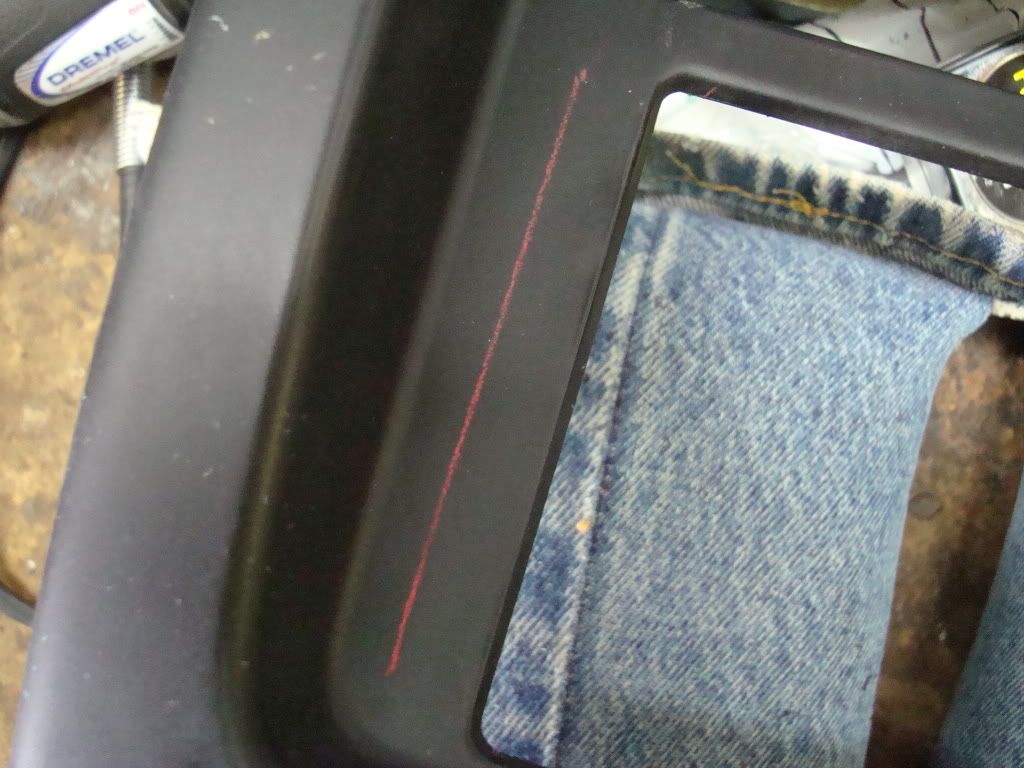
Today, I aligned the dash trim and looked at how much of the bezel would need to be trimmed away on both sides. It was about 1/2 inch that it needed to clear.


DSC00311.jpg~original


DSC00312.jpg~original


I marked the face of the Head Unit with a pencil, so I could measure exactly and transfer the line to the surface of the bezel.


DSC00313.jpg~original


DSC00316.jpg~original


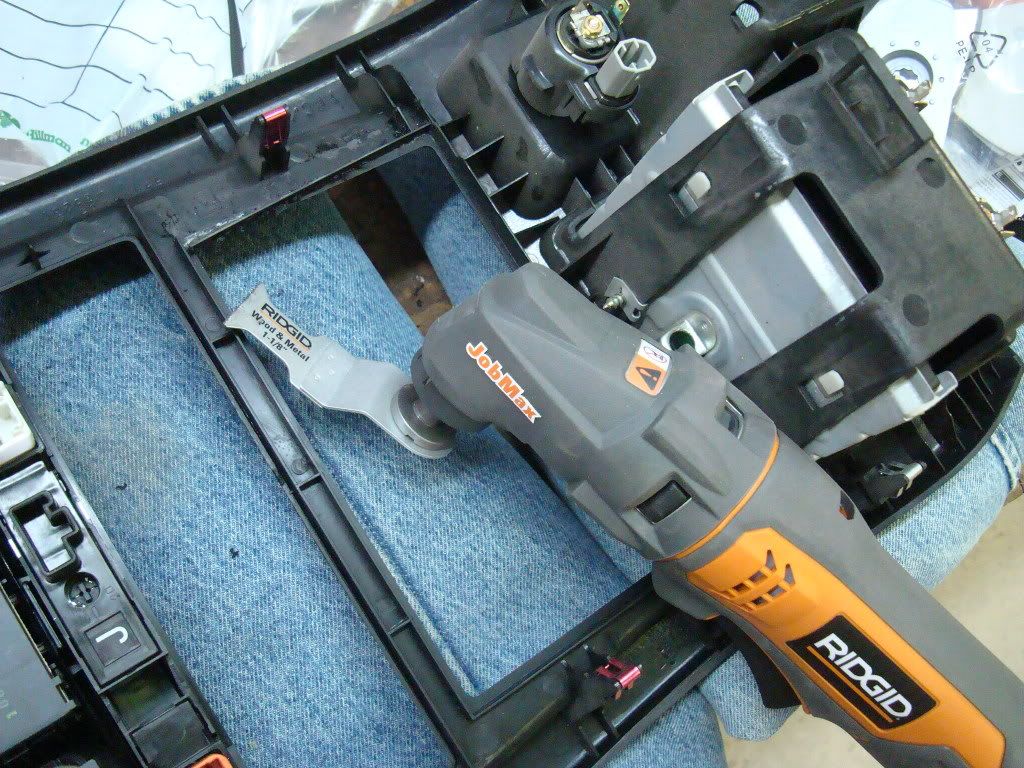
I used a Ridgid Job Max to do the trimming. The first thing I trimmed was the little stiffener ridge on the back of the bezel. That allowed me to hold the trim in place over the Head Unit and get it right up against the face - just wanted to check my trim lines a little better before actually cutting.


DSC00314.jpg~original


DSC00315.jpg~original


Looked right, so I went ahead and cut on both sides, just inside the lines. Then I used the sanding head for the same tool and cleaned up both edges and brought them all the way out to the line.


DSC00317.jpg~original


Now, on the right side, the bezel curves away from the face of the Head Unit at the bottom right corner. I knew that if I just continued a straight line down into that corner, it would end up being a big gap between the face of the HU and the edge of the trim. I decided to curve the cut in and allow the bezel to cover a portion of the face of the HU, but stay up close to it. That seemed to work out OK, but it took a bit more fitting than the other side.

Frankly, once you cut the stiffener ridges off the back of the bezel, the trimming process becomes more about uncovering the face of the HE than about making the bezel fit. I'm pretty sure I could have popped it on and left it without trimming the actual face of the bezel, but it would have looked a bit strange.

Go slow, check it twice and cut it once - cut it short of where you think it needs to be cut if you aren't sure! You can always take a bit more off! :) The little Ridgid tool worked great, and I'm not sure what the best way to cut would have been without that.

Pics of the original HU with the portions of dash bezel that I removed from either side to make the new HU (T1808) look right:


DSC00319.jpg~original


DSC00320.jpg~original


Finished install:


DSC00324.jpg~original


DSC00325.jpg~original


DSC00326.jpg~original


I also found a PDF of the Scion manual online and printed it out. Handy when it came time to change the startup display!


DSC00327.jpg~original


The project turned out cleanly enough, the Scion radio was affordable on EvilBay, and the sound it pushes through those old speakers is just amazing in comparison to the OEM unit. Very pleased. Thanks to all who have gone before! :)
 
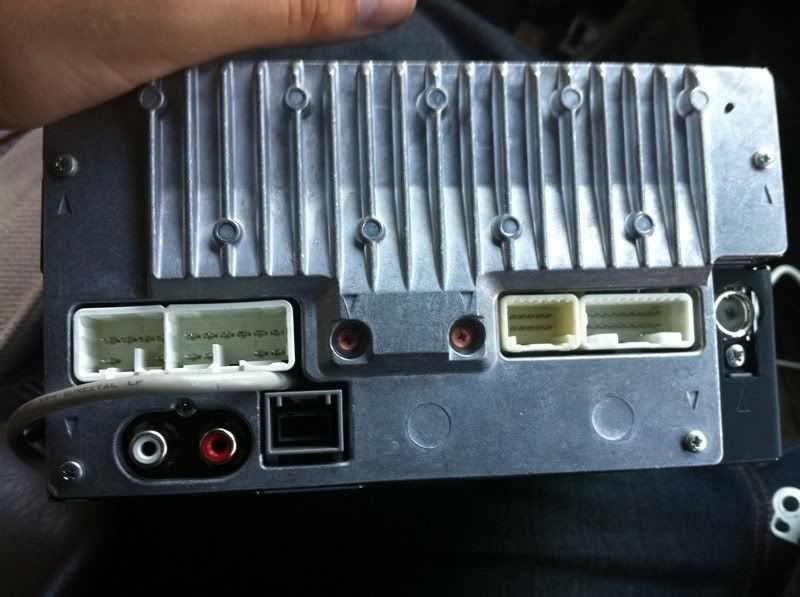
Follow that plug wire to a little silver box behind the radio - that's your old amp, probably! ;) Remove the amp and you will find the wires/plugs you need plugged into the back. The new radio has an internal amp.
Plug in your larger antenna wire and tape off the small one. Works fine.
 
Follow that plug wire to a little silver box behind the radio - that's your old amp, probably! ;) Remove the amp and you will find the wires/plugs you need plugged into the back. The new radio has an internal amp.

Plug in your larger antenna wire and tape off the small one. Works fine.

*SIGH*

I just ordered a reverse harness... lmao.

Oh well, it was only $15, I'm still ahead, maybe I'll buy another unit to stick in my Nissan. :bash:
 
Does anyone know if the Alpine head units will match the wiring hardnesses in the 4Runner? Specifically the '07. Someone local as an AXCL-W09U.

attachment.php


(I apologize for the size of this picture.)
 
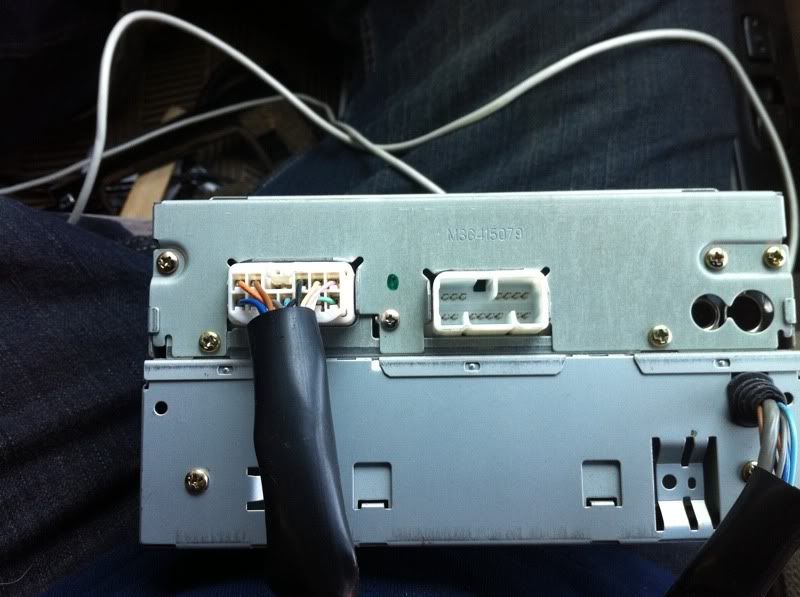
Hi so I had the t1808 installed for a long time now and remembered there was an extra harness that fits in a slot in the rear. Now I'm trying to add a sub to the runner and was curious if that third harness is meant to be the output for the sub.


The extra harness I'm talking about is the one that has only three wires attached to it.
 
Part/Model # of Scion Alpine Premium w/Bluetooth and USB

Does anyone know what the part number or model number is for the Scion Alpine Premium HU that is in the 2012 xB? I believe it has bluetooth, HD Radio and USB.

Also, does anyone know if its plug and play with 2012 T4R SR5 nonJBL nonNAV?

Thanks
 
Does anyone know what the part number or model number is for the Scion Alpine Premium HU that is in the 2012 xB? I believe it has bluetooth, HD Radio and USB.

Also, does anyone know if its plug and play with 2012 T4R SR5 nonJBL nonNAV?

Thanks

This is the 2012 HU scion xb. I bought it but my harness is diff from the HU, I got 07 sr5 NON jbl. Part number is PT146-00120.


Sorry This is the base unit of scion xb, my bad.
 

Attachments

  • IMG_2539-A.jpg
    IMG_2539-A.jpg
    80.7 KB · Views: 5,481
  • IMG_2548-A.jpg
    IMG_2548-A.jpg
    87.3 KB · Views: 5,212
  • IMG_2541-A.jpg
    IMG_2541-A.jpg
    101.4 KB · Views: 4,918
Last edited:
I recently installed a t1815 in my 3rd gen 4runner and it is great. I am not too happy with the radio reception as the fm plug (small antenna plug) is not used on the t1815. What are you guys doing to remedy this? Is there an adaptor that allows both plugs to be used?

I have searched, but cant find anything

2012-01-16_12-21-30_951.jpg~original
 

Members online

Forum statistics

Threads
278,308
Messages
3,554,057
Members
248,016
Latest member
Advally Service

Trending content

Back
Top