
USB Music not completely populating

EasyAndy

New member
Hey all, its been a while and I hope all is well. I have recently cleaned up a massive music collection of 100k plus songs down to the best 3000 songs, in my opinion. The whole process took many hours, like 80, with the main point being to have a USB music drive for the 4Runner with only good music. No skipping needed. Here is where the issue comes in. The drive has about 800 or so artists on it with roughly 1-10 songs per artist in a folder structure with artist name in the root and songs in that artist folder. I'm running into an issue of the unit not populating completely, I notice it specifically towards the end of the alphabet. The T's for instance have about 140 artists but only about 30 of them are showing up on the stereo. Have any of you noticed this limitation before?

I have been having issues besides this with the stereo and think it needs to be replaced. There are some days where it will freeze about 20 times in a drive and keep restarting. Other days it seems to work fine. Maybe the populating is just an issue with my unit and will be fixed after replacement. What do you guys think?

I did spend about an hour searching the forum through all the USB threads and did not see anything, sorry if this has already been brought up.
 
Register to hide this ad
Hey all, its been a while and I hope all is well. I have recently cleaned up a massive music collection of 100k plus songs down to the best 3000 songs, in my opinion. The whole process took many hours, like 80, with the main point being to have a USB music drive for the 4Runner with only good music. No skipping needed. Here is where the issue comes in. The drive has about 800 or so artists on it with roughly 1-10 songs per artist in a folder structure with artist name in the root and songs in that artist folder. I'm running into an issue of the unit not populating completely, I notice it specifically towards the end of the alphabet. The T's for instance have about 140 artists but only about 30 of them are showing up on the stereo. Have any of you noticed this limitation before?

I have been having issues besides this with the stereo and think it needs to be replaced. There are some days where it will freeze about 20 times in a drive and keep restarting. Other days it seems to work fine. Maybe the populating is just an issue with my unit and will be fixed after replacement. What do you guys think?

I did spend about an hour searching the forum through all the USB threads and did not see anything, sorry if this has already been brought up.


My stereo was doing the same thing. I ended up going to Toyota and getting them to run a software update on it. My entune app wouldn't update the software like its supposed to do.


Sent from my iPhone using Tapatalk
 
My stereo was doing the same thing. I ended up going to Toyota and getting them to run a software update on it. My entune app wouldn't update the software like its supposed to do.


Sent from my iPhone using Tapatalk

When you say your stereo was doing the same thing which part do you mean, the freezing and restarting or the not populating completely on the USB music? Both are annoying but I'd really be disappointed if I spent all that time on the music for it to not work. Does anyone know if there are limitations to the number or artists and or albums the unit can handle? I read somewhere on here that you cant have over 3000 folders and some high number of songs in each folder but I am way under that. Appreciate the help
 
I have over 3500 songs on my USB drive and I had a problem with some albums not populating as well, but I could drill down and find them if I looked by song. So I ended up going back and having to fill out the meta-data that the radio looks at. It doesn't care what you name the song, or the folder, it looks at the meta-data of the MP3 and uses that to list the info.

I used Windows Media Player to look at the MP3's and I could see that the "composer" field wasn't filled in, even though the artist name was. So I just used WMP to find the info and then populate all the fields, including composer, artist, song, date, genre, etc. Once I had all that meta-data filled in, then my music albums showed up just fine.
 
I have over 3500 songs on my USB drive and I had a problem with some albums not populating as well, but I could drill down and find them if I looked by song. So I ended up going back and having to fill out the meta-data that the radio looks at. It doesn't care what you name the song, or the folder, it looks at the meta-data of the MP3 and uses that to list the info.

I used Windows Media Player to look at the MP3's and I could see that the "composer" field wasn't filled in, even though the artist name was. So I just used WMP to find the info and then populate all the fields, including composer, artist, song, date, genre, etc. Once I had all that meta-data filled in, then my music albums showed up just fine.

Interesting... So it's the composer that is throwing it off. I just last night bought a program, TuneUp, that populated/corrected all the metadata and album art. It seemed to work great but composer must still be blank on some of them, I'll look into it and report back. So did you just match the Artist and Composer metadata on all songs? Any simple way to do this?

Thanks
 
Interesting... So it's the composer that is throwing it off. I just last night bought a program, TuneUp, that populated/corrected all the metadata and album art. It seemed to work great but composer must still be blank on some of them, I'll look into it and report back. So did you just match the Artist and Composer metadata on all songs? Any simple way to do this?

Thanks

I just did it all manually by looking at the displayed meta-data showing up in WMP and going from there. Once I found the blank fields, I highlighted all the songs and typed in the correct info and it populated all of them at once. If there's an easier way, I'd love to know, because I spent more time than I care to admit getting all my artist/album/song info to look the way I wanted.
 
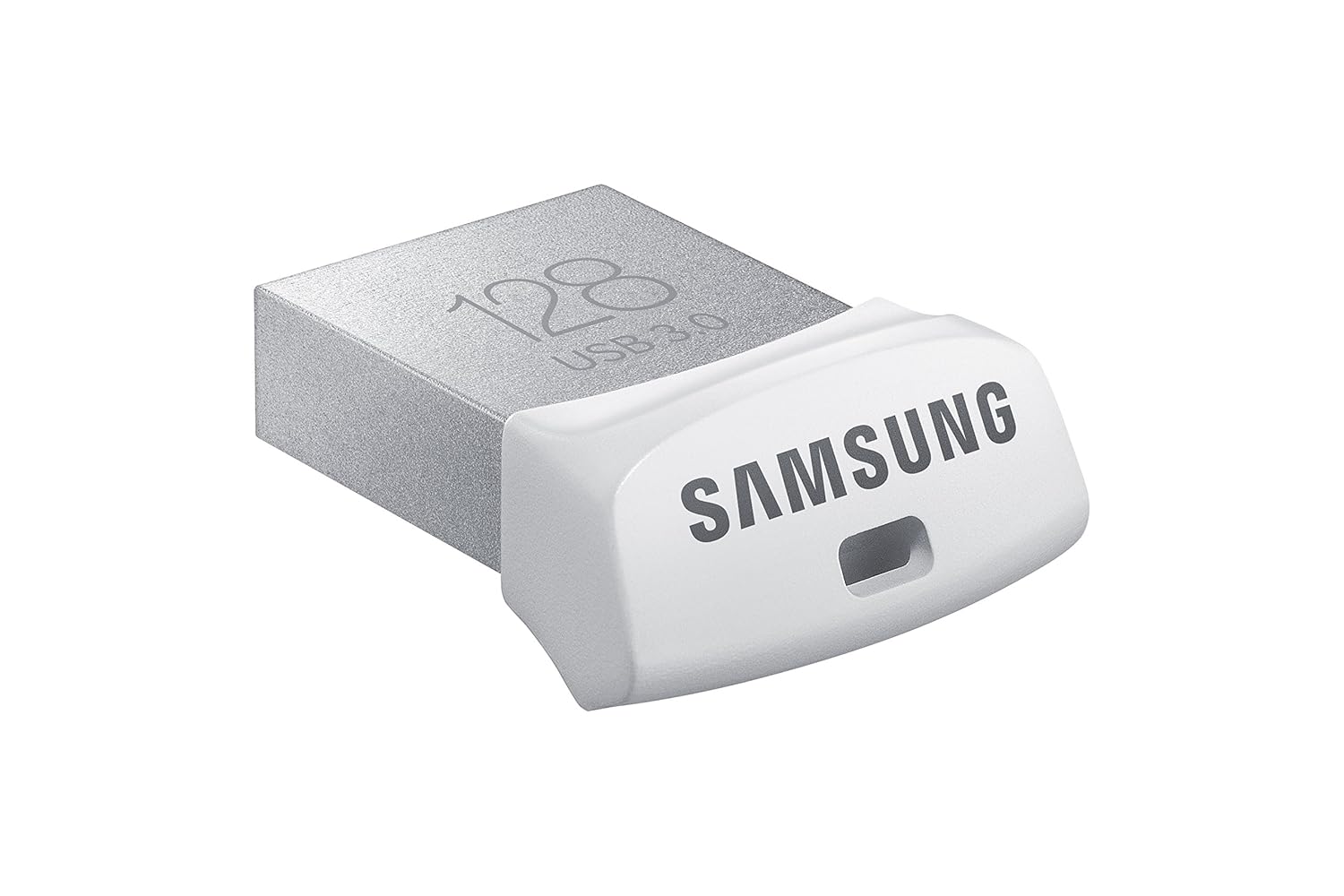
I'm in the middle of USB music stick h3ll right now. I got a 128GB usb Samsung mini USB stick and I'm trying to work out how to put both music and 'playlisted' music on it. I'm using it in both a '17 TRDORP and '15 Limited. Both have the current Entune firmware ..... I think.

I have tested a few older USB sticks that I've collected. Even with only 100ish test songs they were slow to load. I couldn't imagine loading up the full 3+k of songs I have.

The new Samsung stick doesn't have a lag, but I haven't done a full scale test yet.

Here is the process I'm currently doing.

  1. On my Mac download and install MusicBrainz Picard. They also have Windows and Lunix/Unix version. I used MusicBrainz to validate and update the ID3 tags on my entire music library.
  2. In iTunes, select songs and then did a CMD-A to select all the songs.
  3. Then I dragged the selected songs to a folder on my desktop.
  4. Open MusicBrainz and load the new folder from my desktop. Then I removed the Comment and Composer ID3 tags.
  5. In the temp desktop folder I create subfolders for each playlist. ie - 'PL - 01 - Road Trip'
  6. In iTunes I select the Road Trip playlist and then did a CMD-A to select all the songs. Then I dragged the selected songs to a folder 'PL - 01 - Road Trip'.
  7. Open MusicBrainz and load the playlist folder from my desktop. Then I add the Composer ID3 tag with '01 - Road Trip - PL'. This allows me to use the Composer list in Entune to act like a playlist. Its not perfect, but its the best I could figure out.
  8. I then repeat for my other playlists.
  9. Finally I copy the entire desktop folder the the USB stick.

If you have the folder structure already setup, don't use the folder option in MusicBrainz. It will automatically load all the sub-folders and mess up the mock playlist ID3 tagging.

Links

MusicBrainz
https://picard.musicbrainz.org/

Samsung 128GB USB 3.0 Flash Drive Fit (MUF-128BB/AM)
https://www.amazon.com/gp/product/B017DH3O5A/ref=oh_aui_detailpage_o00_s00?ie=UTF8&psc=1
81Ie3OfN2bL._SL1500_.jpg
 
I just did it all manually by looking at the displayed meta-data showing up in WMP and going from there. Once I found the blank fields, I highlighted all the songs and typed in the correct info and it populated all of them at once. If there's an easier way, I'd love to know, because I spent more time than I care to admit getting all my artist/album/song info to look the way I wanted.

Fire off thanks for all the responses, they've been very helpful. I used TuneUp and I believe it corrected all the tags but will verify once I get home, very similar to musicbrainz. For those of you who have large song counts I was hoping you check one thing for me. I know I have roughly 2600 songs on my USB but when I play by song then random it says "x of 1847" which is way less songs than I put on the drive. Do your units have the correct song count as what's on your USB drive?

The playlist idea is great, I'm definitely using that, thanks!
 
Fire off thanks for all the responses, they've been very helpful. I used TuneUp and I believe it corrected all the tags but will verify once I get home, very similar to musicbrainz. For those of you who have large song counts I was hoping you check one thing for me. I know I have roughly 2600 songs on my USB but when I play by song then random it says "x of 1847" which is way less songs than I put on the drive. Do your units have the correct song count as what's on your USB drive?

The playlist idea is great, I'm definitely using that, thanks!

If I remember correctly, there is a limit of Folders that the radio will read. You maybe exceeded that limit, and it is not reading beyond those.

Some reason, 255 sticks in my head. What is the folder structure like, and how many folders ?


ETA : Here is the link I was thinking of, looks like 250 songs per folder is the limit:

http://www.toyota-4runner.org/5th-gen-t4rs/65621-how-use-usb-hard-drive-music.html
 
Last edited:
If I remember correctly, there is a limit of Folders that the radio will read. You maybe exceeded that limit, and it is not reading beyond those.

Some reason, 255 sticks in my head. What is the folder structure like, and how many folders ?


ETA : Here is the link I was thinking of, looks like 250 songs per folder is the limit:

http://www.toyota-4runner.org/5th-gen-t4rs/65621-how-use-usb-hard-drive-music.html

So yeah, I way exceed 255 folders, I have about 800 or so artist folders with about 1-10 songs in each. Would you recommend that I just put all the songs into 1 folder or maybe just on the root of the drive? The program I used did populate I'd say 95% of the metadata so that doesn't seem to be the issue.

Thanks
 
I would suggest putting all the files in the root or top level directory. This assumes you don't have any duplicate file names. It should also speed up the radio's scanning process.

Something like this.
Root/ -all music
Root/[play list folder]/ -files with id3 to simulate a play list.


Sent from my SM-G930U using Tapatalk
 
I would suggest putting all the files in the root or top level directory. This assumes you don't have any duplicate file names. It should also speed up the radio's scanning process.

Something like this.
Root/ -all music
Root/[play list folder]/ -files with id3 to simulate a play list.


Sent from my SM-G930U using Tapatalk

Great, I'll try that and report back. Thanks for all the help guys
 
Well I finally got it to work. Seems like their is definitely a folder limitation somewhere between 7 and 800, couldn't tell you exactly the number tho. The song limitation per folder however is 500 as that is all that would display when I dumped the songs into the root of the drive. Solution was to break into <500 songs per folder, in my case 6 folders. After I did this the head unit finally recognized all songs. Thanks again for all the assistance.
 
I had same issue. You need to divide your jump drive into folders, with no more than 498 songs per folder. It will read all songs then. Just hit the random button and you're goo to go.
 

Members online

Forum statistics

Threads
278,309
Messages
3,554,071
Members
248,016
Latest member
Advally Service

Trending content

Back
Top