UniqueTuning.co
New member
Hello all... My name is Nate, I'm the fng. Whats up?
-FYI- I was an advanced level avionics technician for F-18s while in the Marine Corps, so skilled would be an understatement when it comes to wires and the troubleshooting of but I figured I would come and talk to the guys who've experienced said problem and possibly point me in the right direction so I'm not wasting my time. Being a gearhead and a small business owner I understand forums can often be a place where individuals get internuts(become a tough guy or a smart ass because they hide behind a keyboard) and I would like to say I respect your knowledge and the assistance you provide and will not ridicule anyone for giving false information so in turn I only ask for the same respect.
So heres the problem:
I've done some reading before I posted this so as to not waste anyones time. I realize the dome light, the radio and the clock belong to the same circuit and respective fuse labeled "dome" under hood. So with that being said I have a short. Fuse pops before I can push it in. Has anyone else experienced this? Are there common failure locations? Any hints? The truck is a 92 that only has 181k on it and has been well taken car of. I don't believe that anything has been really messed with(wiring) except for an after market radio install that I checked out myself, very clean and correct.
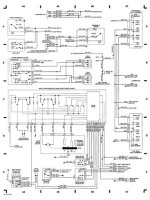
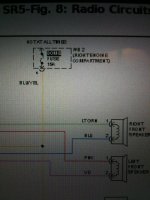
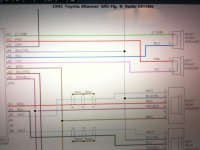
Does anyone possess the wiring diagram for the stated circuitry? If so that would be great!!!
Thank you all in advance for your assistance!!!
-FYI- I was an advanced level avionics technician for F-18s while in the Marine Corps, so skilled would be an understatement when it comes to wires and the troubleshooting of but I figured I would come and talk to the guys who've experienced said problem and possibly point me in the right direction so I'm not wasting my time. Being a gearhead and a small business owner I understand forums can often be a place where individuals get internuts(become a tough guy or a smart ass because they hide behind a keyboard) and I would like to say I respect your knowledge and the assistance you provide and will not ridicule anyone for giving false information so in turn I only ask for the same respect.
So heres the problem:
I've done some reading before I posted this so as to not waste anyones time. I realize the dome light, the radio and the clock belong to the same circuit and respective fuse labeled "dome" under hood. So with that being said I have a short. Fuse pops before I can push it in. Has anyone else experienced this? Are there common failure locations? Any hints? The truck is a 92 that only has 181k on it and has been well taken car of. I don't believe that anything has been really messed with(wiring) except for an after market radio install that I checked out myself, very clean and correct.
Does anyone possess the wiring diagram for the stated circuitry? If so that would be great!!!
Thank you all in advance for your assistance!!!