loarmistead
New member
I can get pictures but between the radio harness, TO1 harness, and Maestro RR harness it's difficult to make heads or tails of it.
Sent from my SM-G935V using Tapatalk
Does the maestro display transmission temperature?
Curious if that is something they'd be able to extract from the OBDII data in a future firmware update?It doesn't unfortunately
Anyone confirm if this works on the pre 06' runners at all? Very interested in getting one.
According to the iDatalink website the Maestro RR is compatible with the 2005 4runner "Base" (Whatever that is). Per the website is it compatible with "All trims" 2006-forward.
So my issue of the head unit not turning off has been resolved.
It stemmed from the Microbypass module. It requires use of the blue wire, and instructions state that the power antenna wire should not be shared with the Microbypass, and to relocate it to the red accessory wire if necessary. I did just that. Did the same thing with my previous head unit and Metra wire harness with no ill results. Apparently the Maestro TO1 harness doesn't appreciate this workaround, and the power antenna sharing the red accessory wire was messing with a relay in the Maestro unit and keeping the head unit powered up through the accessory wire after the car was turned off. Very strange, but resolved now.
So, for future reference, if anyone is wiring a Microbypass into the TO1 harness, do not share the power antenna wire with the red accessory wire as the Microbypass instructions dictate.
Sent from my SM-G935V using Tapatalk
Thanks for sharing that!
I am waiting for my new Pioneer AVH-4200NEX and maestro
With the T01 adapter to show up.
How did you hook up the microbypass to make it work normally?
Thank you in advance!!![]()
Also, I was running into an issue with the antenna amp maintaining a parasitic draw on the battery after the truck was turned off. I did some troubleshooting with the iDataLink people, and the fix for this was -
1. Connect the blue power antenna wire from the head unit to the blue-white wire on the TO1 harness.
2. Cut the two blue wires (wires 1 and 5 I think?) on the green plug going into the Maestro RR.
Doing this appears to power the antenna amp through the head unit while bypassing the Maestro RR.
I would only do this if you are experiencing excessive parasitic draw after wiring everything in. My truck seems to draw about 45mA normally. With the antenna amp receiving power while the truck was off the battery had a parasitic draw of 170mA. If the truck were a daily driver I would have likely never noticed, but since it tends to sit idle for five and six days at a time, I was noticing in the colder months that the battery was too weak to crank after sitting for four or five days.
Here is my conversation with their support people, for reference:
2006 Toyota 4Runner - 170-180mA Battery Draw -

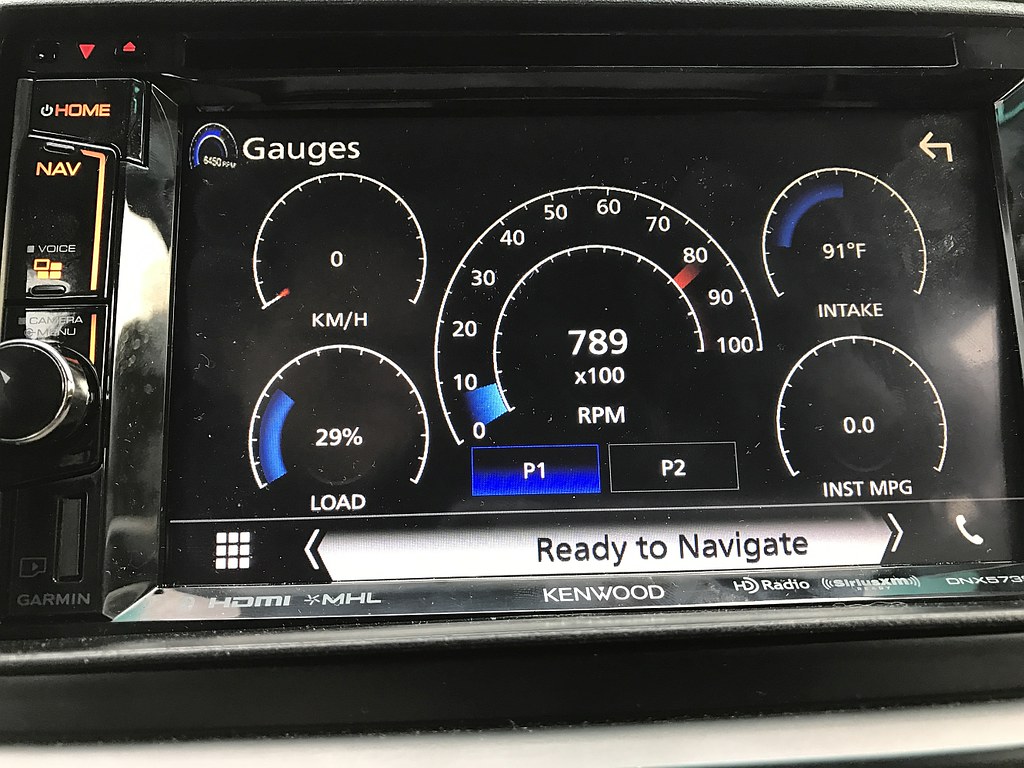
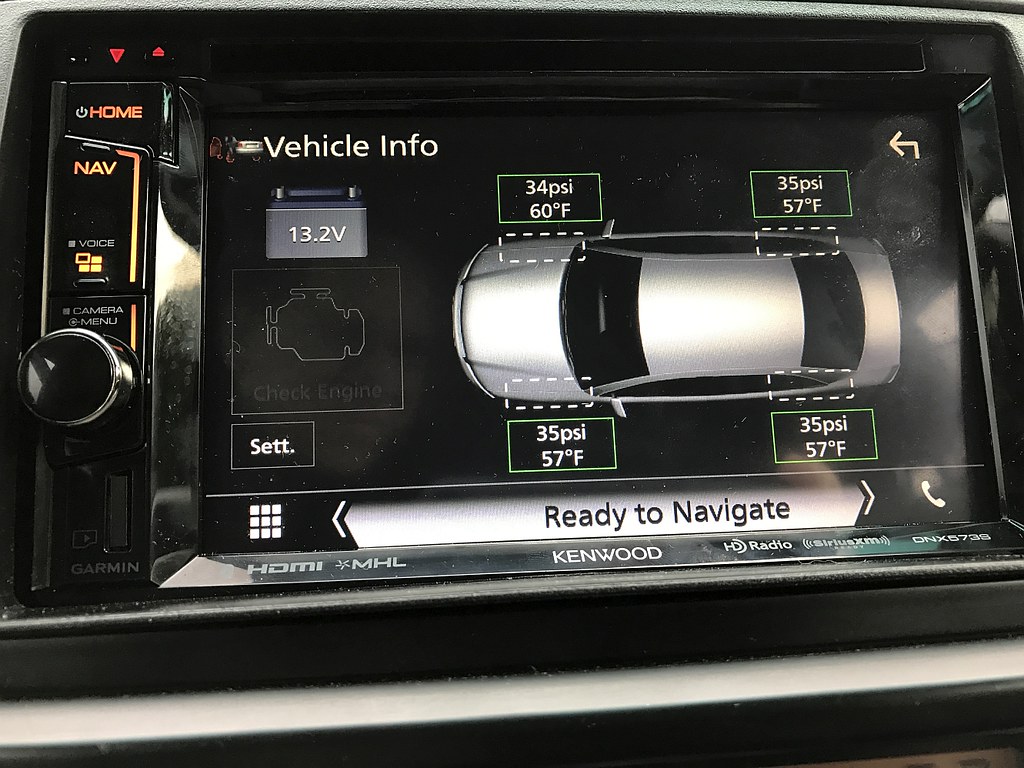
I installed one last fall in my '07. Like sr3tlaw said, I get a whole collection of info - a couple of pics, below.
You'll need a radio that supports iDatalink to get the info. If you walk through the steps on their website, you can choose the radio you're thinking about, and it'll tell you what capabilities you'll get.
iDatalink - Maestro - Maestro RR
![]()
![]()
I had Maestro RR with Kenwood 891HD headhunt installed in 2015. I chatted with Maestro tech support about my 2005 4runner being able to show tire pressure display. At that time, it was not supported. But, I see that the TPMS shows up on your unit. I'm guessing that I need to have the unit reprogrammed. I went to the Maestro weblink and it states that TPMS is a supported feature. I will have to look for a shop that does this since I didn't install this unit and it's far beyond my scope of knowledge but am glad that TPMS is supported now.
Also, I was running into an issue with the antenna amp maintaining a parasitic draw on the battery after the truck was turned off. I did some troubleshooting with the iDataLink people, and the fix for this was -
1. Connect the blue power antenna wire from the head unit to the blue-white wire on the TO1 harness.
2. Cut the two blue wires (wires 1 and 5 I think?) on the green plug going into the Maestro RR.
Doing this appears to power the antenna amp through the head unit while bypassing the Maestro RR.
I would only do this if you are experiencing excessive parasitic draw after wiring everything in. My truck seems to draw about 45mA normally. With the antenna amp receiving power while the truck was off the battery had a parasitic draw of 170mA. If the truck were a daily driver I would have likely never noticed, but since it tends to sit idle for five and six days at a time, I was noticing in the colder months that the battery was too weak to crank after sitting for four or five days.
Here is my conversation with their support people, for reference:
2006 Toyota 4Runner - 170-180mA Battery Draw -
How was your troubleshooting experience with ADS(iDataLink)?? Was it via phone or did you just consult their Fourms?
My experience has been solid. I've solved a couple of issues going through their forum. Even had a forum moderator (Her name was Dana) send me a replacement cable that broke twice during install.
[MENTION=154645]loarmistead[/MENTION]
Posts like these I call "tribal knowledge". This type of information is only accumulated by experience! And it's because of folks like yourself why others and myself join these forums!
Sent from my iPhone using Tapatalk Pro
you can update the unit yourself. but be warned, if you dont know what your doing, you can brick the unit and its all bad.
just need to make an account and flash it. but you must know what you are doing. ask some shop around that you got the unit put in by, they should be able to help put the latest firmware in.