HELP!!! (Posting Pics_

checking to see if this works

6d36.jpg
 
Re: checking to see if this works

4x4 V6 said:

try try again....let's see if it works now:

<IMG SRC=http://us.f3.yahoofs.com/users/41e6dbfdz9a542df9/8614/__sr_/6d36.jpg?ph3QMFDBTv0c61o.>
 
Picture Test

Just checking to see if my pictures attach correctly.
 

Attachments

  • dscn10140001front view.jpg
    dscn10140001front view.jpg
    112.7 KB · Views: 1,570
Last time .... Success! :D

<IMG SRC=http://images.kodakgallery.com/photos2263/3/69/73/37/4/2/204377369305_0_ALB.jpg>
 
Is there a way to put in an image using the "attach file" box?
I clicked browse and navigated to the picture on my hard drive. Wasn't sure what to do next so I posted. The picture did not show up. Is there a step missing here?

I also tried clicking the "img" button in the "vB Code" box but was not sure what to enter at the prompt.

I'd rather not do the photobucket thing if it is not necessary.

Thanks for any other help.
 
so much easier to use photobuckets resizing options and then copy the Url click the img button on here then paste the url in it
 
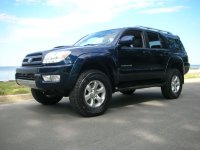
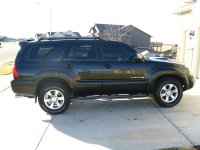
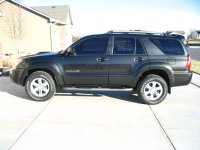
I forgot how a sport looks with the step bars on it .

Did you do the front lift yet ?

When are the bigger tires going on ? LOL
 
Last edited:
test

just a test @ posting pics


<a href="http://photobucket.com" target="_blank"><img src="http://i43.photobucket.com/albums/e362/Mustangchris66/DSCF0325.jpg" border="0" alt="Photo Sharing and Video Hosting at Photobucket~original"></a>

 

Members online

Forum statistics

Threads
278,306
Messages
3,554,045
Members
248,016
Latest member
Advally Service

Trending content

Back
Top