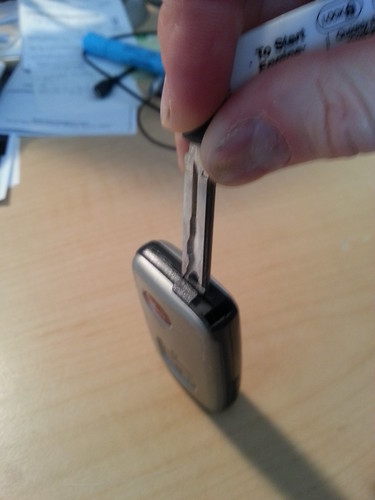
The only thing different is when it says to pry the two halves apart, use the physical key you extract from the smartkey system, not a screwdriver. The tip of the key should be flat and can insert into the notch.
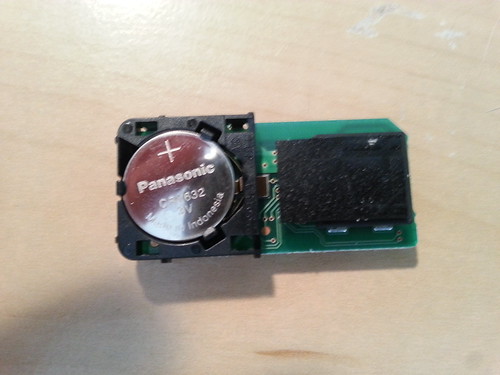
Battery type is listed on the website as well, but you'll see it when you pop it open. If you can wait a few days, I bought my battery on ebay for a lot less than at the local store.
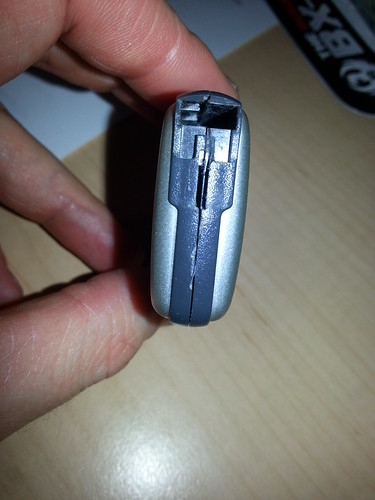
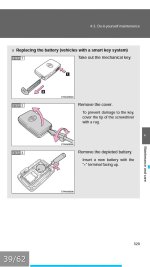
#1. Release Key by pressing down on the release panel on the side (it has a key insignia on the lever)
#2. Remove key by pulling chain with release panel open at the same time.
#3. Use flat pry tool (the end of the key works great) to separate sides of fob.
#4. Remove old battery.
#5 Replace with new battery (3V CR1632) in 2010 4Runner LTD.
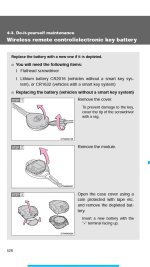
Yep, it is in the owners manual and different for LE's and TE/SR5's with different battery pn's.My fob battery lasted about 2-2 1/2 years and they are cheap on Amazon so I went ahead and changed them in both fobs at the same time.
I never noticed the range decreasing, but mine was absolutely dead this morning. Push button start only beeped at me. Determined that the smart key battery was dead and happily remembered reading on here how to start the engine when the smart key battery is dead:
You just touch the Toyota emblem side of the smart key to the push button, wait for the sound, and then use the push button start like normal.
Yes, it is in the manual (p. 597), but I was very appreciative of the helpful information found on this forum when I was able to make my way to work without having to browse the entire manual... Until I got to work and realized I wasted a great excuse to take the morning off. hwell:





 hwell:


