Let’s see those Nightshades!

Ramish

New member
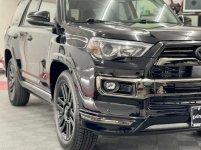
Ok I have searched the threads and failed to find one for all the beautiful Nightshades and the mods done. I purchased a 2021 Black Nightshade as my first Toyota and love it. Want to learn all I can from you veterans. I’ll start, freshly shined. Her sleeping spot will be in the middle.
 

Attachments

  • 7A9A7B08-337B-447A-8006-9D5351098DF4.jpg
    7A9A7B08-337B-447A-8006-9D5351098DF4.jpg
    131.3 KB · Views: 0
  • 011770A4-5D81-4E2F-898A-BFDF599ABB31.jpeg
    011770A4-5D81-4E2F-898A-BFDF599ABB31.jpeg
    134.5 KB · Views: 0
  • E7868727-81D3-4A26-A7BF-5F188A17C609.jpg
    E7868727-81D3-4A26-A7BF-5F188A17C609.jpg
    138.8 KB · Views: 0
Register to hide this ad
Apparently I don’t know how to attach photos, I followed the instructions in the faq section. Show me the way Sensei….
 
I use imgur to upload and they provide you an option to share on board which is the image url surrounded by [ img ] url..jpg [ /img ]

That's the easiest way. You need those tags surrounding a valid image located somewhere on the web.
 
Ok I have searched the threads and failed to find one for all the beautiful Nightshades and the mods done. I purchased a 2021 Black Nightshade as my first Toyota and love it. Want to learn all I can from you veterans. I’ll start, freshly shined. Her sleeping spot will be in the middle.

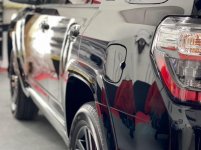
Take a screenshot of your pics then post the screenshot. Works for me every time.
 
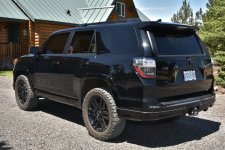
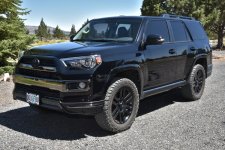
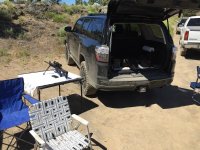
Nothin' special. 265/60 20 KO2s, front level and Magnuson SC. It does get dirty. LOL!
 

Attachments

  • DSC_0705b.JPG
    DSC_0705b.JPG
    113.7 KB · Views: 1
  • DSC_0706b.JPG
    DSC_0706b.JPG
    121.7 KB · Views: 1
  • IMG_1067b.JPG
    IMG_1067b.JPG
    100.1 KB · Views: 1
yikes this thread. :ak472:

i can a do a tutorial about posting pics but i'll need to know if you're using a mac, pc or phone because the instructions vary.
 
yikes this thread. :ak472:

i can a do a tutorial about posting pics but i'll need to know if you're using a mac, pc or phone because the instructions vary.

Usin' a PC and have never had problems before. But apparently now I am.
 
Usin' a PC and have never had problems before. But apparently now I am.

ok here is the EASIEST way.

1. Go to Imgur: The magic of the Internet

2. click 'choose photo or video' link and find the photo you want on your PC (pro tip - you can select multiple images so you only have to see the ad once)

3. wait for the file to complete (if you use Brave browser you won't have to wait for the 30 second ad to play) and then you'll see three dots ... (below) and click

yPLcXLe.png


4. select 3rd option and hit green button then paste into your reply on 4runner site. YOU ARE DONE!

hva9S2B.png
 
yikes this thread. :ak472:

i can a do a tutorial about posting pics but i'll need to know if you're using a mac, pc or phone because the instructions vary.

I am on an IPad. Have no issues with several other forums. Camaro, lanche etc. Imgur and an other site not working for me either
 
ok here is the EASIEST way.

1. Go to Imgur: The magic of the Internet

2. click 'choose photo or video' link and find the photo you want on your PC (pro tip - you can select multiple images so you only have to see the ad once)

3. wait for the file to complete (if you use Brave browser you won't have to wait for the 30 second ad to play) and then you'll see three dots ... (below) and click

yPLcXLe.png


4. select 3rd option and hit green button then paste into your reply on 4runner site. YOU ARE DONE!

hva9S2B.png

Thanks for the input. That said, I was able to post a pic using the attachment feature (paper clip) on another thread on this forum just yesterday. That's the way I've always don it. Actually quite simple for us old farts. LOL! Maybe the OP has something locked up somehow?
 
Imgur comes up different then showed above. I’m an old Veteran and electronics are not my strong suit!
 

Members online

Forum statistics

Threads
278,310
Messages
3,554,079
Members
248,016
Latest member
Advally Service

Trending content

Back
Top