New 2014 SR5 4Runner + Questions

VQPower37

Junior Member
Hello All,

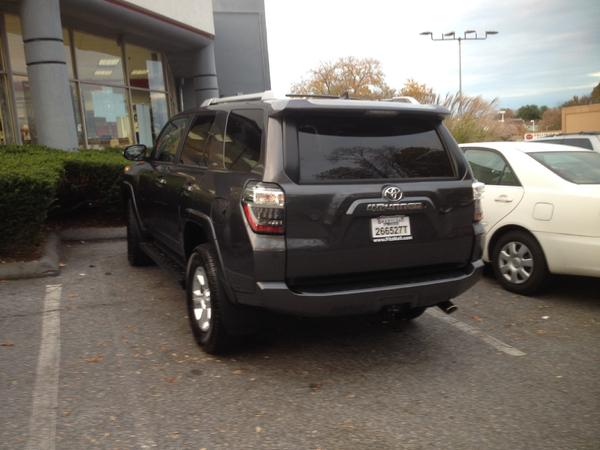
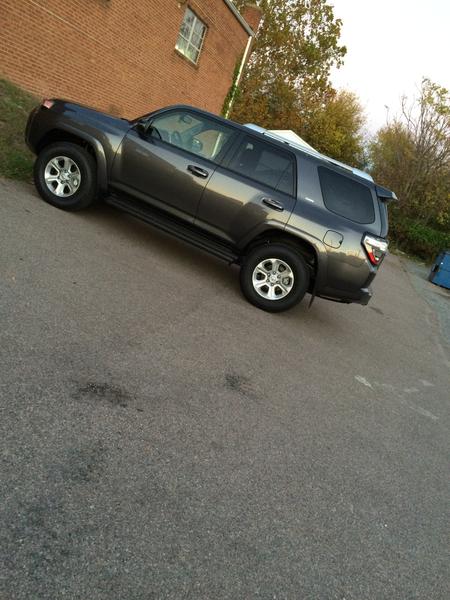
Purchased a new 2014 T4R SR5 Premium earlier this month. Wonderful truck, feels very well built, perfect size for an SUV in my opinion. The sales experience was pretty good as well ... got all weather mats and dealer specific service discounts for the life of the vehicle thrown in for free. All in all pretty happy.

One issue I am having is I am not able to have the etune screen dim with the headlights being turned on. The screen gets pretty blinding at night, and I have gone into the options and display but it doesn't look like there is any options to turn down the brightness of the screen.

So any advice on how to change it would be great!

Thanks in advance, excited to be a member of this board.

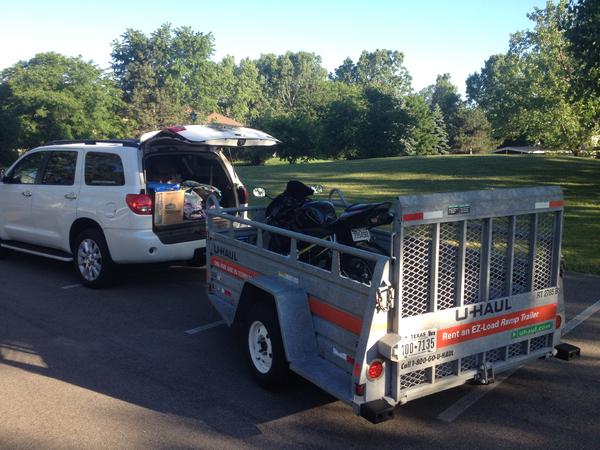
Here are some pics of the T4R, as well as the other Toyota Rig we have had for a few years now.
vqpower37-albums-my+2014+4runner+sr5+premium-picture29509-img-3513.jpg

vqpower37-albums-my+2014+4runner+sr5+premium-picture29508-img-3477.jpg

vqpower37-albums-my+2014+4runner+sr5+premium-picture29507-img-2954.jpg
 
Register to hide this ad
Welcome! Not sure on dimming the screen, but mine automatically goes to "night mode" when the headlights are turned on and doesnt seem too bright.

Noticed your name, you have a 370 or g37 as well?
 
Hello All,

Purchased a new 2014 T4R SR5 Premium earlier this month. Wonderful truck, feels very well built, perfect size for an SUV in my opinion. The sales experience was pretty good as well ... got all weather mats and dealer specific service discounts for the life of the vehicle thrown in for free. All in all pretty happy.

One issue I am having is I am not able to have the etune screen dim with the headlights being turned on. The screen gets pretty blinding at night, and I have gone into the options and display but it doesn't look like there is any options to turn down the brightness of the screen.

So any advice on how to change it would be great!

Thanks in advance, excited to be a member of this board.

Check that the brightness/dimmer control isn't rotated all the way up to the "forever blinding brightness setting"!
 
The screen won't go in to night mode if the dimmer dial is set all of the way up, and past the detent. Try rolling the wheel downwards past the detent and it will go in to night more if the headlights are on. My 2015 was also set to retna blast mode when I picked it up.

If you want to dim it more than that, you adjust the display in one of the settings menus.

Dan
 
Great thanks for the responses guys that was the problem that the dial was set to max brightness. Happy motoring to you all.
 
Great thanks for the responses guys that was the problem that the dial was set to max brightness. Happy motoring to you all.

I simply turn it off when I need it to be completely dark inside the cabin (parking under my carport).

Directions: Press Apps Button, Settings, then the Turn of Screen Button on the bottom.

This is typically quick to do and easy to turn back on with the home button. Also this can be done while driving (Doesn't restrict you being outside of park).

This has helped dramatically especially since I have a matched tint on my front windows.
 
Thanks! ... same to you, how is the third row seat working out for you? I saw one on the lost with a 3rd row seat it seemed almost unusable, but I just glanced at it quick.
 
Thanks! ... same to you, how is the third row seat working out for you? I saw one on the lost with a 3rd row seat it seemed almost unusable, but I just glanced at it quick.

I'm coming from a 4th gen with the weird flip up 3rd row seats so thease seem way better. One thing that's nice is the second row seats move fore and aft so you can slide them forward and end up with some decent room back there for kids. I wouldn't want to ride back there unless the second row was folded down.

Edit: welcome BTW!
 

Members online

Forum statistics

Threads
278,310
Messages
3,554,079
Members
248,016
Latest member
Advally Service

Trending content

Back
Top