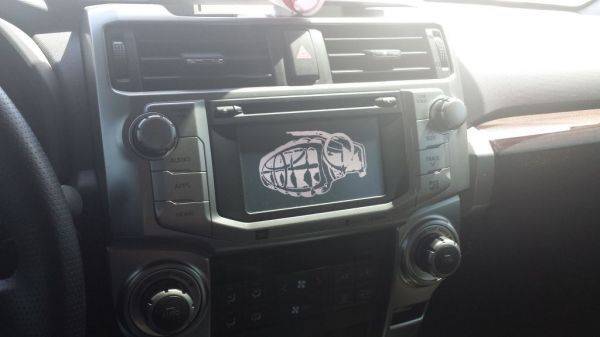
Thanks for the response. Ok, got it figured out and it worked. Now I have uploaded pretty much all my music on the flash drive, and hope that that works as well. Hoping I'm able to cycle through the folders with the steering wheel controls easy enough.
First post here, just picked up my 2014 TE today. Thought I'd contribute to the images, here's one I picked up off google and adjusted in photoshop to fit the screen specs!
by the way for those that want to load up more than 1 image you can. you can load up to 3 images for startup/display off. default cant be changed or deleted.
Is there any way to get rid of the two warning pictures that come up and just have our image be the only one that pops up? Doubt it for safety reasons, just tired of seeing the "drive safe, not distracted......"
hehe I cheated, not exactly a 2014 front end but pretty close since the rims I would like to get are not on tirerack.com wheel preview.
I use this for my startup/display off image until I can find a better one. trying to decide if I want the 17" darker oem style or the brighter version. sadly I like the OEM's that came with the LE.
Used one of the designs we offer. I didn't know we could change the images until I was messing with the settings and found the options then googled and got this thread
another side benefit of using the screen off feature, if you load up a decently bright color, you can use it instead of the overhead lights while driving to light up the front seat area.
radio functions still work with screen off, just a short notification bar pops up (like android notification bar) to show what you just did
Ok finally got this start up and display off images set up. My question is how do you get the default setting to go off? When I first turn it on the Toyota symbol comes up (which is default) then the uploaded pic come up for like 2 seconds then the warning screen comes on. And the default for display off image is black so when I turn it off that's all that comes up. But when I turn the screen off then my display off image will stay on. Is there a way to turn the default settings off and I'm just missing it?