Anyone install Maestro RR in aftermarket head unit?

I just did this on my new-to-me '08 Urban Runner and contemplated a thread but I don't have enough posts to start a new thread yet.

With the Urban Runner you can't use one of the Maestro quick install harnesses, you have to use the basic wiring that comes with the RR. The good news is that will save you $50. All you need to purchase is the Maestro RR unit itself. Use the 08 Landcruiser firmware.

I have all the wiring documented at home but I am on travel for work so it will be next week before I can post it, but I documented everything.

Would love to get your write up on this. I was told by crutchfield that I would need the quick wiring harness, but it seems like that is not the case based on what you said. Any chance you still have this documented somewhere? And why the landcruiser firmware?
 
Hi, I got your PM and replied.

Here is a link to my thread on the iDatalink Forum telling you what firmware you need:

2008 Toyota 4Runner Urban Runner Edition Questions -

I also installed an OBD-II connector and a parking brake bypass on my setup, both of which are available on Amazon or eBay. If I remember right, I ended up having to connect that antenna pre-amp circuit to +12V also, but you can look that up on the forum here.
 
Last edited:
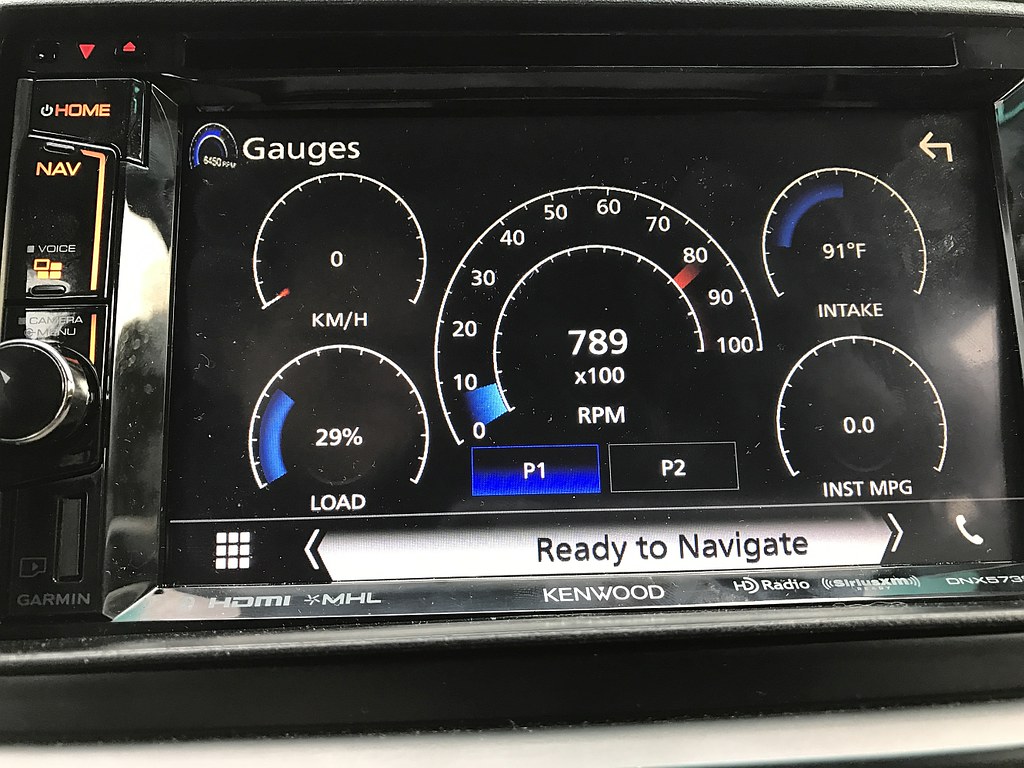
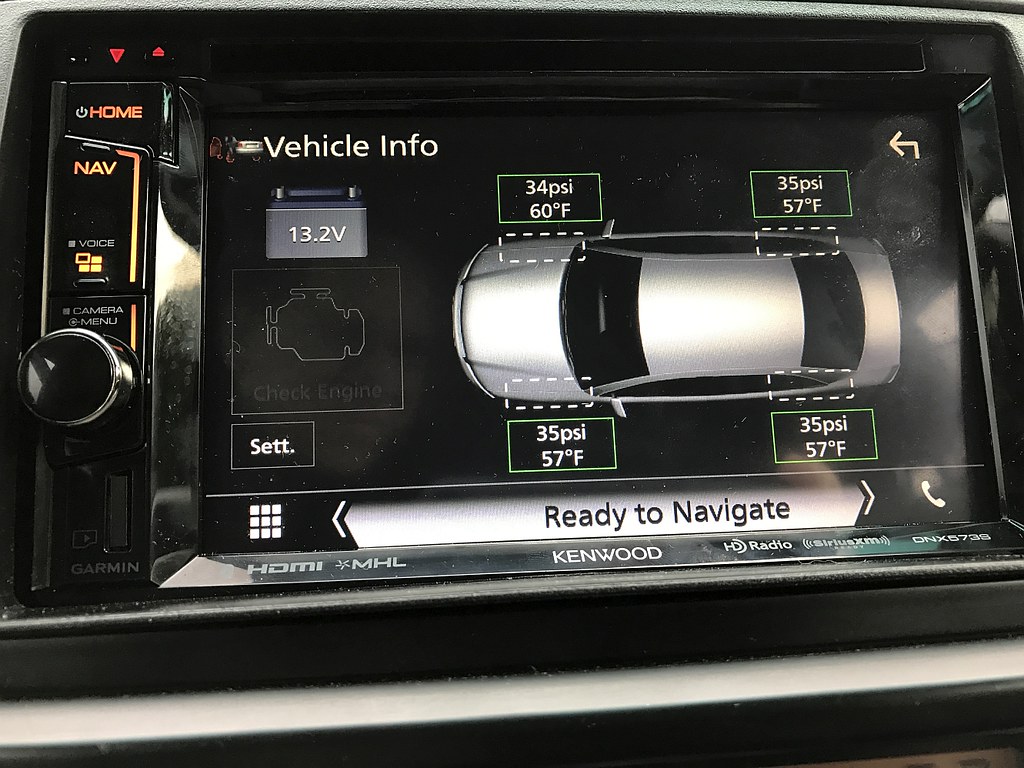
I installed one last fall in my '07. Like sr3tlaw said, I get a whole collection of info - a couple of pics, below.

You'll need a radio that supports iDatalink to get the info. If you walk through the steps on their website, you can choose the radio you're thinking about, and it'll tell you what capabilities you'll get.
iDatalink - Maestro - Maestro RR

33903821070_05ee67e800_b.jpg


34156724671_7e5b6b092c_b.jpg
Nice
o.png
 
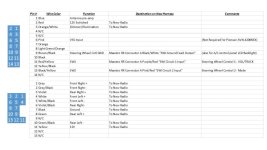
Urban Runner Wire Table

Hopefully this works, attached is my wire connector documentation for the Urban Runner.
 

Attachments

  • A6C0E6A1-213C-4A86-8728-021F11E6B3E6.jpg
    A6C0E6A1-213C-4A86-8728-021F11E6B3E6.jpg
    105 KB · Views: 754
Okay, I'm bumping up this now somewhat ancient thread because I'm finally hoping to install my new head unit and my idatalink Maestro Rr over the holidays. Going to replace a handful of LED's and install some USB ports while I'm at it. Life kinda happened (KIDS!) and I've not been sitting on this stuff for a few years.

I have a 2007 SR5 with no steering wheel controls and basic audio setup. I'm going to be installing the Maestro (ADS-MRR) with the compatible Pioneer AVH-601EX (yes, it's pretty outdated, now). I bought the TO1 harness (HRN-RR-TO1), and the extra USB connections to do "while I'm in there". OH! And also a Micro Bypass. I would like to get that in there.

All of you have been running your setups for a few years since this thread has been started. Any pitfalls or tips you guys might have going into this install? I've been reading through a few of the troubles some of you have had with power and wiring, and maybe some setup issues with the firmware.

I've never had this head unit out, but the "University of Youtube" seems to have some great videos for the swap. I don't really have a good feel of where this little black box needs to live in the cavity, though. If anyone has some pics of where this little guy should ideally live, it would be appreciated. I don't have much time to do this install, so I'm trying to make it go as smooth as possible. It's my daily driver and I'm nervous about power drain or weird issues that would keep me off the road.

Thanks ahead of time! And if there is a better thread out there that would answer these questions, I would appreciate a link.
 
Last edited:
I installed new Kenwood head unit and Maestro RR today. Everything went smoothly except... The head unit doesn't automatically turn off when I turn the ignition off.

Looking over the wiring diagram, the only continuous power wire is the yellow battery wire, which has to be connected for the unit to power on. Best I can tell is the Maestro is keeping the head unit powered up after I turn the truck off. Anyone else encounter this issue?

Sent from my SM-G935V using Tapatalk


I’m having the same issue with my KENWOOD DDX9705s and the maestro RR. I can not get the radio to power down when the truck is switched off. It’s also sending power to my reverse wire (purple/white) keeping the trucks reverse lights on. The red accessory wire is off until I turn on the radio, then it stays on after I manually shut it down, I have to pull the fuse for the accessory wire to stop receiving power.
I’ve tried all the tricks posted in This thread, cut the (blue) 1 and 5 from the green connector, I’ve tried wiring the antenna amp wire from the radio (blue) to the TO1 (blue and white), the only one I haven’t tried is the micro by pass, I have the parking brake wire (light green) and the ground wire connected together and grounded to the truck, The (green) wire on the maestro side is not connected.
Is that causing my issue, is the bypass necessary to make it work?

I also checked the 12voltdatasolutions website on the same issue, switched pins G and H on the harness that goes to the stock truck plug, no change.

One other fella mentioned cutting the accessory wire on the 3pin connector of the meastro RR, I’m not sure that’s the solution.


I need help to figure this out, any insight or expertise with this issue would be much appreciated.

 

Members online

Forum statistics

Threads
278,316
Messages
3,554,121
Members
248,016
Latest member
Advally Service

Trending content

Back
Top