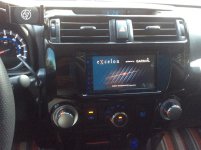
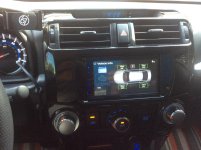
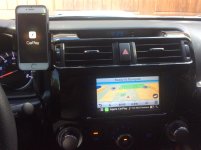
I installed one of the Wireless CarPlay Kenwood head units a week ago.
Crutchfield has a dash kit that matches the dark gray metallic factory dash without any need to paint.
The iDatalink Maestro was very easy to flash/program. All of my steering wheel buttons work perfectly.
I drilled a 1/2” hole in the dash kit plastic and snapped the mic in place so only the last 1/8” ring of it shows. I recommend a step drill bit like the kind you use for sheet metal. The mic now looks like a small button with holes surface mounted to the left of the screen. I did have to cut the little ball off the side of the mic in order to snap it in place.
I mounted the Kenwood GPS antenna right behind the little round cover that holds the wire for an automatic headlight sensor at the front edge of the dashboard. I drilled a small hole at the edge of the plastic cover to allow the antenna wire to pass through with the cover in place.
If you get an error message telling you that the speed sensor wire needs to be connected in order for Wireless CarPlay to work do the following (talked to a Crutchfield tech for an hour before we figured this out):
1. Find the pink wire on the Kenwood side of the wiring harness.
2. Locate the little, thin, white in-line “box” that says S Sensor on the pink wire.
3. Cut the pink wire on either side of the little white “box.”
4. Reconnect (crimp or solder) the ends of the pink wire. Cover any exposed wire with electrical tape or heat shrink tubing.
5. Turn the head unit on and the speed sensor error message continues. Drive around a little so the speed sensor communicates with the head unit and Wireless CarPlay will start functioning properly.
I already helped one T4R member with this issue. Trust me it works. Your Wireless CarPlay may work at first, but when it quits the next day follow the steps above.