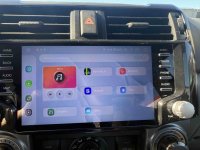
Dasaita G13 head unit - 8+256G (Max RAM version)
TLDR: Don't buy this if you are an audiofile and you are looking to max out with quality tunes. You will hate it.
Do buy this if you want OEM looks, basic functionality and carplay or android auto.
Also note, I got into this for less than $600. The Dasaita site, runs sales all the time, they also allow coupon codes on top of the sale. Code D9 = 9% off the sale price. Fast like 3 days free shipping as well. It was a sweet deal.
I've had this unit for about 2-3 weeks now. This is really just my experience with the unit as I get it installed and set up.
If you want to see how to install it just google "Dasaita G13 4runner install" and you'll find plenty of videos etc.
Personally I think the install was easy, but not real straight forward. To explain that a little... This unit ships with about 3-4 unneeded wiring harnesses plus 4-5 accessory harnesses. Trying to cover every possible install I guess, they include almost everything in the bag and you are told to just toss the extra. Kind of a waste really.
I have a 2011 TE w/nav and JBL - the
Dasaita G13 unit is advertised as bascially being able to replace damn near any unit head unit in any 5th gen no matter what the original system. Having a 15 year old system wasn't as much fun as it used to be and I wanted carplay. I have other vehicles with carplay and have gotten used to all the features and wanted to get them in my 2011TE.
I did not buy this looking to upgrade my stereo, I bought it for the OEM look and carplay functionality.
This is basically and android tablet adapted to be a headunit.
I'll just say right now as a stereo it's kind of a big fail. It does integrate with T4R's existing speakers. But not very well. The party Mode button still functions, but only to add some bass and to be honest I never really used it before so thats a wash for me. I can't tell you if it uses the JBL amp or any of that crap. But it does work, it plays audio via the radio app or USB thumb drives etc. Depending which unit you buy you can copy all your songs onto the internal memory and play them from there using one of the built in apps.
The biggest issue is how the head unit drives all the speakers the same. You have no individual control over balance or fade. When I first installed it, I had zero sound out of any of the doors front or rear or the hatch. After several emails with tech support, I was instructed to update the head units firmware. Once that was done the sound was much better but still not to what I would say is any better than OEM, probably a bit worse to tell the truth.
The second major issue is the mounting brackets don't work as shipped The weak instructions show adding these little included 3" x 4" adapter plates to your factory brackets and all is supposed to be good. Not so much. It's not even close. After 3-4 more emails with Dasaita tech support they offered to send me the correct brackets. I'm not the only one that this has happened to as they had new metal adapter brackets with in 2-3 days. There is a Dasaita forum that you can also go for support, but they are kind of slow to respond, email isn't all that fast either, but they do respond every 24 hours or so. I'm guessing a time zone or 2 has something to do with the lag. Anyway the new brackets completely replace the factory brackets and the little adapter plates and bolt up just fine. Support acted like these should have been in the kit, but they weren't.
Now that the sound and mount issues are sorted lets talk about the rest of the stuff.
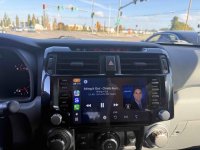
Nice big screen, 10" I think, very bright and responsive to the touch, no lag no stutters etc.
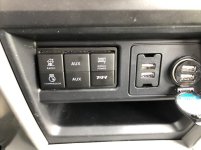
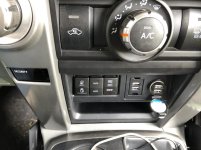
Lots of harnesses/dongles for connecting a ton of stuff like 3 USB devices, HDMI out, AV-IN, AUDIO IN, front camera in, GPS antenna, Wifi antenna, a SIM card and probably more. It also looks like there are spots for audio out and the subwoofer out. But I didn't test these. It is very confusing with a lot of unused connectors and because audio in is on one harness and the corresponding video in is on a different harness. There is also 2 more sets of audio in connectors neither of which I could get to work.
Carplay - Wireless works great, I've had no issues. I haven't tried wired
AVIN - Once i figured out which connectors to use, I can now play audio and video with the AVIN app
Front camera - works fine via the F-Cam App
Backup camera - works great
HDMI out - I did not test.
Bluetooth - works fine, I connected a phone and iPod with no issues.
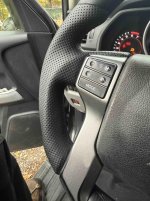
Steering wheel controls - They are customizable and they work great. You can set them up to do what yopu expect or if you want to change it up ypou can do that to.
Radio - The supplied radio app sucks. Only gets about 1/3 of the local stations for some reason. Delete it and install NavRadio or NavRadio+($6). Way better, gets all the stations and just works.
Built in Mic is fine - better than the OEM one. I get way less complaints from the people I talk too while driving. They do include an additional mic that you can wire up and thread thru the pillar and headliner if you don't like the built in one.
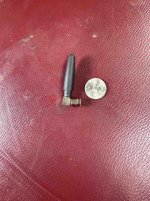
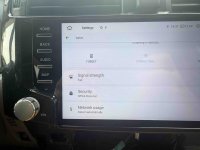
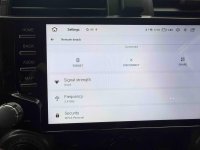
Wi-fi connection works, but the settings need tweaked to get to automatically connect each time to saved networks. The included wi-fi antenna is about 2" tall and sticks right out of the back of the unit. This will need to be improved for a stronger signal. There's lots of options for this, I just need to decide what I want to do with it.
There is about 100 ways to customize what is now basically an Android tablet in your dash.
It will take me several weeks to set this all up the way I want and explore the options.
The unit does have an equalizer, that appears to work with the radio app and music app. But I'm not much of an expert when it comes to setting my preferred sound adjustments.
There are a few quirks....like , since I deleted the original radio app, the radio button on the side can not be reassigned to launch the new app. As a matter of fact none of the buttons can be assigned to any app. Only functions with in the apps, like volume, stop, play etc. All the apps have to be launched from the touch screen. It's fine, just a stupid oversight on Dasaita programmers. I doubt they care enough to fix it.
The knobs, the 2 knobs...it ships with 2 pairs of knobs. A dark pair(black?) and a silver pair. That's kind of nice to let you choose what you like best. But they are cheap, light weight plastic. Every time I bump them just right the right one falls off a bit too easily. It's okay for now, but I must have knocked it off 4-5 times durng my install and setup. I thought I lost it once and lickily had the 2nd pair they include to fall back on. I will have to figure how to shim it up or something.
The launcher app is pretty bare bones. Not a lot of options, I don't really like it. There are others that supposedly can be installed from the google play store, I might try some, but the launcher choices don't look appealing either.
I haven't figured how how to set the app that loads when the car is started. It seems to be whatever was launched the last time you started up, but I have not found the setting for this yet, or how it was set to begin with.
**Additional info Added**
11/15/25 - I tried to get wired carplay to work. No luck. The head unit did not recognize my iphone was attached.