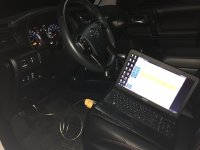
TOYOTA TIS Techstream

It worked! I got my virgin key fob and Techstream software yesterday. Loaded Techstream version 9.2 onto my XP laptop, plugged it into the truck, and then was able to activate the new FOB.

Its funny the dealer said they'd charge $135 for an hour of labor to program the key....I did it in 3 minutes.

You shouldn't need TS to add a remote. I attached the instructions.
 

Attachments

Got it running easily on an old win7 32bit my buddy had laying around. Got my seat belt chime/fob window down/rear wiper interval changed but I cant figure out how to turn on the single button all door unlock. Help?
 
Got it running easily on an old win7 32bit my buddy had laying around. Got my seat belt chime/fob window down/rear wiper interval changed but I cant figure out how to turn on the single button all door unlock. Help?

There is no option to do this on a 5th gen, if that's what you own.
 
Menus not populating

I'm not sure if this has been answered before, but I have a quick question.

I got Techstream installed and working, with a connection to a 2015 Sequoia I purchased. When trying to add new keys to the car, I am not seeing the utility menu after clicking on immobilizer. Has anyone ran into this issue before? I am going to check my older 4Runner when I get home to see if this is a software issue or a car issue.

Any thoughts on how to add the key to the new car would be appreciated.
 
I've D/L'd 9.00.026 version. Runs perfectly on Windows 7, 64 bit. Now Just waiting on this:
41RBayJf-UL.jpg


Can I only extract drivers from Install CD, because cable comes with older 8.000... TIS? If so what's the file names? Thank You

Watch this video about How to install Toyota TIS v10.30.029 software

https://youtu.be/mjRPOTMrOjE

MINI VCI FOR TOYOTA TIS Techstream Firmware V2.0.4 Single Cable Support VPW protocol
 
Newest Toyota TIS Techstream V12.20.024 Installation Video Guide

Hi guys,

I've just bought MINI VCI 2012 Latest V7.10.030 for TOYOTA TIS Techstream from Ebay.

I've tried to install it on two laptops (Win 7 64bit on both). One I can install the software, but I get an error for the driver. The second I can install the driver and cannot install the software.

Anyone have the latest software for Win7 64bit?

Thanks.
Newest Toyota TIS Techstream V12.20.024 Installation Video Guide
<iframe width="640" height="360" src="https://www.youtube.com/embed/GBY_Y-zpqNw" frameborder="0" allowfullscreen></iframe>
 
Overhead map ambient light

Does anyone know if there is a way to turn on the overhead map ambient light?

Mine is not illuminated .
 
[MENTION=75657]Tigerrob20[/MENTION] -- I am running Techstream 12.20.024 and it is not showing the UTILITY menu when configuring the immobilizer ECU. Any advice?
 
[MENTION=75657]Tigerrob20[/MENTION] -- I am running Techstream 12.20.024 and it is not showing the UTILITY menu when configuring the immobilizer ECU. Any advice?

Same issue. Did you get a 1.41 firmware version from obdfamily on ebay by any chance?

I got mine on the 17th. Looks like software is registered correct and drivers working but main menu is missing Health Check and other options. Also same thing with Utility and Monitor missing from Immobiliser page. And I am using the black master key so that is not issue.

Also a computer tech and followed the instructions exact.

Did you ever get it working?

UPDATE:

try version 10.30.029 as that worked and showed all options and buttons for North America as area. Looks like v12 this cable firmware and some cars don't work well together.
 
Last edited:
Wanted to post an update. Looks like perhaps the latest v12 software combined with the older 1.41 firmware cable is not compatible with my car.

So the seller (obdfamily) of cable told me to try version 10.30.029 and that worked and showed all options and buttons for North America as area. I recommend this seller highly on ebay as the item shipped pretty quick considering it was overseas and he was willing to help out to get it working and responded within 24 hours.

also needed to make this change:
C:\Program Files\Toyota Diagnostics\Techstream\Env\IT3System.ini
Change TISFunction=1 to TISFunction=0

Now I just have issue where key programmed and works, but FOB is not working for doors and trunk and made sure it was not bad battery.

The one techstream setting I am unsure about is option in vehicle wizard as "w/o Smart Keys" or "Smart Keys".
Car does not have keyless ignition or the key that can unlock doors from just being near car. So I would think my car would be w/o Smart Key option but perhaps because its an option in my model that I maybe should be choosing "Smart Key" option.

Can I re-program the key again or does it create a new registration entry as I know Camry limits to only 5.

UPDATE:

Found the answer, looks like different menu then immobilser. So immobiliser programs the transponder chip and the main body selection is where wireless key FOB gets programmed.

Techstream program doors and trunk wireless FOB:
Main Body > Utility > Wireless Code Registration
https://www.youtube.com/watch?v=kUIIbtjB760

 
Last edited:

Members online

Forum statistics

Threads
278,312
Messages
3,554,083
Members
248,016
Latest member
Advally Service

Trending content

Back
Top