3rd Gen TR4 Backup cam?

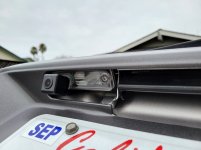
While it blocked some of the light, its not enough to hinder the light output. Still shines up the license plate just fine.

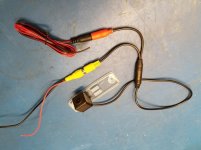
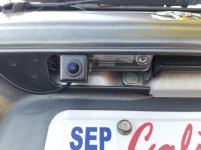
I finally hooked up my AliExpress camera today. This was just a dry-run to see how the camera worked with my Sony head unit. I like the way it replaces the existing lens - very clean. When I mounted it to the driver side the camera unit was actually on the outside, further from the center-line. The upside is that it didn't block any of the light that illuminates the licensee plate.

A couple of things annoyed me...

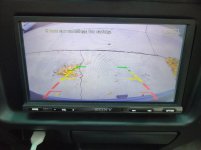
1 - The camera superimposes green/yellow/red lines in the display. Is there any way to turn that off? The head unit itself does a decent job with guidelines.

2 - I can't see my bumper in the display. I feel like the camera needs to point downward more. I'm tempted to hack it up a bit and see if I can correct this.

Cheers,
Scott
 

Attachments

  • 20210612_194529_resized.jpg
    20210612_194529_resized.jpg
    79.6 KB · Views: 1,450
  • 20210502_074515_resized.jpg
    20210502_074515_resized.jpg
    86.8 KB · Views: 1,356
[MENTION=594250]scottndsky[/MENTION] I have a very similar camera I bought on ebay in my 2000 4Runner (and same set up in my 2000 Land Cruiser) that replaces the license plate light/cover.

Some of those cameras have the ability to turn off the lines (mine had a wire loop that you could cut to disable lines), or I was able to turn off the lines in my Sony head unit (there wasn't much difference in the lines, just looked dumb with 2 sets of lines).

Regarding seeing the bumper, when I first installed mine, part of the license plate trim was actually blocking the very top of the camera and was visible on the top of the image (mine actually had an LED light in it and completely replaced the original light holder and sat higher under the trim; yours looks like it just replaced the light lens cover (I like yours better!) and sits a little lower). I had some thin black foam material bought from Hobby Lobby (they sell it by the sheet at varying thicknesses), and I put a layer or two as a gasket which lowered the camera, and now the view is great. This also gave me the ability to angle it a little; I assume you could do the same. That foam is pretty forgiving and I assume you could cut it like a gasket to create a hole for the light to go through.

Lastly, those license plate light style cameras on aliexpress (and also ebay) are all pretty similar and very inexpensive. My advice would be to wire it so that it is easy to replace (pretty easy with the RCA connectors). The camera on my Landcruiser quit working after about 2 years, and it was very easy to find a replacement that simply matched up with the plugs; also if you find one you like better, very easy to swap!

Lee
 
Last edited:
[MENTION=591991]CLeeJ[/MENTION]

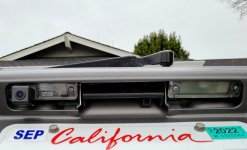
Thanks for the tips. I ended up angling the camera down a little, re-tightening the screws, and then securing it into the plastic lens with a bunch of bathroom calking. I couldn't get rid of the lines on my camera, so I just turned off the lines that the Sony head unit overlays. I can see the bumper now (good), but I can't see very far down the driveway, or into the street (bad). It's not the perfect solution, but it was a clean installation. Now I can back right up to the car behind me without fear of hitting them, and that was the whole point.

I think you're right about the camera durability. These are cheap cameras after all. I'll probably end up replacing this camera again some day, but the little clear plastic lens solution is the cleanest installation I've seen so far.
 

Attachments

  • 20211228_095833_resized.jpg
    20211228_095833_resized.jpg
    135 KB · Views: 1,560
  • 20211229_132554_resized.jpg
    20211229_132554_resized.jpg
    45.2 KB · Views: 1,249
  • 20211228_095823_resized.jpg
    20211228_095823_resized.jpg
    85.3 KB · Views: 1,280
[MENTION=116195]weekendclimber[/MENTION]

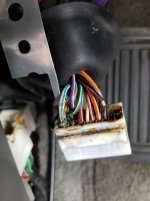
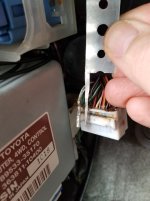
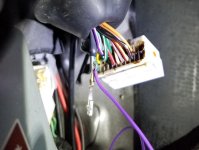
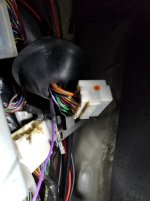
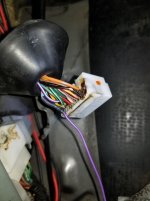
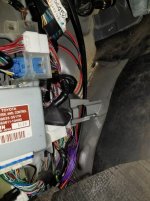
I think I need to tap somewhere between D1 and IE2 (behind the kick panel), which is where I tucked the back-up wire anyway.

Indeed, this is what I ended up doing. I found the IE2 connector behind the kick panel on the driver side. Then I fashioned a tool to extract the contact from the connector block. I stripped away some of the white/blue insulation and soldered my purple backup wire to it, then used some heat shrink to cover the solder splice. Then I reinserted the contact into the connector block and reinstalled the connector. This benefit of doing it this way is that it saved me from running the backup camera wire all the way back to the tail lights. The backup signal from the car to my head unit is just under my feet tucked under the carpet.

Regards,
Scott
 

Attachments

  • 20210131_135443_resized.jpg
    20210131_135443_resized.jpg
    127 KB · Views: 1,227
  • 20210131_135627_resized.jpg
    20210131_135627_resized.jpg
    123.9 KB · Views: 1,218
  • 20210131_150259_resized.jpg
    20210131_150259_resized.jpg
    62.9 KB · Views: 1,210
  • 20210131_151236_resized.jpg
    20210131_151236_resized.jpg
    128 KB · Views: 1,218
  • 20210131_151643_resized.jpg
    20210131_151643_resized.jpg
    131.3 KB · Views: 1,222
  • 20210131_153242_resized.jpg
    20210131_153242_resized.jpg
    74.3 KB · Views: 1,236
Trouble with getting wire from grommet to tailgate

Hello,

I have looked through a multitude of posts looking for assistance on this topic, but I haven’t found any about this specifically. I am trying to install a backup camera on my 2002 SR5. I was able to get the RCA cable though the grommet, but I am unable to get it up the pillar next to the rear window. It seems to be getting caught each time. Does anyone have any tips for me?
 
Hello,


I have looked through a multitude of posts looking for assistance on this topic, but I haven’t found any about this specifically. I am trying to install a backup camera on my 2002 SR5. I was able to get the RCA cable though the grommet, but I am unable to get it up the pillar next to the rear window. It seems to be getting caught each time. Does anyone have any tips for me?
How thin is the rca wire? Think you could cut the end off and reconnect it? As those RCA Comnections have some size the them. As a last resort. I would pig tail the Rca connector several inches back then get that wire though to location. Then splice the wire back together. This option is last resort only though. If everything else fails..:/

Sent from my SM-A505U using Tapatalk
 
How thin is the rca wire? Think you could cut the end off and reconnect it? As those RCA Comnections have some size the them. As a last resort. I would pig tail the Rca connector several inches back then get that wire though to location. Then splice the wire back together. This option is last resort only though. If everything else fails..:/

Sent from my SM-A505U using Tapatalk


It’s not too big. However I cannot even manage to get a coat hanger through there. I keep getting hung up.
 
It’s not too big. However I cannot even manage to get a coat hanger through there. I keep getting hung up.

I shoved a coat hanger in from the top, then taped my wire to the hanger and pulled it back up. Mine had a smaller connector on it rather than an RCA connector though.
 
I appreciate all the helpful ideas in this thread. Spraying silicone lubricant on the coat hanger and wiring was clutch for getting it through that PITA rubber grommet.

I installed my backup camera to a cheap double din radio I got off eBay. The head unit I picked up has rear camera and front camera inputs. The rear camera input is ONLY activated when gear shifter is in Reverse, and there is no option to pull of the rear camera while driving, or otherwise not in reverse.

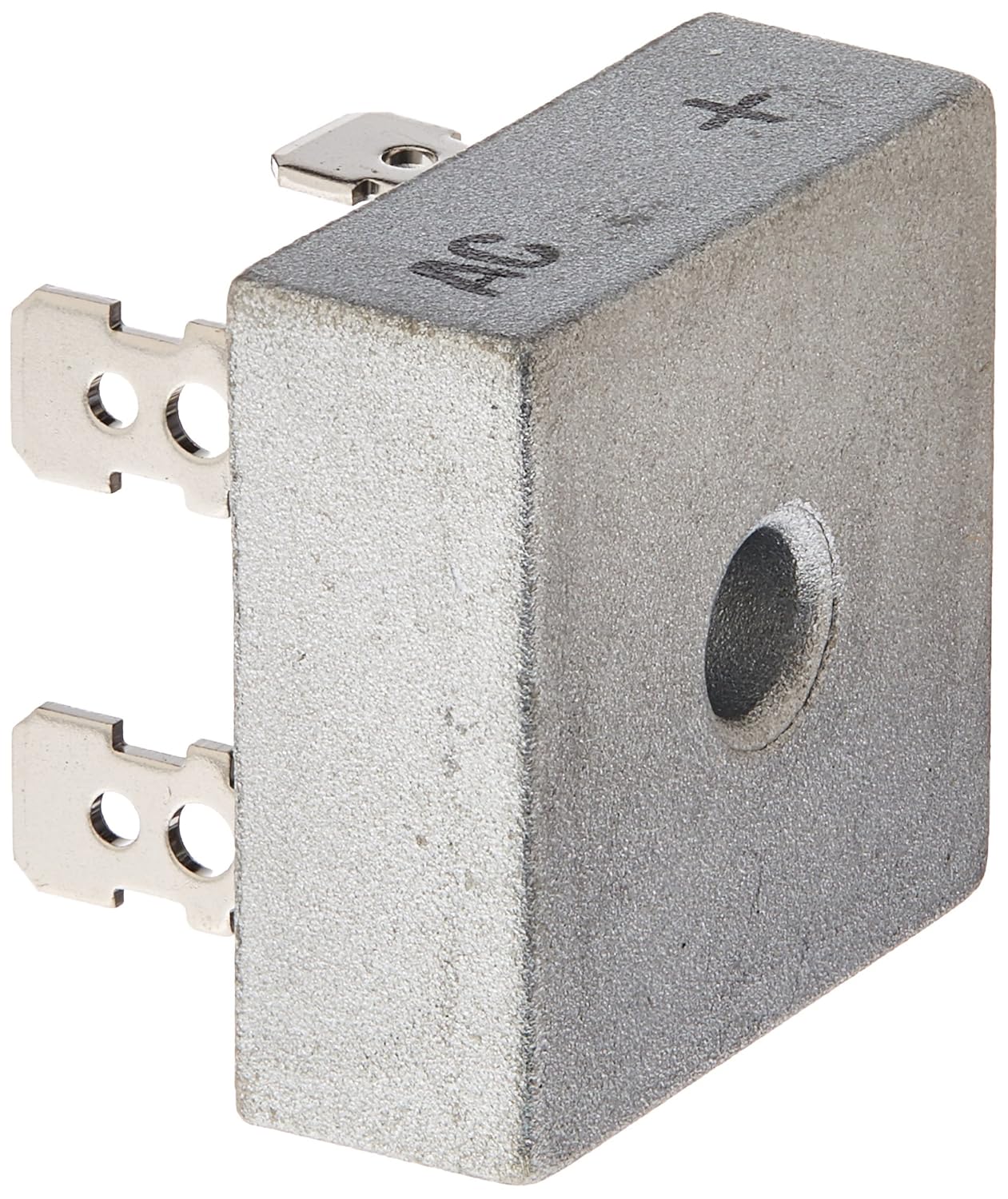
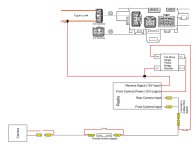
I solved this by buying a 1-female-to-2-male RCA splitter, inputting one camera feed into both of the head unit's inputs. Next I had to figure out how to powerup the camera whether the transmission was in reverse, or if I selected the F-Camera view on my head unit. I needed to keep the two inputs separated from each other, so I bought a diode that takes two inputs, and produces one output, and keeps the two inputs separated from each other. The reason for keeping the inputs separated from each other is so that I'm not powering up the reverse lights when I select F-Camera view on my head unit. I bought it off Amazon for $7.

91n+aDEn+ML._SL1500_.jpg

Amazon.com

It's too wordy to explain how I wired it up, so attached is a wiring diagram of what I did. Now the head unit automatically switches to rear camera view whenever I shift into Reverse. And I can also pull up the rear camera whenever I want by selecting F-Camera on the head unit.
 

Attachments

Last edited:
So here are pictures of my installed backup camera. I used replacement license plate light lense intended for the 4th gens. I bought two 1/4” long aluminum spacers to drop the lense down a bit so that the camera wasn’t pointing at the ground. The camera is on an adjustable mount, so I can move it up and down, and it stays in place at whatever position I leave it in. Having this backup camera sure does make backing up and hooking to my boat trailer a lot easier.

bb826b303edb7abd5e280533c1f8631d.jpg

70deee7fa2c38a41ebf02f17b18e46c2.jpg

836af5ea49eccc741b5727fa0611d3e7.jpg


Sent from my iPhone using Tapatalk
 

Members online

Forum statistics

Threads
278,310
Messages
3,554,078
Members
248,016
Latest member
Advally Service

Trending content

Back
Top