I just made this one for my 4R. BTW it works on a 2015 TEP as well. Settings -> General -> Customize Startup Screen. The rest is the same. Earlier posts indicated 2014 only.
Does it matter if I'm using a MacBook to do this? I only have the pictures I want on there and I typed everything correctly case sensitive and all. I put the usb in and start the truck. I got to the right place to change it and when I click on transfer it can't connect. Tried for about 10 mins and gave up. It connected once but it couldn't find the images. I don't know what to do cause I'm following all the steps correctly.
I updated it and now it's connecting but it says it can't find any images when there's pictures inside. All of tem are JPEG files. What else an I doing wrong?
I updated it and now it's connecting but it says it can't find any images when there's pictures inside. All of tem are JPEG files. What else an I doing wrong?
Good info. I had to select "transfer" a few times to get it to take, but it did. I used the same image (saved in two different folders) for my startup and off screens:
If anyone wants it, I took the shot so feel free to use it:


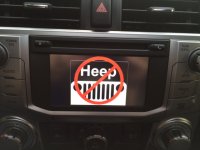
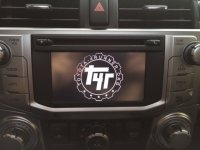









![ppU1raQ.jpg]](https://imgur.com/ppU1raQ.jpg])
![RCxndAC.jpg]](https://imgur.com/RCxndAC.jpg])


