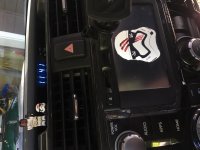
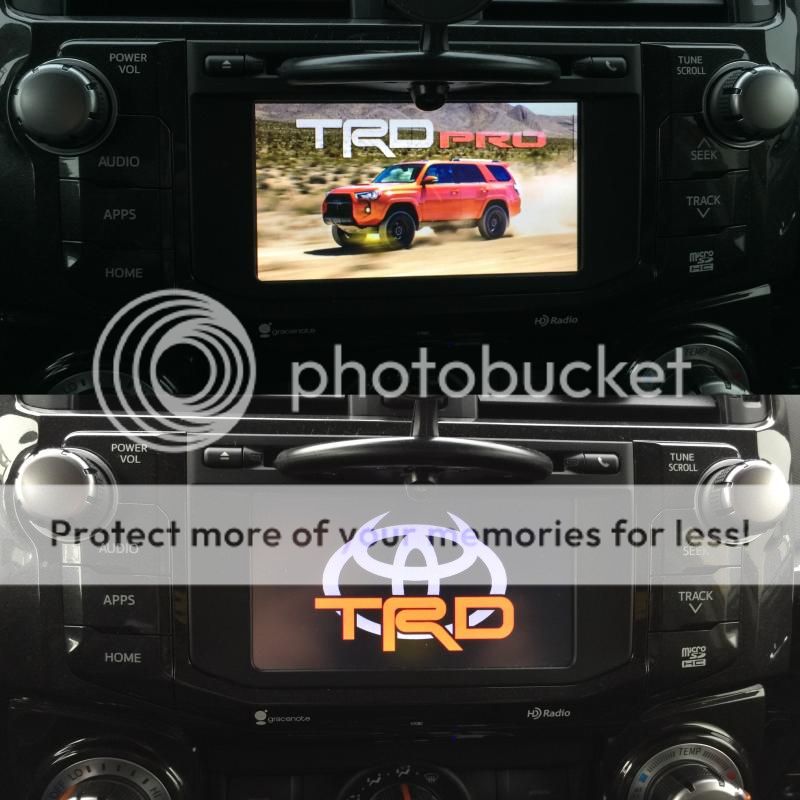
4Runner Startup/Display Off Images

I took one image from someone here, touched it up a little bit and added the toyota logo.

It is in the format for my Kenwood unit in my 4th Gen but you can still use it for the 5th gen or any aftermarket screen.

0M6VRok.jpg


DHe6NIs.png
 
Support our troops

I have pulled together several images that are properly scaled for entune display (1000px x 530px) for the USMC and US Navy theme. Thought you might enjoy. These images are very low tone and don't produce a bright cabin light at night!

Enjoy

image credits: WallpaperSafari
 

Attachments

  • USMCDigital.jpg
    USMCDigital.jpg
    58.7 KB · Views: 1,554
  • USMCFlag.jpg
    USMCFlag.jpg
    62.2 KB · Views: 1,521
  • USNFlag.jpg
    USNFlag.jpg
    57.1 KB · Views: 1,511
  • IWOJIMA.jpg
    IWOJIMA.jpg
    72.8 KB · Views: 1,530
Last edited:
I finally got mine to work after many attempts. I kept thinking I had done something wrong with the file name or type, but it was actually just that the damn touchscreen button at the bottom of the head unit is barely functional. I sat there and punched it about 50 times before it finally did its thing and opened up the files on my USB. After that, piece of cake. Kind of a fun and totally pointless mod, but why the hell not?
 

Attachments

  • Finns.jpg
    Finns.jpg
    120.2 KB · Views: 1,554
  • FinnHelmet.PNG
    FinnHelmet.PNG
    75.8 KB · Views: 1,556
well since no one has thought to start a thread to track, trade or share your StartupImage or DisplayOffImage

here are the instructions for those that want to make yours unique

.

Okay, SO this is a USB and not a memory card? is the memory card for the maps or something?
 
Good idea, NoDak.

Here's a few tips that aren't very clear or aren't mentioned in the user manual, and here's how I got this function to finally work every time.


1. I used an empty flash drive formatted in FAT32. Make sure to enable "view hidden files folders" on your computer, and delete everything except for a the folders named "StartupImage" and "DisplayOffImage"

2. In those folders, store whatever images you want, as long as their named with ANSI characters. Make sure you use capital letters in the file extensions, either .JPG or .JPEG are acceptable. You may need to change your view options to show file extensions in order to do this.

3. Plug it in, then turn on the vehicle. Go to Settings, General, Startup Image. At first it didn't connect, so I just kept tapping "transfer", and eventually it connected and allowed me to upload the images. It took a couple minutes, be patient. Approve the overwrite, and you'll be good to go.

4. The native resolution of the screen is 800x480. I sized each image accordingly, and they scaled perfectly.

Okay, SO this is a USB and not a memory card? is the memory card for the maps or something?

[MENTION=124143]Signal[/MENTION]
Yes and yes, the memory card I your maps.

Did you try th quote above yours?
Can you get to this point on your HU?
 
I've tried reformatting my thumb drive many times (on my Mac) and I still don't have any luck with the truck being able to read it so I can load an image. :noidea:

Can you find this:
Go to Settings, General, Startup Image.
 
I've tried reformatting my thumb drive many times (on my Mac) and I still don't have any luck with the truck being able to read it so I can load an image. :noidea:

Yes. Then when I get there and point to the USB drive to copy over the images, it says it can't read the drive.

I remember people having trouble with some drives. Try another drive.
Make sure after it’s formatted to FAT32 , the names of the parent folder is correct.
No other files should be on that drive.
 
I updated my firmware on my 2016 today took about 5 mins easy peezy

I uploaded some startup images and that was super easy .. for the guys with issues make sure the folder names are spelled correctly and remember they are case sensitive

Also in the instructions it says make sure nothing else is on the usb drive .. well it don't matter I had my update file .wki and folders sartupupimage and offimage all on it at the same time and no issues

The headunit only looks for certain file extensions or folder names

I am disappointed with the startup image though it only flashes up for maybe a second and is gone?

Oh well lol
 

Members online

Forum statistics

Threads
278,312
Messages
3,554,085
Members
248,016
Latest member
Advally Service

Trending content

Back
Top