
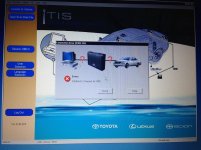
Got one Xhorse MVCI, got error: unable to Connect to VIM , during connect techstream via mvci to Toyota car models as following picture shows:

Finally solved as follows:
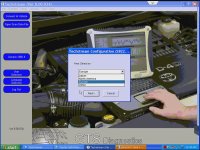
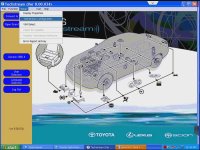
1. open Techsream software, in the toolbar click "Setup-Techstream conficuration"

2. Area Selection: select "Europe"
Read third Attached Images
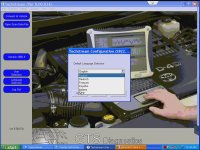
3. Default Language Selection
Read fourth Attached Images
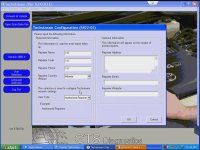
4.Techstream Conficuration: no need input nothing, click OK.
Read fifth Attached Images
Finally solved as follows:
1. open Techsream software, in the toolbar click "Setup-Techstream conficuration"
2. Area Selection: select "Europe"
Read third Attached Images
3. Default Language Selection
Read fourth Attached Images
4.Techstream Conficuration: no need input nothing, click OK.
Read fifth Attached Images
Attachments
Last edited:

