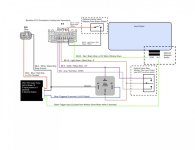
The hardest part was probably programming the TR-7. It's not actually hard but the instructions are a bit complicated due to all the different options.
Here's my version of the instructions specific to this install. You will be using option 15.
First note that you use the unused (for this install) brown wire to program the TR-7.
Do this with the window up so you don't have to worry about anything.
1. Pull the connector from the bottom of the TR-7.
2. Switch the programming switch to on.
3. Connect the black wire to ground
4. Plug the connector back in. Look on the face of the unit where the PAC audio URL is. The LED is under the plastic here.
5. Touch the brown wire to ground 15 times. The TR-7 will flash 15 times (after a couple of seconds)
6. Touch the brown wire to ground 2 times. The TR-7 will flash twice (after a couple of seconds).
7. Touch the brown wire to ground once. (this is the tricky part). The TR-7 will flash quickly. Then after 3 seconds it will do it again. You are waiting until you see a triple flash. It's really kind of like a set of double flashes that happen three times really fast.
8. Touch the brown wire to ground 5 times. The TR-7 will flash 5 times slowly.
9. Wait a bit and the TR-7 will flash rapidly for about 3 seconds. You are done.
10. Put the programming switch back to the off position.
Just to clarify; regarding the seventh step, by tapping the wire once, you are initiating the timer count. What you will see are sets of really quick flashes. The first set (one set of three flashes) means that it is asking for a time interval in minutes. Because we don't want any minutes, we wait until the second set of flashes (two sets of three). This stands for the tens place in seconds, however again we don't have any, so we wait until the third set (three sets of three flashes). This is where you tap the brown wire 5 times to signal 5 seconds. After it repeats your input by flashing 5 times slowly, it will do four sets of three. This means if you mess up, tap once to restart the timer sequence. If you did not mess up, it will flash constantly for 3 seconds. You are done.