Entune ANDROID Performance

fraggy

New member
Has anyone used the NAV with Enture through an ANDROID phone like the Samsung NEXUS? Is the voice command for phone calls and NAV implemented.

I notice that for 2012 the JBL NAV does not include Enture, so I am evaluating that tradeoff for my purchase. The voice actived phone call is very cumbersome taking a least 4 steps in the 2011.
 
Register to hide this ad
Has anyone used the NAV with Enture through an ANDROID phone like the Samsung NEXUS? Is the voice command for phone calls and NAV implemented.

I notice that for 2012 the JBL NAV does not include Enture, so I am evaluating that tradeoff for my purchase. The voice actived phone call is very cumbersome taking a least 4 steps in the 2011.

With all the taxes and other costs you will have to shell out, it would be a better idea to go after market if it bothers you that much. Lots of good options out there.
 
to call someone, i press the voice button on my wheel, and then the person's name. I haven't really cared to learn the voice commands for other stuff, I haven't needed to.
 
Has anyone used the NAV with Enture through an ANDROID phone like the Samsung NEXUS? Is the voice command for phone calls and NAV implemented.

I notice that for 2012 the JBL NAV does not include Enture, so I am evaluating that tradeoff for my purchase. The voice actived phone call is very cumbersome taking a least 4 steps in the 2011.

Hi fraggy,

I have the 2012 L.E., with the "X.M." Display Audio system. Others have the "Premium JBL", Display Audio System. They're both driven by the same software, and are each compatible with the "android" O.S., which is what I am using.

And yes, the Voice activated function is a pain to use, including the GPS navigation system using "Voice operation mode"; too many prompts, mis-understood commands (by the stupid woman in the dashboard), and I.M.O., it takes WAY TOO LONG to wait for her to finish giving you the option list, when you already know which option you need!

If you're at all familiar with computer logic, than using the "settings" mode(s), will be a breeze to get comfortable with; no need to be intimidated! ;{-

And don't forget, it's your truck; you don't have to learn about everything that the system can do, only use what makes things easier for you!!!

Greg, (rigtec) best regards
 
Last edited:
Hi:

That is a significant improvement over my 2011 LE with JBL NAV. You must press the voice button, then select "dial by name', then convey the name, then select "yes" to confirm the name, and finally select "dial." If you just press the voice button on the wheel and give the person's name to phone that is a big improvement and similar to what Lexus and other do. I concur with the other comment that you have to wait for the end of the voice command which is a pain when you already know what you want to do.
 
Hey fraggy,

Please don't think I'm trying to challenge you, however, you should just be able to "press & let-go" of the 'talk-button', on the steering wheel. Then say...dial, Mike; you must say "Dial" 1'st, or the system won't know whether you want the phone or the voice command navagation. At that point, the stupid lady should either say..."Mike, dialing". Or she'll say..."select a line number"?! You should see two entrees on your screen, line 1, and line 2.

Then you say...line 1. She might say...line 1, dialing. Or, she may still need to talk and say...
Select a phone type, mobile, other? Just say...mobile (cuz it doesn't really matter).
She'll then say...mobile, dialing. "You're Done!

If you have any new entrees in your "contact list", hit the "set-up" button, touch "phone", then hit, "refresh phone book". After about 30 sec, all of your "New contacts" will be registered in your entune's memory. With-out doing that, she'll say...that contact does not exsist; then you'll get mad and have road rage ,: \

Rigtec, just be cool! Lol
 
Last edited:
Hey fraggy,

"....Then you say...line 1. She might say...line 1, dialing. Or, she may still need to talk and say...Select a phone type, mobile, other? Just say...mobile (cuz it doesn't really matter)."

Correction: It may matter, depending on how you have your phone contacts set-up.

I have all of my contacts listed separately; e.g., Mike's job, mike's cell, mike & megan...etc, so Her questions are redundant!

But if you have all of your contacts "compartmentalized"; e.g.,

Mike: work-555/123-4567
-----: home-555/321-7654
-----: cell---555/456-7890

In that case, the command system needs to distinguish just which number for "Mike", you wish to call! Sorry, really don't like to pass on inaccurate info!

rigtec, Cheers
 
Last edited:
Hi:

I have tried dial and a person name in my contacts, but it does not work. I think my 2011 does not have entune and the 2012 does. They must have updated it for the function you are citing. Is there anyone out there with a 2011 LE who can just do dial then a contact name for voice dialing from the steering wheel?
 
Question fraggy,

Have you done the initial set-up to "Pair your Bluetooth Device" (Android), with your vehical's device screen controlling system??

The way you describe your particular trouble, it sounds like your phone (Android), has not yet been registered to your truck's "navigation management system".

It's kinda like, setting up a new wireless computor, with a new wireless printer. Until you install the link, which is the router, and introduce both, the computor, and the printer to the router's identification address, the wireless set-up will never work.

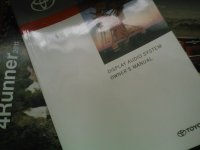
It's real easy if you haven't done it yet; takes two minutes, pg 202 in the "display audio system" book, "Set-up Operation" (Bluetooth settings).

Even if you did do it at one time, the system may need to be "Refreshed", cuz sometimes, system files get corrupted, so a refresh, will usually repair those files.

If it doesn't, then you need to discard the initial set-up, and just do it again from scratch!

just a suggestion, Greg
 
Last edited:
Hi fraggy,

And yes, the Voice activated function is a pain to use, including the GPS navigation system using "Voice operation mode"; too many prompts, mis-understood commands (by the stupid woman in the dashboard), and I.M.O., it takes WAY TOO LONG to wait for her to finish giving you the option list, when you already know which option you need!

Greg, (rigtec) best regards


FYI - There are 2 ways to fix this.

1. Enable "quick prompts" so that the voice doesn't say the entire command.
2. Press your "voice" key while she's talking and just say what you want. You do not have to wait for her to finish giving you the option list.
 
FYI - There are 2 ways to fix this.

1. Enable "quick prompts" so that the voice doesn't say the entire command.
2. Press your "voice" key while she's talking and just say what you want. You do not have to wait for her to finish giving you the option list.

Hi kmiller,

And thanks so much for your input to this discussion!
P.S: It's members like you that keep me glued to this keyboard! :keyboard:
 
Hi:

The 2011 does not have a "Display Audio System" book. It has a User Guide and Mavigation System Manual. I checked page 202 in all of the books that came with the 2011 but the content has noting to do with audio or phone.

I have paired my Samsung Nexus phone including the phone book and the blue tooth works just fine. But my voice commands still requires me to give the command "dial by name", and the sequence of other step mentioned in my previous post. I have the JBL Nav which does not include entune. Does you truck have the JBL Nav?
 
Hi:

The 2011 does not have a "Display Audio System" book. It has a User Guide and Mavigation System Manual. I checked page 202 in all of the books that came with the 2011 but the content has nothing to do with audio or phone.

Here's my copy
 

Attachments

  • IMG202.jpg
    IMG202.jpg
    132.9 KB · Views: 442
That manual is for entune in the 2012 4-Runner. I have JBL in a 2011. They are clearly substantially different when using voice commands for a cell phone on bluetooth. So, I understand why you have the disirable features, and I do not. Even the JBL in the 2012/13 does not have the same features.
 
That manual is for entune in the 2012 4-Runner. I have JBL in a 2011. They are clearly substantially different when using voice commands for a cell phone on bluetooth. So, I understand why you have the disirable features, and I do not. Even the JBL in the 2012/13 does not have the same features.

Listen fraggy,

I'm only trying to help you. The "Display Audio System" owner's manual that I have, is the one that the dealer had, left-over from last year; it's a 2011 Display Audio system owner's Manual, which covers both "Premiem" Audio systems; JBL, and standard Audio systems, which is what I have.

It also covers "Touch Screen" nav systems, and those "With-out" Navagational Systems.
You can buy it at your Toyota dealer's "Parts dept"! I'm not going to debate this with you, I am just here to help anyone who wants to be helped.

Greg, (rigtec) Cheers
 

Members online

Forum statistics

Threads
278,304
Messages
3,554,041
Members
248,016
Latest member
Advally Service

Trending content

Back
Top