Pioneer Avic Z120BT is on the way!

RevoRunner

New member
Currently I have a 2004 Limited with JBL 6disc, with a USA Spec iPhone integration, and Sirius receiver car mount.

I'm going to install an Avic Z120BT with the following components:

  1. iPhone interface
  2. Pioneer backup camera ND-BC4
  3. Sirius radio component
  4. PAC Tato
  5. PAC SWI PS
  6. GPS antennae
  7. BlueTooth phone mic

This should be interesting to say the least. I should have all the components in by this weekend for the install. I probably won't be able to do a major picture and step by step walk through, but if anyone has questions I can try to address them as I fumble around with this install :frisky:

Also, I might be leaning on those that know if I have questions... so if anyone has done any of these installs, then any pointers will be much appreciated. Such as the one poster that mentions to turn the volume up on stock system before turning off the car and removing the HU (for the PAC Tato or PAC SWI integration). Good stuff to know!

And eventually I'll be getting rid of my old equipment if anyone is interested. JBL 6disc HU (it's actually from a 2006 not 2004... no tape deck). USA Spec Toy 12, and sirius sporster 5 with car kit.

Here's my current setup. I'll post up as I go and give some pics of the final setup.

phone4.jpg~original


ipod.jpg~original
 
Register to hide this ad
Get a Boyo license plate camera instead, its better then the Pioneer camera.

I got a Z110BT in my Runner with Boyo's camera's.
 
Good luck friend! I will be doing the same thing soon, so any pics/advice you come across would be much appreciated!


The way your current iPhone setup is arranged is pretty neat, did you run the cable through the center console?
 
Two questions, how do you have your iPhone mounted in the center console and why did you go with Sirius over xm?

Unfortunately this is the only pic I have of my USA Spec coming up through my utility tray. My USA Spec unit is sitting UNDERNEATH the center console with all the wiring and gear shifter... and I ran the interface cable up through the tray be drilling a hole then putting a grommet inside. Unfortunatley the pic was from my iPhone v1... now I have the iPhone 4 and the hole for it (and the 3G/3GS) had to be bigger so I had to drill a bigger hole and place a larger grommet inside.

plug.jpg~original


I got satellite MANY moons ago... before the merger. Back then Sirius was the only one that had the NFL and Howard Stern. Now since they've merged, I think you can get XM and just pay extra for "the best of Sirius" package to get the channels that XM didn't have. Let me know if you have any other questions.
 
Just started the install

I just started my install by working on the backup camera. Removed the cargo door panel and then removed the rear Emblem cover. Dremelled the hole for my camera and drilled a small hole on my rear cargo door to allow my to slide the camera wire through. I'll fish the wires in the morning. The small hole to slide my wire through will be under the emblem cover so no worries there.
 
i hope you purchased your Z120BT on Amazon! They have 30% off right now and I got it 2nd day air for FREE!

In total it was $1395 --- minus 30% brought it down to $977.50 then there's a $100 mail in rebate ... $877.50

CRAZY!!! I already did the "bypass" to the wire harness tonight (pain in the ass) and will install the whole thing next week ... Waiting on a kit and the SIRIUS Tuner. I'll post pics when complete ...
 
i hope you purchased your Z120BT on Amazon! They have 30% off right now and I got it 2nd day air for FREE!

In total it was $1395 --- minus 30% brought it down to $977.50 then there's a $100 mail in rebate ... $877.50

CRAZY!!! I already did the "bypass" to the wire harness tonight (pain in the ass) and will install the whole thing next week ... Waiting on a kit and the SIRIUS Tuner. I'll post pics when complete ...

Yeah... I saw that... great deal. I got mine on a group buy and after mail in rebate ended up being $899.

I did my bypass last night too. lol. I plan to try my install this weekend. The one thing I'm really waiting on is the iPhone cable. Might try to run out somewhere and see if anyone has one. Comtemplating the speed signal and parking brake wires. Wonder if people are bypassing those.
 
we did an eclipse nav/gps, older model, into my buddy's wrx.

we talked it out and he didn't need the VSS hooked up... he'll treat the unit as a portable unit which wouldn't be hooked up the VSS.

BUT, if you have easy access to your VSS then take the extra minute and connect it.

his wrx is older and we'd have to do a bit more research and tap into the VSS from the ECU.

also, for the the parking brake wire we simply grounded that wire to the chasis.

this way he can enter nav inputs and watch a movie while driving... rather, his wife can watch a movie - ha!

joel


Comtemplating the speed signal and parking brake wires. Wonder if people are bypassing those.
 
revo, based on my research, you need to connect the brake wire for the pioneer (but doing the bypass will allow all the functionality that you want while driving).

My question about the mount of your iphone actually had to do with the mount itself. It looks like you have some sort of holder that the iphone is connected to, and i was wondering it you have it hard mounted to your 4runner using a stand or what. Thanks.
 
revo, based on my research, you need to connect the brake wire for the pioneer (but doing the bypass will allow all the functionality that you want while driving).

My question about the mount of your iphone actually had to do with the mount itself. It looks like you have some sort of holder that the iphone is connected to, and i was wondering it you have it hard mounted to your 4runner using a stand or what. Thanks.

I think I'm beginning to realize this about the parking break. It might be one thing or ther other. Meaning... being able to use the backup camera OR playing videos for others while driving. I currently have the parking brake grounded and videos do play while driving but my backup camera doesn't work. When I goto reverse it never engages. I did notice once when I changed the polarity from battery it STAYED on and I couldn't get out of the backup camera view. I'll have to research more for more options. Any tips would be appreciated.

AS for the iphone holder. I took a $15 dollar stand that I found on amazon. Basically lopped off the bottom part and mounted it to a spare hole filler thingee. (the things that fill the button spaces when you don't have an option) That way if I didn't want it I could just pull the mount and put another button hole filler.
 
revo, based on my research, you need to connect the brake wire for the pioneer (but doing the bypass will allow all the functionality that you want while driving).

My question about the mount of your iphone actually had to do with the mount itself. It looks like you have some sort of holder that the iphone is connected to, and i was wondering it you have it hard mounted to your 4runner using a stand or what. Thanks.

Here's a sideview to give you a better idea. I actually don't use the mount anymore. I used it on long road trips but not much more than that. As you can see that was my V1 phone back in the day. I've since been through 4 other iPhones since then. I'm actually trying to find a way to mount/lay it flat in the fold out tray or take out the cosmetic mirror on driver side and fabricate something to mount the iphone there. Just ideas at this point.

bracket3.jpg~original
 
Last edited:
Almost done

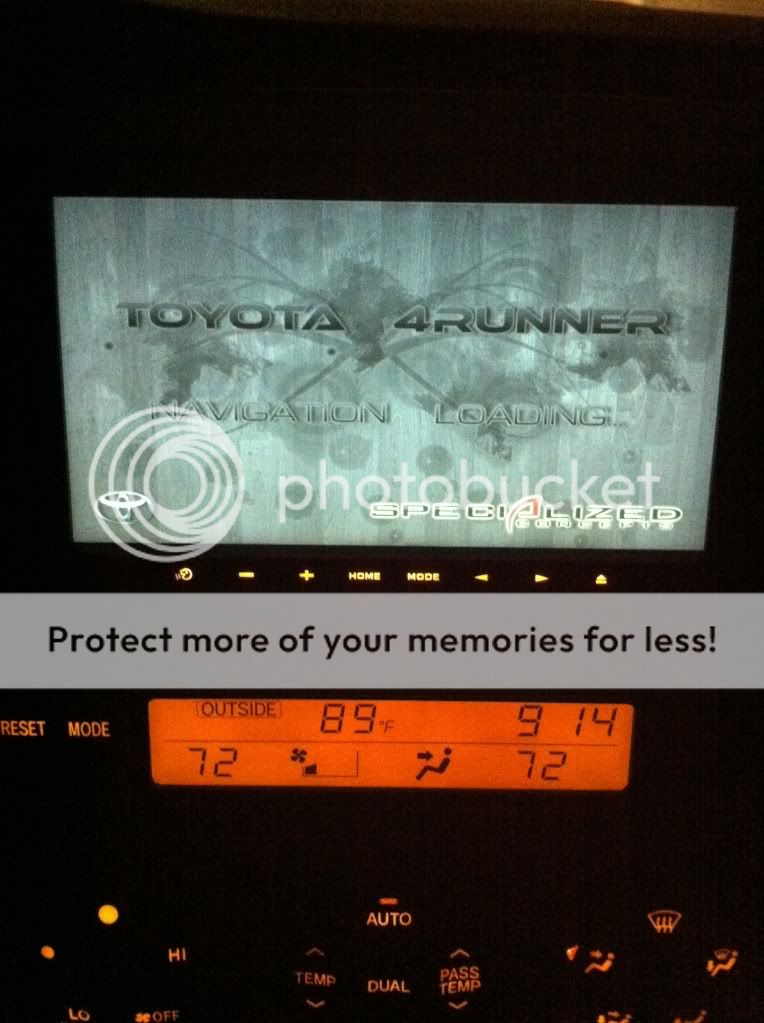
Just having an issue with the backup camera and I want to find a better faceplate... but other than that I'm pretty much done. Pretty happy with it so far. I'll have some proper pics soon. Here's one I snap off with my iPhone showing the splash screen I threw together.

IMG_0988.jpg~original
 
Thanks ecrew. It was a problem with me not being a sound electrician. :eek:

Basically had to back track my work and find a power issue. Works great now. Just got my dash back together. I'll post up pics and stuff when I can take them during the day.
 
Thanks ecrew. It was a problem with me not being a sound electrician. :eek:

Basically had to back track my work and find a power issue. Works great now. Just got my dash back together. I'll post up pics and stuff when I can take them during the day.


looks great! i expect a full installation walkthrough with photos in the near future! :biggrin2:
 
Thanks ecrew. It was a problem with me not being a sound electrician. :eek:

Basically had to back track my work and find a power issue. Works great now. Just got my dash back together. I'll post up pics and stuff when I can take them during the day.

can't wait to see them! :hungry:
 
almost finished product pics

Almost everything is done. I haven't figured out what I want to do with the iPhone cable so I'm just running it like I had it with my USA Spec device. Also, I'm not too thrilled about the Scosche trim kit and the Metra didn't even fit. So I'm still searching for something but will stick with the Scosche until I find something.

Backup camera was probably the toughest part. Fishing the wire up the rear cargo door (along the left side of the window (driver side) up to the LEFT SIDE rubber hose took some patience. One trick I did use... I had a plastic cable organizer/raceway from home depot. It was flexible enough to fit in curves, stiff enough to push through and the cavity was large enough that I could just feed my camera cable through it. Once I got to the rubber hose and inside the headliner it was all pretty easy from there. Ran down the passenger side headliner.


Closeup of the Pioneer camera I'm using.
cameraclose.jpg~original


A few steps back...
camerafar.jpg~original


Here's the image on my head unit. I will likely do the mod to be able to switch the camera on whenever I want it. But I'm looking for a suitable (stock) looking switch.
backup.jpg~original


The bluetooth mic was pretty easy. I didn't like the bulky clip and I wanted a little more than just double sided tape holding on. So I took the plastic molding off my driver side pillar and drilled a hole a bit too small for the ball joint to fit through (I wanted to make sure the ball joint stayed snug). The look is a little cleaner but I'm sure some wouldn't want to put a hole in that plastic molding part. Looks a little cleaner than using the clip I think.

mic.jpg~original


here you can see where I drilled the hole to push the ball joint through.
mic2.jpg~original


As for the head unit... there's NOT alot of room to stuff that sucker in there. I have the PAC TATO, Navigation antennae and PAC SWI components directly behind the H/U. Everything else (Sirius components, backup camera components, etc) are down in the center console area.

Here's a pic of a sirius channel for those that wondered what it looked like. It's a little underwhelming from what I'm used to with my Sportster 5 unit (it gave more info and more graphics but I can life with it). Plus I like having presets at a single finger tip rather than a couple of taps (I know... petty) It does give some info but nothing like the Sportster 5.
sirius.jpg~original


Here's a pic playing music from my iPhone
ipod-1.jpg~original


Pic from a movie on my iPhone
movie.jpg~original


And again my custom screen that I just threw together... will probably make something new when I have the time.
IMG_0988.jpg~original


So far I'd have to say that I really like the unit. No big complaints so far. The bluetooth handsfree phone works GREAT! iPhone interface is ahead of any other unit I've come across.

So far so good.
 
FYI... the h/u has custom colors to match your interior. From that last pic you can see it doesn't really match. I spent about 2 minutes playing around with the settings after that and was able to get a dead match.
 

Members online

Forum statistics

Threads
278,317
Messages
3,554,128
Members
248,016
Latest member
Advally Service

Trending content

Back
Top