Entune Retrofit - Basic Non-Nav, Non-JBL, to Entune Swap

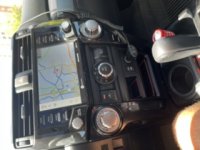
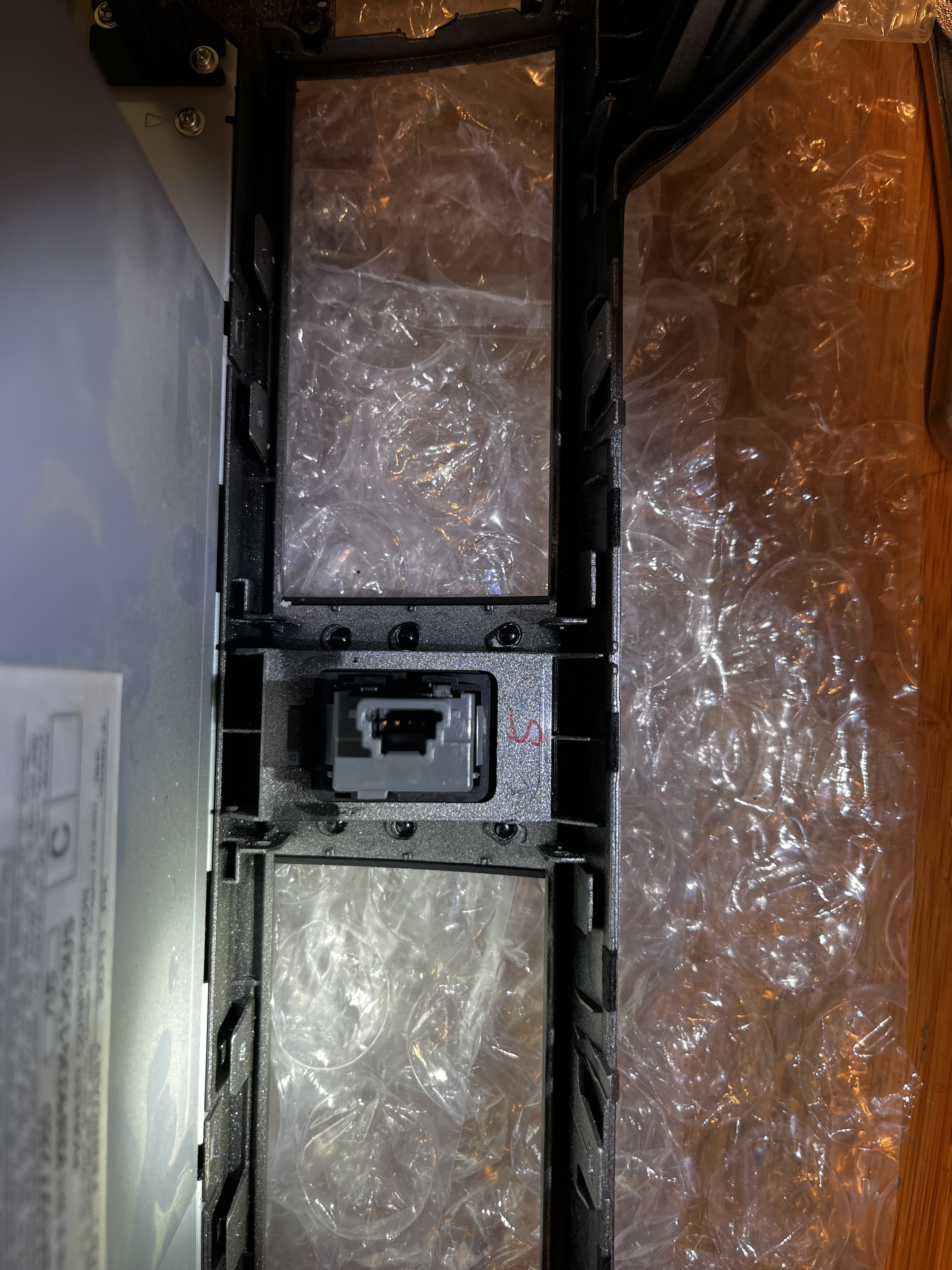
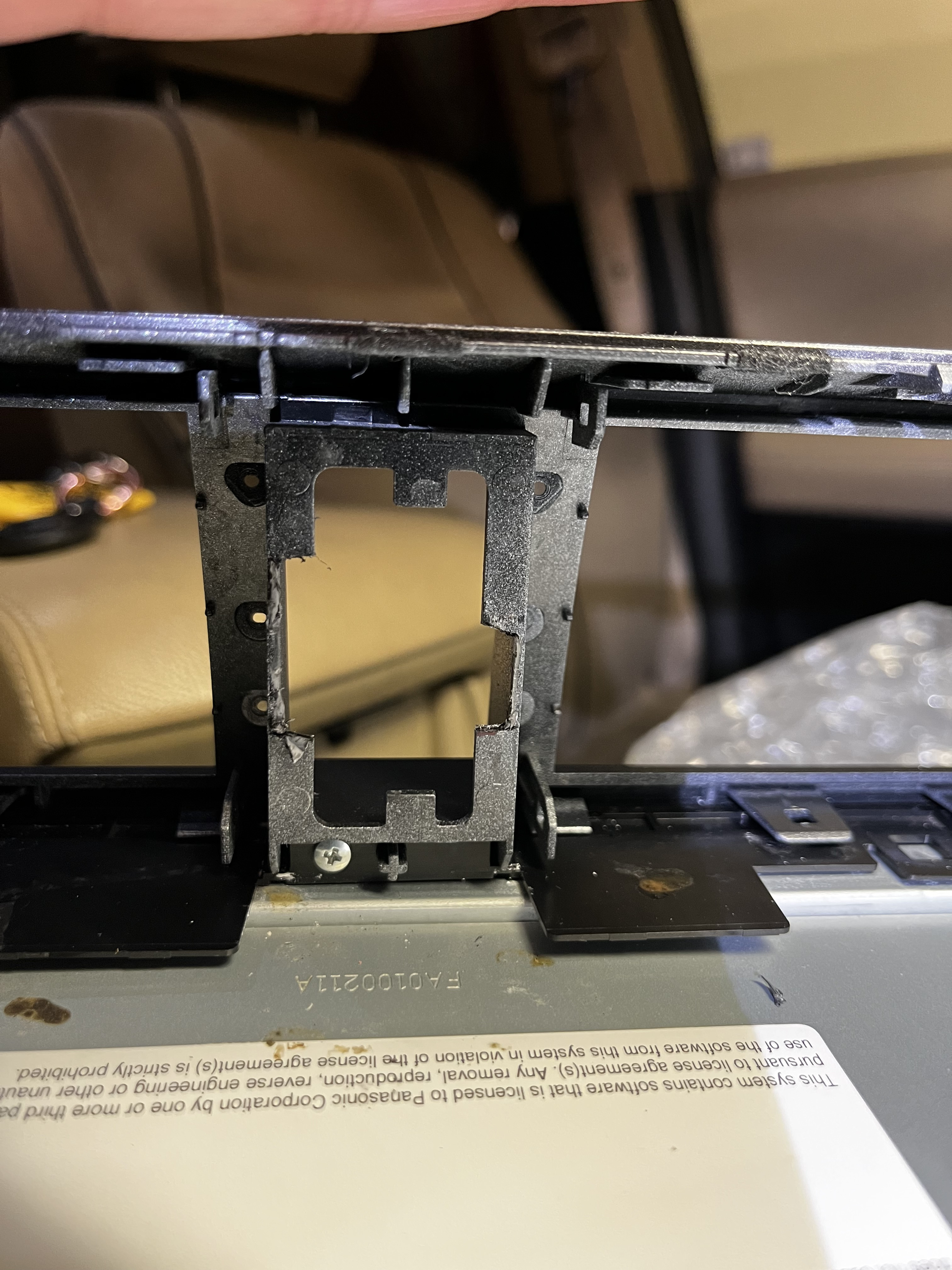
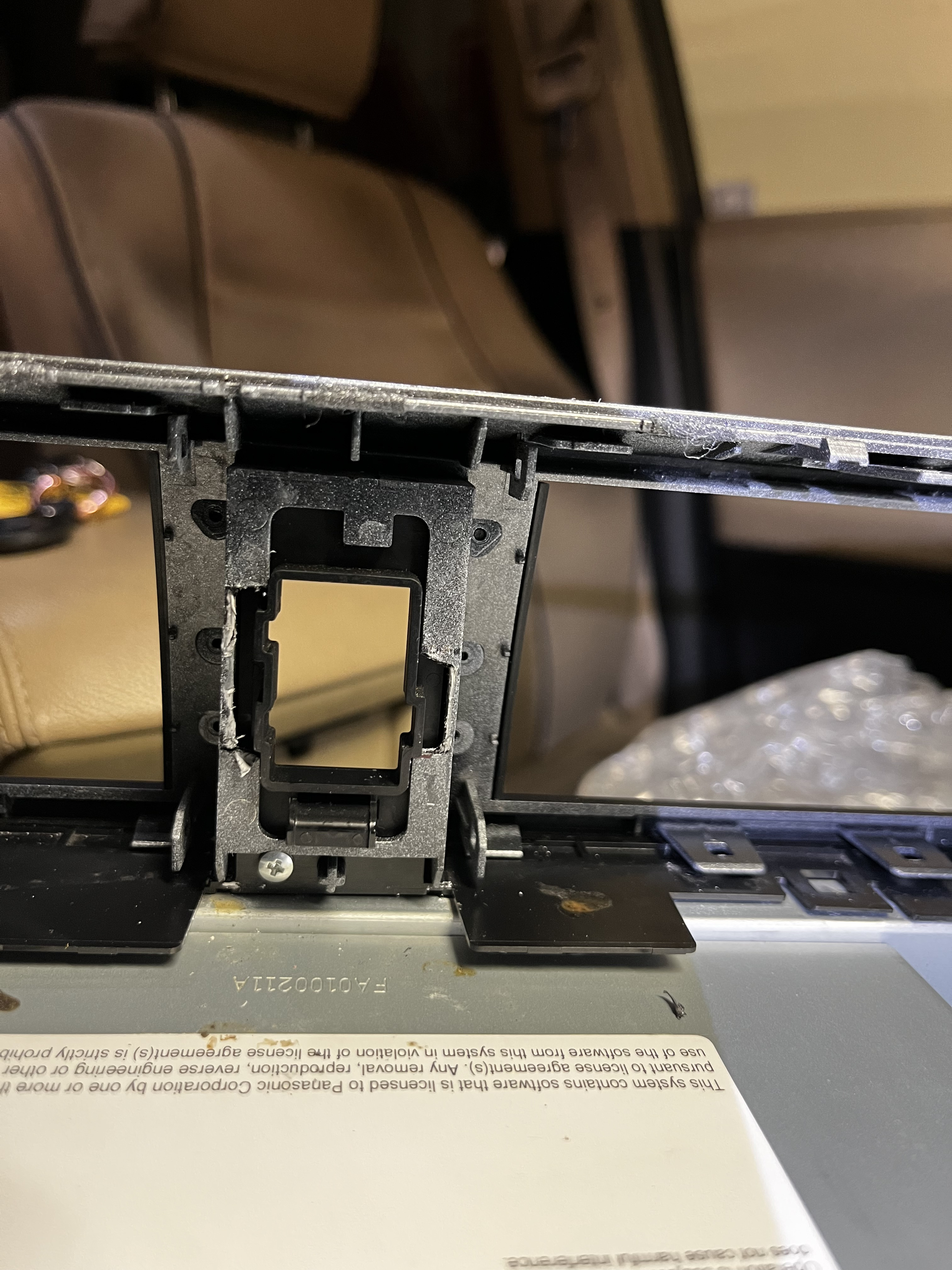
I'm in the process of doing this Entune 3.0 upgrade from the pre 2020 4Runner radio. The hazard button housing is a separate piece from the radio trim. It can easily be removed by carefully drilling out the 6 melt tabs behind it. I'm assuming the 2020+ radio hazard button housing is held in the same way, I haven't confirmed it yet, but if so just remove, and replace with the pre 2020 hazard switch housing using glue, or even 3M double stick tape would work
 
I have a 2016 limited with JBL and I would love to do this. Does this work with JBL? do I need a JBL unit?
 
I have a 2016 limited with JBL and I would love to do this. Does this work with JBL? do I need a JBL unit?

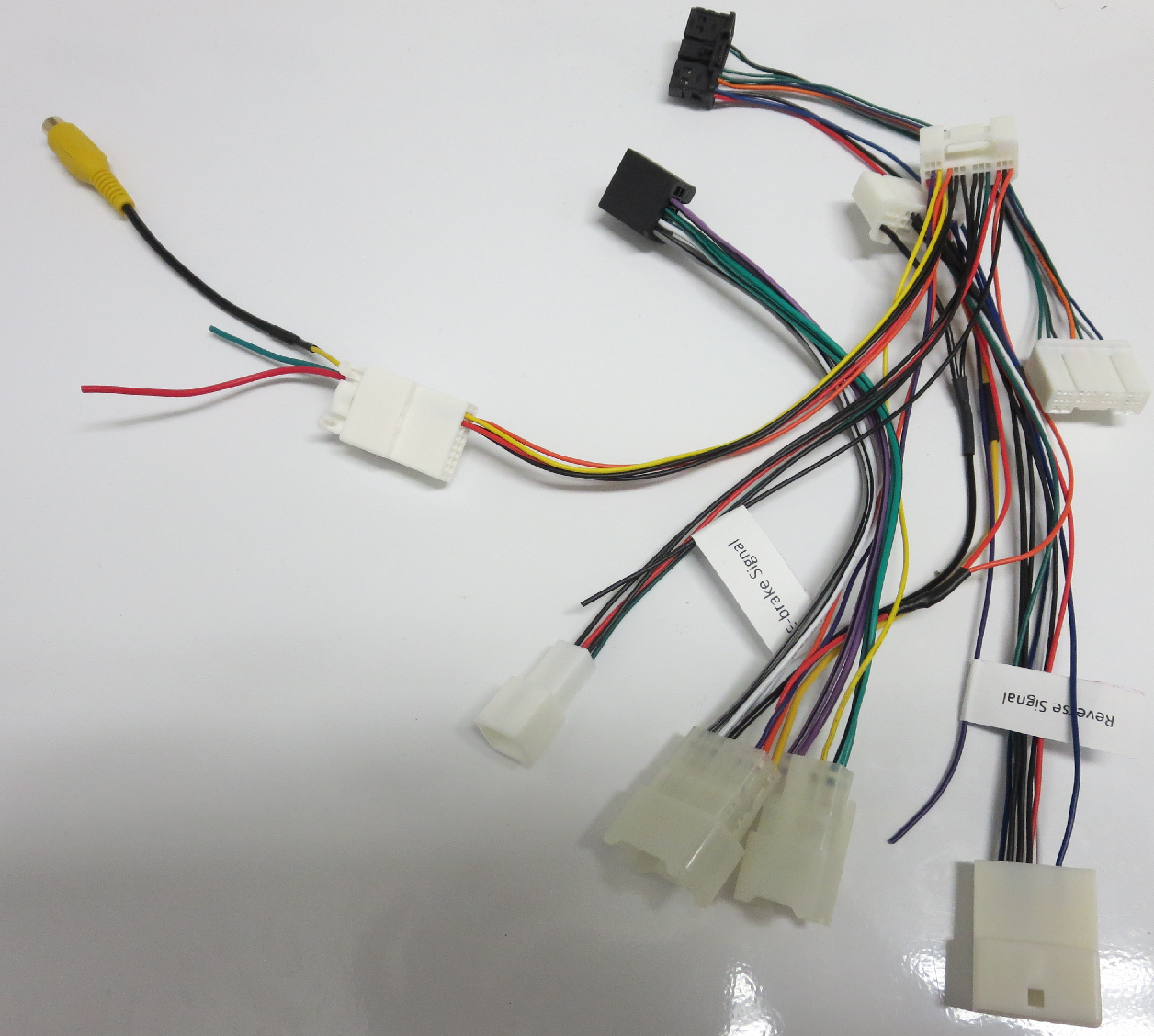
there is a 3rd party making a harness adapter. Reach out to them about it for better information, think they're in this forum somewhere.
 
I'm still on the hunt for a 20+ JBL head unit but if you're looking to do the swap you need to also get a 20+ JBL amplifier which also isn't cheap. Easy to do but hard to find the parts
 
Apple CarPlay works fine when plugged in to the harness (I have not splurged on the wireless unit). I believe AutoHarnessHouse is working on a solution to maintain the factory USB outlet but I have mine routed to the glove box for now.

How would you plug a lightning cable into the harness?

I did the upgrade to the newer navigation on my 2015 4Runner. The only thing I have not been able to do is get CarPlay working correctly.
 

Attachments

  • 2095E1A2-16C9-4F7A-A78C-DA8C3CEBDB50.jpeg
    2095E1A2-16C9-4F7A-A78C-DA8C3CEBDB50.jpeg
    28.3 KB · Views: 577
How would you plug a lightning cable into the harness?

I did the upgrade to the newer navigation on my 2015 4Runner. The only thing I have not been able to do is get CarPlay working correctly.

There was an issue with a version of the USB harness from AutoHarnessHouse. If using the original two-part cable (which retains the OEM USB socket/port next to the 12 volt socket), there seemed to be issues. They sent me an updated single piece cable to retain the OEM port, but you can also plug a lightning cable directly into the first section of the two-part cable (its a female USB end).
I don't have any photos at the moment but I hope the above makes sense.
 
There was an issue with a version of the USB harness from AutoHarnessHouse. If using the original two-part cable (which retains the OEM USB socket/port next to the 12 volt socket), there seemed to be issues. They sent me an updated single piece cable to retain the OEM port, but you can also plug a lightning cable directly into the first section of the two-part cable (its a female USB end).
I don't have any photos at the moment but I hope the above makes sense.

The usb cable happen to know what the issue was? Does the current usb port need to be replaced ? I've noticed prices are starting to come down on the secondary market for the headunits. $500-700 plus harness $200?
 
That seems to be a very common issue as I was also having some trouble with my USB. Apple Carplay worked fine but that was it. No other data would transfer over. I ended up plugging in a wireless android auto adapter directly to the USB in the back.
 
The usb cable happen to know what the issue was? Does the current usb port need to be replaced ? I've noticed prices are starting to come down on the secondary market for the headunits. $500-700 plus harness $200?

I don't know the exact issue but I assume it had something to do with the original "two-piece" cable/harness not being compatible with the OEM usb port. I was able to get CarPlay to work by using the first part of the harness (from the back of the head unit to the female usb), bypassing the OEM port completely.
The updated cable I received was a single cable/harness from the back of the head unit to the OEM port (which works fine with the OEM port).
 
I don't know the exact issue but I assume it had something to do with the original "two-piece" cable/harness not being compatible with the OEM usb port. I was able to get CarPlay to work by using the first part of the harness (from the back of the head unit to the female usb), bypassing the OEM port completely.
The updated cable I received was a single cable/harness from the back of the head unit to the OEM port (which works fine with the OEM port).

Is there a trick to get to the back of the head unit to the OEM port to get CarPlay to work? I tried again today and the OEM port does nothing now. It does not charge my phone when connected.
 
Is there a trick to get to the back of the head unit to the OEM port to get CarPlay to work? I tried again today and the OEM port does nothing now. It does not charge my phone when connected.

Which cable are you using? Can you share a photo?
As far as I know, there are two versions:
1. A two-part cable/harness. One part plugs into the back of the head unit and has a female USB port. The second part is a make USB and plugs into the back of the OEM USB port (next to the 12V socket).
2. A single cable that plugs into the back of the head unit and into the back of the OEM USB port (next to the 12V socket)
 
i have a 2011 trail with the basic radio. no nav. basic screnn.

it looks like i should just be able to pick up a 2014-2019 entune HU and plug it in and rock and roll. is that correct or since i did not have navigation to begin with do i need an additional piece?

i notice some listings on ebay have an extra box in the back of the HU or they have a micro SD card with nav on them.

anyone know the difference?
 
Thought I would add my 2 cents here as I just installed a navigation unit out of a 2021 4runner in my 2011 SR5. I'm super happy with this install. It really updates the interior and functionality of the older 4runners. Only time will tell if the blue lights from the new unit will bother me enough to switch them to orange. Mine didn't have a backup camera, so now I'm onto that to get one installed.

I bought the harness from AutoHarnessHouse and he installed the correct plugs for my 2011, so I didn't end up needing the adapter harness from Toyota listed in the first thread.
45992.png


As far as the hazard switch, I was able to remove the hazard switch housing from my original radio unit and fit it in the new unit. This allowed me to keep my original hazard switch. The below photos are from a 2011 basic radio unit. Not sure if the 2014+ are the same.

The six black nubs you see on the sides, you need to grind them off and the hazard housing will pull out.

IMG-5662.jpg


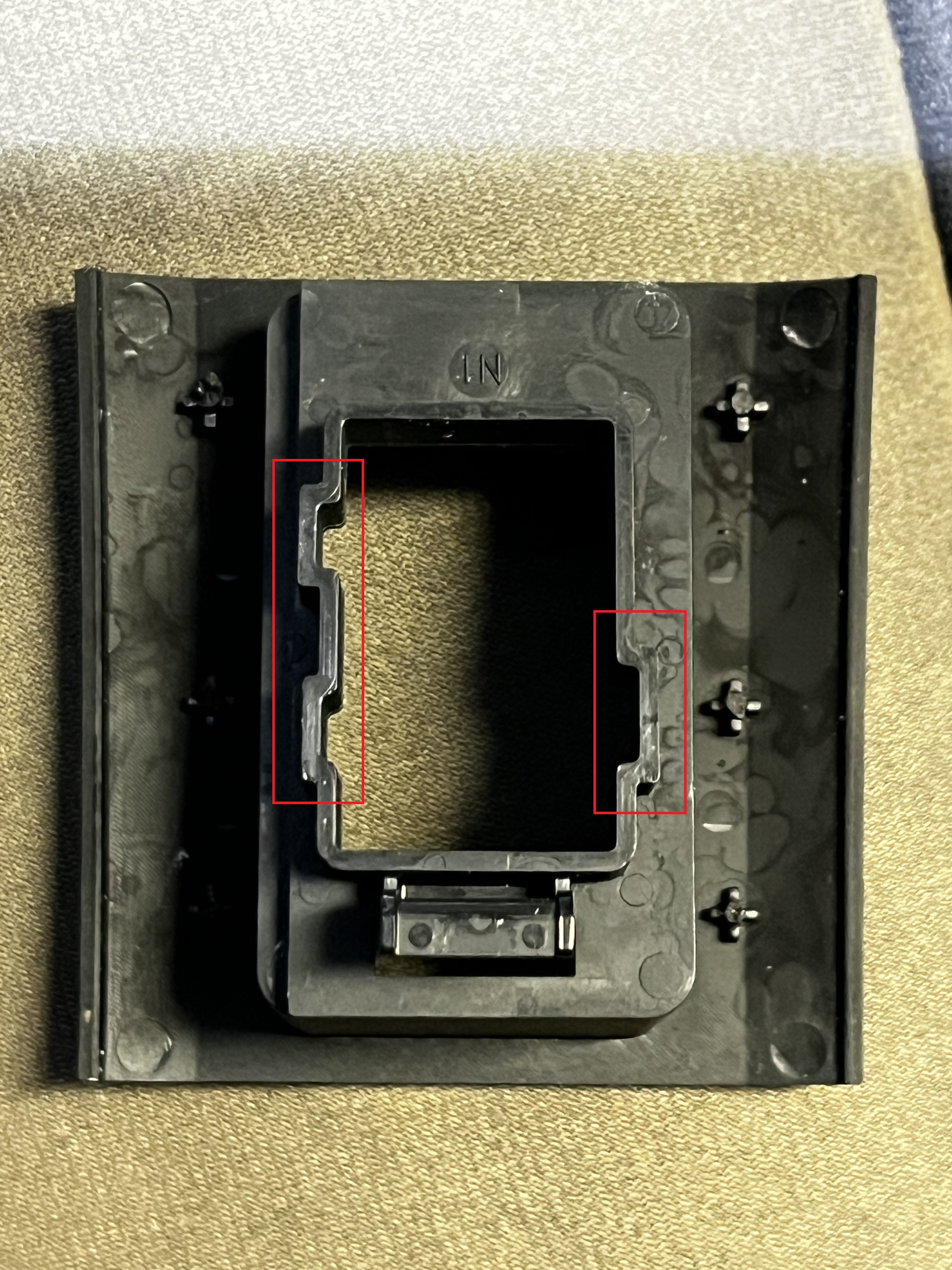
This is what the hazard housing looks like. The three protrusions (two on the left and one on the right) keep the housing from directly sliding into the new 2021 unit.

IMG-5663.jpg


You have to remove a bit of material from the new unit for it to slide in.

IMG-5664.jpg


I then just used a dab of super glue on the six nubs and it slide right in and is good to go now.

IMG-5665.jpg
 
Last edited:
I installed the headunit. It is great. I have noticed that the screen is extremely bright at night. The screen doesn't dim at all with the dash dimmer switch. Is that normal. I did notice that the screen can be shut off completely. Thanks PHil
 
Steering wheel controls?

I recently did the swap - adding a 2020+ headunit to my 2015 SR5 PREM with navigation. The only thing I noticed that did not work was the rewind/fastforward buttons on the steering. Also, the up down controls when in phone and other settings. Has anyone else noticed this? Was there a fix? Thanks!
 

Attachments

  • 20230408_110247_resized_1.jpg
    20230408_110247_resized_1.jpg
    134.9 KB · Views: 562
I installed the headunit. It is great. I have noticed that the screen is extremely bright at night. The screen doesn't dim at all with the dash dimmer switch. Is that normal. I did notice that the screen can be shut off completely. Thanks PHil

finished up the install this afternoon on a 2022 HU into a 2017...when the head lights are turned on the unit will dim. I'll need to check settings to see if it can be manually adjusted.

I did the above to retrofit the hold hazard button and bezel into the new headunit. Its pressed fitted in and is tight, it wont budge. Stock GPS works great and car play works too!

Only issue /concern is calls over bluetooth , I need to turn the volume up high. Any input is appreciated, settings on HU or iphone?
 
I installed the headunit. It is great. I have noticed that the screen is extremely bright at night. The screen doesn't dim at all with the dash dimmer switch. Is that normal. I did notice that the screen can be shut off completely. Thanks PHil

change the theme settings /color that could help.
 
Hello, I glad to read that there is so much positive movement on this subject. I have a 2017 SR5 and have been contemplating on updating the head unit to current standards for a long time. Now the current one is Entune 3.0 on the 2023 models. I am probably a rare user where I do not care about the music and my interest is mainly the GPS. I really hate the interface Toyota has got it and I normally end up using Google Maps GPS. Regardless... The first thing I would be concerned where can I obtain the new Entune 3.0 head unit used on the 2023 models? I do not want to get scammed with something that does not fit or work right in some way. Paying 2500+ is just ridiculous! Alternatively I am thinking of just going to Crutchfield and getting a simple aftermarket Kenwood/Alpine and call it a day. BUt for some reason I do like the phone/text/voice integration of the Toyota head units and I would like to avoid losing that if possible but I will live if I did :)
 
Hello, I glad to read that there is so much positive movement on this subject. I have a 2017 SR5 and have been contemplating on updating the head unit to current standards for a long time. Now the current one is Entune 3.0 on the 2023 models. I am probably a rare user where I do not care about the music and my interest is mainly the GPS. I really hate the interface Toyota has got it and I normally end up using Google Maps GPS. Regardless... The first thing I would be concerned where can I obtain the new Entune 3.0 head unit used on the 2023 models? I do not want to get scammed with something that does not fit or work right in some way. Paying 2500+ is just ridiculous! Alternatively I am thinking of just going to Crutchfield and getting a simple aftermarket Kenwood/Alpine and call it a day. BUt for some reason I do like the phone/text/voice integration of the Toyota head units and I would like to avoid losing that if possible but I will live if I did :)

search 2020 plus head units NON jbl version
Secondary market is your best option
ebay
FB market (search junk car, part outs etc)
car-part.com

it will fit perfect into yours, I just completed an install on a 2017 and love it. As for aftermarket I used a sony 8100 and enjoyed but really wanted the stock look. The entune 3.0 brings a new look to the interior and apple car play is great. I use that about 95% of the time.
 

Members online

Forum statistics

Threads
278,316
Messages
3,554,113
Members
248,016
Latest member
Advally Service

Trending content

Back
Top