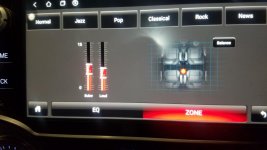
So it looks like the CTHome T9 head unit is out, waiting for reviews.

Scratch that, I fixed it.

I couldn't resist trying to figure out what the heck was wrong. It was clear that something was just being over driven in the PWM circuit that controls the backlight of the screen. so I took it apart and went on a hunt.

VR2 was cranked way, way up (part of the PWM circuit) so I dropped it down to around 1.25v (from 3!) and all is well now. No more whine, no loss in brightness. I'll tool around for a few days and see if this holds up. It worked on both T9 units I have in my house now, so fingers crossed.
img_20190925_161146.jpg

My first post... and I just wanted to to say... awesome man! :thumb3:
 
This T9 looks amazing. I wish I knew it would be consistent.

I also want to know if you can use GPS without a phone in the car, like the OEM GPS units. Or does the GPS only tether off of the hotspot on your phone?


Are people having more luck with wireless CarPlay connection? Thats another issue I wish would not be an issue.

But it looks amazing!!!!


Any new reviews from people?
 
This T9 looks amazing. I wish I knew it would be consistent.


I also want to know if you can use GPS without a phone in the car, like the OEM GPS units. Or does the GPS only tether off of the hotspot on your phone?


Are people having more luck with wireless CarPlay connection? Thats another issue I wish would not be an issue.


But it looks amazing!!!!


Any new reviews from people?
It has its own GPS. You can even put a Sim card in it and leave you phone at home

Sent from my SM-N975U1 using Tapatalk
 
It has its own GPS. You can even put a Sim card in it and leave you phone at home

Sent from my SM-N975U1 using Tapatalk

Forgive me.... but Im a verizon guy, so I don't deal with sim cards.

If I buy a sim card to put inside the T9, that means I will have to set up a monthly "cellular plan" for that sim card correct?

I just want GPS like OEM so I can do maps when I don't have cell service.
I will use the phone for streaming spotify tunes though.
 
Forgive me.... but Im a verizon guy, so I don't deal with sim cards.

If I buy a sim card to put inside the T9, that means I will have to set up a monthly "cellular plan" for that sim card correct?

I just want GPS like OEM so I can do maps when I don't have cell service.
I will use the phone for streaming spotify tunes though.

Yes, it's just an android device like a phone so if you want mobile data you'll have to buy a plan, otherwise use wifi from your phone.

You can have standalone GPS - it's just android use whatever app you want

But if you just want basic GPS and plan on using your phone for spotify -- why would you even want this? The stock headunit has basic GPS and bluetooth for spotify from your phone
 
But if you just want basic GPS and plan on using your phone for spotify -- why would you even want this? The stock headunit has basic GPS and bluetooth for spotify from your phone

I don't just want those 2 items. That is just a setup I want.

I will use my phone to stream spotify.
But I want GPS that is not dependent on my phone because I travel in places where I don't always get cell phone service.

Tracking?
 
Does anyone else have an issue where the unit boots up instead of going to sleep? I have the setting to boot up at 3 days, but if the truck is off by more than a few mins... it boots up, so it takes awhile to turn on in between drives. It’s annoying so hopefully someone has a solution! Thanks in advance


Sent from my iPhone using Tapatalk
 
I don't just want those 2 items. That is just a setup I want.

I will use my phone to stream spotify.
But I want GPS that is not dependent on my phone because I travel in places where I don't always get cell phone service.

Tracking?

Uh, your phone's GPS antenna works anywhere you can see the sky. It doesn't matter if you're within cell tower range or not. It also doesn't matter what phone or head unit you're using. Satellites are used to triangulate your exact location almost anywhere on earth.

If you're talking about turn-by-turn directions (active navigation), that only works with data (cell tower) or by caching the area in your phone ahead of time. I believe the stock head unit has an SD card with map data loaded onto it.
 
I don't just want those 2 items. That is just a setup I want.

I will use my phone to stream spotify.
But I want GPS that is not dependent on my phone because I travel in places where I don't always get cell phone service.

Tracking?

yes, it can track

again... it's just an android device, use whatever tracking app you want
 
If you're talking about turn-by-turn directions (active navigation), that only works with data (cell tower) or by caching the area in your phone ahead of time. I believe the stock head unit has an SD card with map data loaded onto it.

Google maps can work without data if you save the area, so can waze, and there are multiple android apps that give turn by turn directions without data. Sygic uses TomTom maps, MapFactor GPS uses OpenStreetMap maps, I've used both and they're fine.
 
Google maps can work without data if you save the area, so can waze, and there are multiple android apps that give turn by turn directions without data. Sygic uses TomTom maps, MapFactor GPS uses OpenStreetMap maps, I've used both and they're fine.

I literally said exactly that in the post you quoted from. It's right there.
 
I don't just want those 2 items. That is just a setup I want.

I will use my phone to stream spotify.
But I want GPS that is not dependent on my phone because I travel in places where I don't always get cell phone service.

Tracking?

Like others have said this unit has its own GPS antenna. I used an adapter and connected my sharkfin antenna to my unit. So I'm not currently using the included one. No need to stream Spotify from your phone. Use the Android Spotify app instead and tether to your phones hotspot or use a Sim. Split screen function is really useful when using nav and other apps simultaneously.

Code:
Use app switcher icon in the top-left of screen. Use finger to drag titlebar to left or right. Each side can switch to different apps. Close app or drag divider fullscreen to end split screen.

The quality of your offline map navigation will depend on the app you choose to use. Google maps is free and will allow you to download sections (max size is huge and well beyond my local range) for offline use. Again, no phone needed unless your using it for a hotspot and/or calls. Sim on this unit is just for data.
 
Like others have said this unit has its own GPS antenna. I used an adapter and connected my sharkfin antenna to my unit. So I'm not currently using the included one. No need to stream Spotify from your phone. Use the Android Spotify app instead and tether to your phones hotspot or use a Sim. Split screen function is really useful when using nav and other apps simultaneously.

Code:
Use app switcher icon in the top-left of screen. Use finger to drag titlebar to left or right. Each side can switch to different apps. Close app or drag divider fullscreen to end split screen.

The quality of your offline map navigation will depend on the app you choose to use. Google maps is free and will allow you to download sections (max size is huge and well beyond my local range) for offline use. Again, no phone needed unless your using it for a hotspot and/or calls. Sim on this unit is just for data.
What is the adapter you used? I bought 2 different adapters and neither of them were correct =(

Also, do you know of an adapter to make the factory mic in the headliner connect?

Sent from my SM-N975U1 using Tapatalk
 
** I posted this in its own thread but this one seems to get a lot more traffic from those that I need help from ****


Hey gang, I have a T8 headunit and, despite others with issues, I love mine. I just built a subwoofer enclosure and got my amp wired up only to find out the I dont seem to have any signal coming from the preamp sub out (GREEN) to the rcas. I checked the voltage and don't see any. Is there some software setting I have to click to enable the preamp out for the subwoofer of am I doing something incorrectly? The EQ app nor the Aux app seem to have anything indicating activation of the sub out line.

Guidance please!
 

Attachments

  • Screenshot_20191002-113419_Gallery.jpg
    Screenshot_20191002-113419_Gallery.jpg
    124.3 KB · Views: 956
** I posted this in its own thread but this one seems to get a lot more traffic from those that I need help from ****


Hey gang, I have a T8 headunit and, despite others with issues, I love mine. I just built a subwoofer enclosure and got my amp wired up only to find out the I dont seem to have any signal coming from the preamp sub out (GREEN) to the rcas. I checked the voltage and don't see any. Is there some software setting I have to click to enable the preamp out for the subwoofer of am I doing something incorrectly? The EQ app nor the Aux app seem to have anything indicating activation of the sub out line.

Guidance please!

The T8 and T9 are not similar units. You might have better luck checking at XDA but no guarantees on support. I believe the unit is based on a Allwinner T8.

Some android units did not support a sub out line even though they were equipped with one. Not saying that's the case here but I would verify that first. Could be as simple as enabling something in factory settings menu but I'm not sure.

What is the adapter you used? I bought 2 different adapters and neither of them were correct =(

Also, do you know of an adapter to make the factory mic in the headliner connect?

The metra adapter for vehicle sharkfin:
https://www.amazon.com/gp/product/B01K03PORU
Adapts metra cable to head unit:
https://www.amazon.com/gp/product/B06Y631SY1

Mic is not viable as far as I know. From the bits of info I had came across it was better in the end to just run a new mic to the old location.

This is cool:
Custom hidden mic bracket for aftermarket head unit
 
Thanks man! I thought the software might be comparable (albeit upgraded) and therefore a setting someone may have encountered. Its annoying to think that the Sub Out may not even be functional despite being part of the hardware. I guess I may have to tap a high level signal and install an LOC. UGH, more wiring!
 
Thanks man! I thought the software might be comparable (albeit upgraded) and therefore a setting someone may have encountered. Its annoying to think that the Sub Out may not even be functional despite being part of the hardware. I guess I may have to tap a high level signal and install an LOC. UGH, more wiring!

Yeah they do weird things with these units sometimes. Try contacting the vendor you bought it from to verify sub function on your unit. Or maybe try to pm someone who has a T8 to verify with them. Good luck.
 
Do you have a USB drive plugged in? I had an issue where mine didn't like the USB drive I had and when it would go to sleep, it would wake up thinking that the drive was corrupted and force a reboot instead of a wake. Swapping the drive fixed it for me.

Does anyone else have an issue where the unit boots up instead of going to sleep? I have the setting to boot up at 3 days, but if the truck is off by more than a few mins... it boots up, so it takes awhile to turn on in between drives. It’s annoying so hopefully someone has a solution! Thanks in advance


Sent from my iPhone using Tapatalk
 
Do you have a USB drive plugged in? I had an issue where mine didn't like the USB drive I had and when it would go to sleep, it would wake up thinking that the drive was corrupted and force a reboot instead of a wake. Swapping the drive fixed it for me.

Just found out mine was doing that from having the usb carplay dongle plugged in. Unplugged it and it has been good so far....
 
So far everyone I've seen use these was in a non-Limited (read: non-JBL). Does anyone know if it'll work with the Limited along with the amp and sub?

I'm very interested in finding this out as well. Their website specs elude to it, but I'd like to know for sure. This will keep me from buying a 2020 and keep my car payments at $0/month. lol.
 

Members online

Forum statistics

Threads
278,315
Messages
3,554,130
Members
248,016
Latest member
Advally Service

Trending content

Back
Top