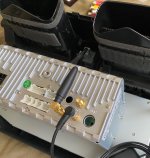
Folks,
Thought I'd give some initial feedback on this unit after having it for a couple of days. I bought it from Rhino and I have a 2013 TE with NAV. Thanks to the help of this thread and one member specifically, I felt comfortable that this unit would work with my car although it's not a 2014 or newer.
Install
- Being familiar with car stereos, for me it wasn't rocket science. Plus it's pretty easy taking everything apart on the 4Runner.
- Used the 1 hour video Sevag has for reference, which was very helpful.
- Fit and finish is pretty good, but not perfect. But as others have said, once you install you can't see any imperfections.
- There is no WiFi connector marking in the back. I think it has 4G- and 4G+. I hooked up the WiFi antenna to the TV marked SMA connector. WiFi works good.
- Couple of harnesses did not want to plug in. The slot is just a little too tight. So I had to do some trimming to get it to fit, but on one of them I'm not sure it's seated perfectly.
- I have not hooked up the SIM card slot nor the cell antenna...don't have a need.
- I've left the external mic off for now to see how the internal one works.
- Before putting the unit in the car, I connected everything and tested functionality. For me I had to reverse the rear camera connection as it did not work when I followed the instructions in the video.
- I am utilizing the included GPS antenna (which works well), but I have ordered an adapter that hopefully will work with the factory antenna. Stay tuned.
Initial Issues
- The only real issue I've had has been with steering wheel controls. Initially only the volume buttons worked. I had to experiment with selecting different cars under Extra Settings until I got one that worked better. But once the back/forward buttons started working...they were reversed. Found another menu item that reversed them...so now all 4 of those work.
- For cell usage, hangup button works, but not pickup.
- Initially the unit kept thinking I had parking sensors and that one of them was going off. Again I think the vehicle selection fixed that as well.
- As others have said, best to set the date/time manually.
Initial Thoughts
- I really wanted CarPlay, which I got. That works great as expected, but limited when you consider you have a mini computer with apps on the unit itself.
- As others have said, going between utilizing the unit through wifi/hotspot or through CarPlay is a little messy. I think of having two different systems in one unit, so pick one and stick with it. Otherwise going back and forth sucks. Effectively you have to remove your WiFi source (home, phone, whatever) to get CarPlay to work. And often with that, I think I have to manually connect bluetooth to the phone before CarPlay works.
- My CarPlay works wired or wireless. No dongle. Using TLink. If you've got CarPlay going, then seamless to continue where you left off. No audio issues.
- Couple of times now CarPlay would not connect although it worked previously. I've had to restart the HeadUnit and then it starts working.
- I can't figure out how to play music on my phone (music on my phone, not streams) while hardwired in on USB. In my stock HU, I could select iPod and go from there. I haven't figured out how to do it here.
- In the bluetooth app, I can stream my music, but best to do my selections through my phone, not the HU. Again, not great. Might as well use CarPlay.
- I've only taken one call so far, and the person said my voice wasn't that loud. I have that amplifier app installed and turned up the gain on the mic...so we'll see how subsequent calls are.
- During my call test, it was CarPlay, I wasn't able to test with the built in phone/bluetooth app. Even though I killed TLink, CarPlay still launched. So that remains for testing.
- Screen resolution / color is fantastic. The OEM unit sucked.
- This unit looks very OEM.
- I think audio quality is much better as well. I'm sure the EQ helps. But I think base and vocals have improved. Volume is pretty good as well, but I feel like it has more...but since you can't go past 30 I can't test. It would be nice if there was a way to turn it up more.
- Right now when in CarPlay, if I get a text, the text notification volume is pretty loud. Can't seem to find a way to turn that down.
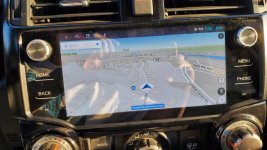
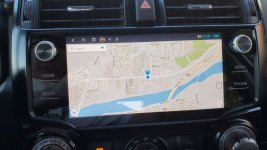
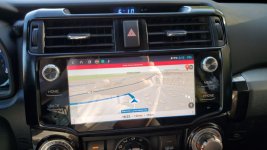
- I bought and installed Sygic for offline navigation. It's a good app, but feels a little choppy compared to Apple or Google Maps. But it's a good offline solution. You can download maps for states so you have that available to you at any time. I think at this point it would be my backup nav app if I was in an area with no reception.
- Unit performance / speed is good..no complaints.
- AM reception is non-existent. But I do have the shorty antenna. Haven't tried with the OEM antenna.
- The OEM backup camera image at night I think worked better. I think the OEM makes it a black/white image whereas this unit keeps it in color, so things start darkening up a bit. But you do get the lines and the steering wheel based lines of where you'll go (which can all be turned on/off).
Overall
- I think it's a no-brainer buying this unit. But as others have said, you have to be prepared to tinker with it to get it to your liking. You also have to accept a little bit of bugginess or weirdness in usage because of how open and powerful this whole thing is. That may be ok for some, but not others.
- With the unit set to retain power for a day, it's great as it turns on almost instantly.
- Rhino radio support is very slow and often not helpful. So hoping to communicate with them and get answers should not be relied on in my opinion.
- One of the big gripes I have right now is that with my polarized sunglasses, I can't see the display unless I turn my head 45 degrees. Never had that happen with any other stereo.
Questions
- Any good music player app I can use for streaming as well as for hardwire from my iPhone?
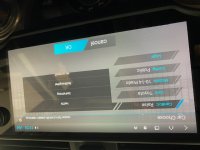
- Can someone with a 2010-2013 4Runner tell me what they have for vehicle selection under Extra Settings / Car Choose? I've got a screenshot attached of what my current election is.
- Any idea on reprogramming buttons? I know there appear to be functions or apps built in to do it, but haven't figured those out yet.